BIXOLON SRP-350plusIII User Manual
Page 18
Advertising
Rev. 1.03
- 18 -
SRP-350/352plusIII
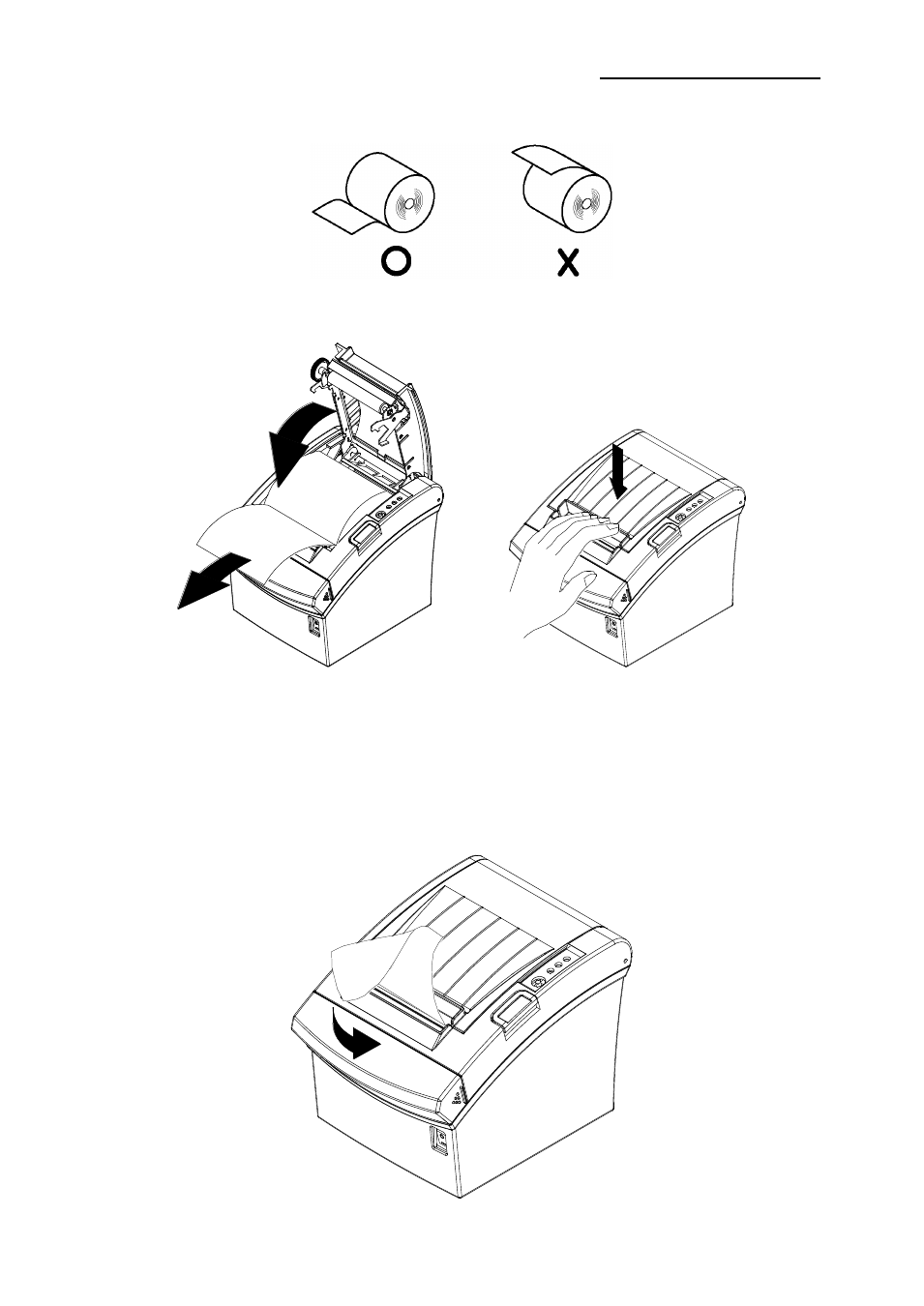
1-5-5 Check the orientation of the roll paper when inserting it into the printer.
1-5-6 Pull out a small amount of paper as shown in the picture, and close the cover.
※ CAUTIONS
When closing the cover, hold down the center of printer cover firmly so that paper roll is
loaded correctly.
1-5-7 Cut the paper as shown in the following picture.
Advertising
This manual is related to the following products: