4 schematic overview, 5 image and button configuration layout – Thor 4 Ch HD-SDI Encoder w/ CC & AC/3 User Manual
Page 6
Advertising
H-2/4HD-EM(S/H)
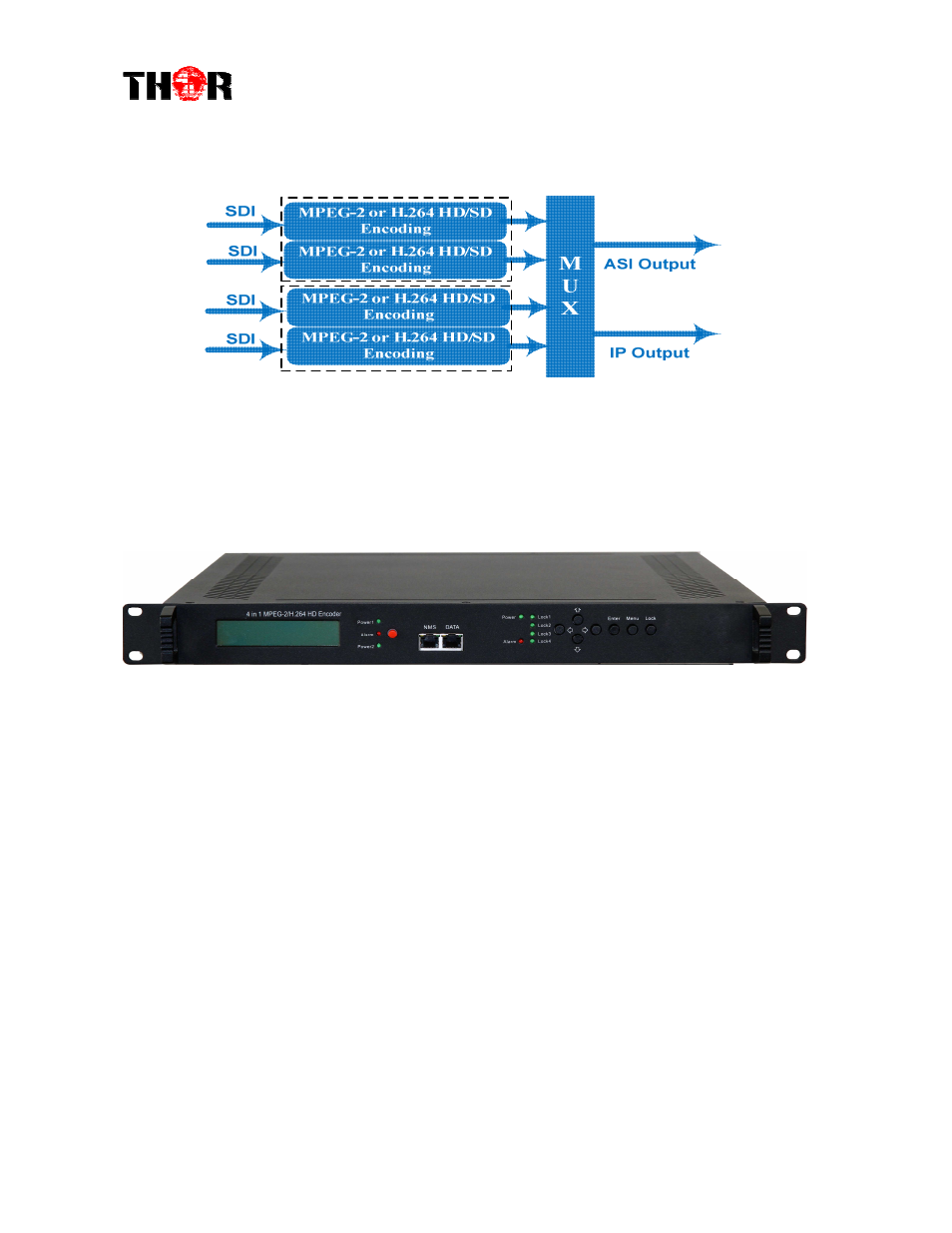
1.4 Schematic Overview
1.5 Image and Button Configuration Layout
8 1 2 3 4 5 6 7 8
①
①
①
①
LCD window
②
②
②
②
Power supply indicators
③
③
③
③
Power Alarm Switch: When only one power supply is connected or one of the power
supplies fails, the device will give alarm sound, and then press the alarm switch to turn off the
alarm sound.
④
④
④
④
NMS port for the connection between the device and PC
⑤
⑤
⑤
⑤
DATA port for IP signal out
⑥
⑥
⑥
⑥
Indicators for whole unit power supply, working alarm and input signal lock status
⑦
⑦
⑦
⑦
Control Buttons
⑧
⑧
⑧
⑧
Handles
Advertising
This manual is related to the following products: