Troubleshooting and warning – Thrustmaster Ferrari Challenge PC-PS3 User Manual
Page 8
7/10
•
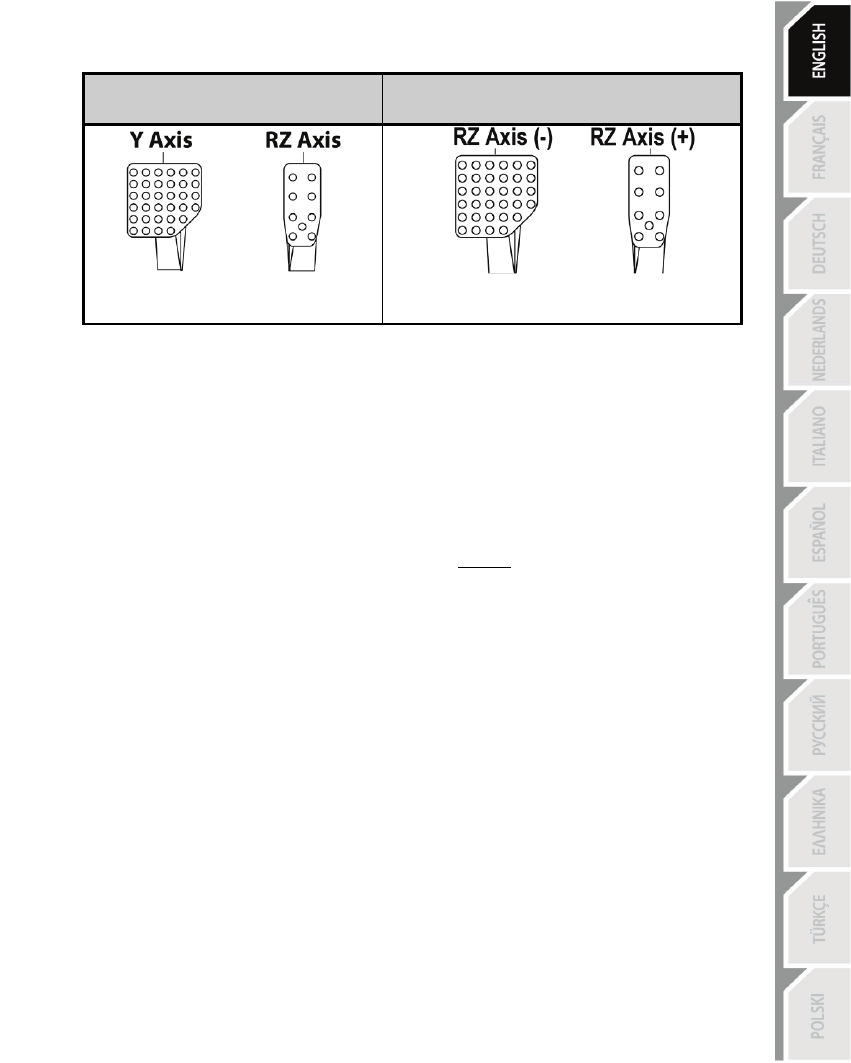
Setup of pedals on PC:
Separate pedals
(default mode)
Combined pedals
(must be selected)
- Gas = RZ axis
- Brake = Y axis
- Gas = Up direction on RZ axis
- Brake = Down direction on RZ axis
TROUBLESHOOTING AND WARNING
•
My wheel is not functioning correctly or seems improperly calibrated:
- Switch off your PC or your PS3, verify that the PS3/PC switch (9) is in the proper position,
completely disconnect your wheel and all cables, reconnect everything and then restart
your game.
- Never move the wheel or the pedals when connecting your wheel, in order to avoid any
calibration problems.
•
My pedal set is not functioning correctly:
- Always connect the pedal set to the wheel (10/8) before connecting the wheel's USB
connector (7).
- Reconfigure your wheel in your game's controller options.
•
I can't configure my wheel:
- On PS3, in your game’s Options / Controller / Gamepads menu: select the most
appropriate configuration.
- On PC, in your game’s Options / Controller / Wheels menu: select the most appropriate
configuration.
- You can also use your wheel’s programming function to resolve this type of problem.
•
On PC, the menus in my game are scrolling by themselves:
- Exit the game and switch the pedal set to Combined mode (2 axes). Then return to your
game to reconfigure the wheel with the new axes.
•
My wheel's steering is not responsive enough:
- Switch your wheel to High sensitivity mode.
- Adjust the sensitivity in your game’s options.
•
On PC: in some games, use the pre-existing presets for FGT Rumble 3-in-1 or
Ferrari GT Experience.