Thrustmaster T-X3 Charge Hub User Manual
Page 6
Advertising
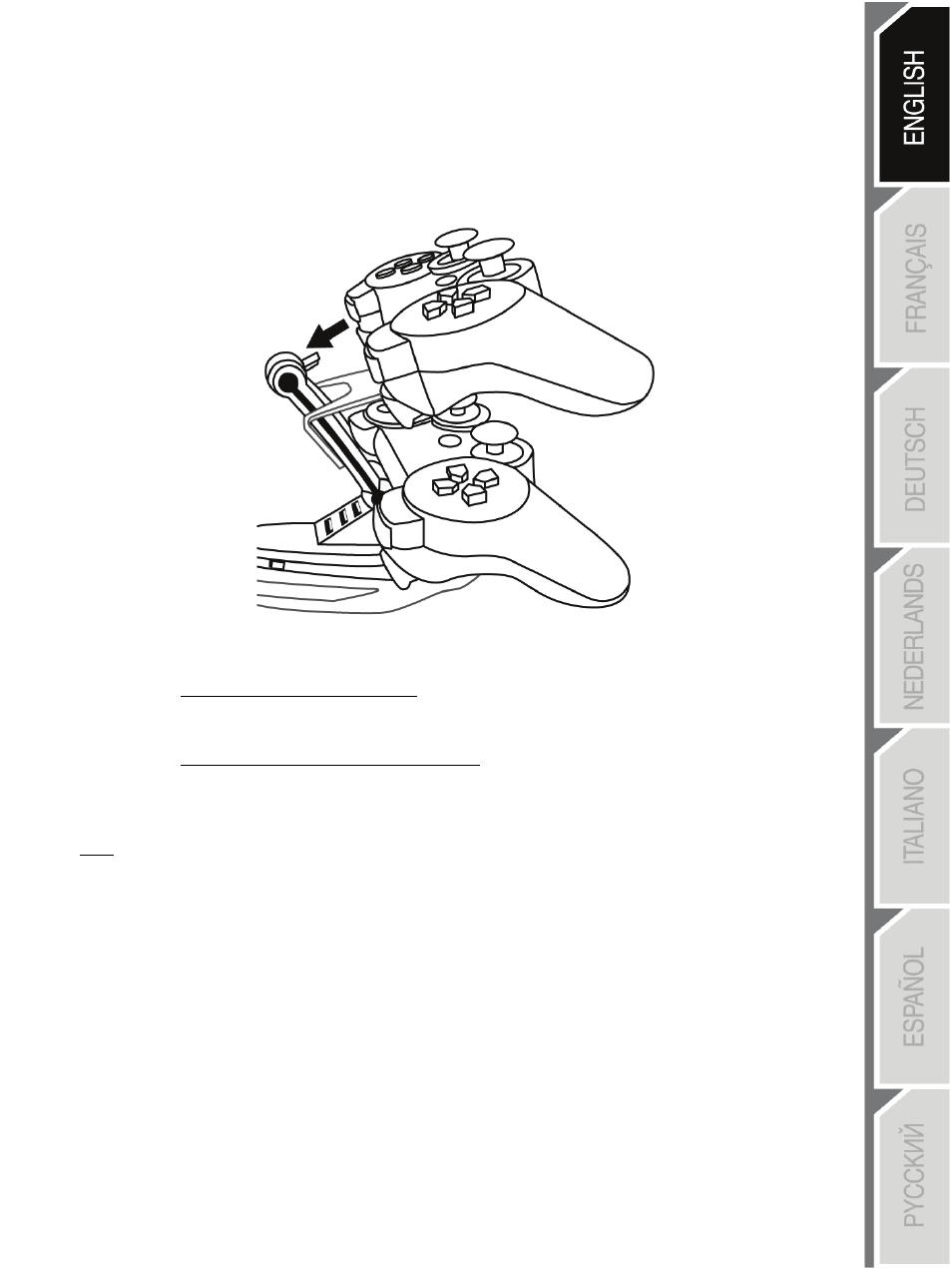
RECHARGING A PLAYSTATION® 3 GAMEPAD ON THE TX-3 BASE
Position the gamepad on one of the 2 bases and connect its female connector to the male connector (1)
on the TX-3.
•
When the gamepad is recharging:
The gamepad's port indicators flash slowly.
•
When the gamepad is completely charged:
The gamepad's indicators stop flashing.
Note:
•
Gamepads continue to recharge even when your console is powered off.
•
Gamepads will automatically stop recharging when the battery is full.
•
When recharging on its base, the gamepad is not functional and cannot be used.
•
To use your gamepad, disconnect it from the base and press its PS button.
5/8
Advertising