Operation procedure, Operation by operation panel – Toyotomi ETK-S50 User Manual
Page 12
Advertising
10
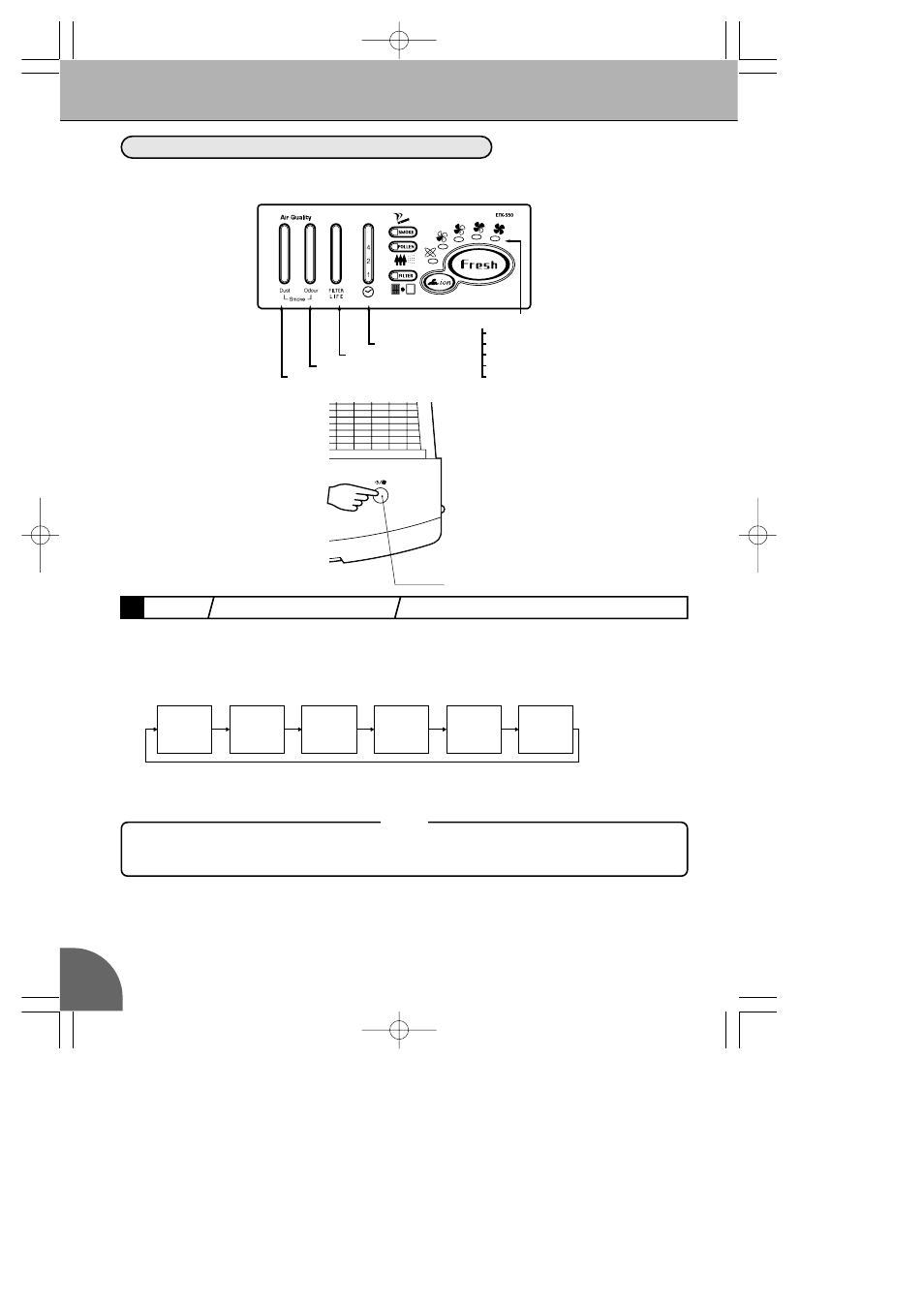
①Press the operation button
●
The Air Purifier Operation starts.
●
Each press of the operation button switches the operation mode in the following order. Select desired
operation mode.
●
The Auto lamp indicates automatic operation.
●
The Fan Speed lamp indicates the changing of the fan speed.
Ion
+
Auto
Ion
+
Quiet
Ion
+
Standard
Ion
+
High
Ion
+
Rapid
Stop
OPERATION BY OPERATION PANEL
OPERATION PROCEDURE
1
ON/OFF AUTOMATIC OPERATION CHANGING THE FAN OPERATION MODE
★Timer operation, Smoking operation and Pollen operation cannot be made by operation
panel of the Main Unit. Use Remote Control.
NOTE
①
Operation
Button
Auto
Quiet
Standard
High
Rapid
Timer Lamp
Filter Life Lamp
Odour Lamp
Dust Lamp
Fan Speed Lamps
ETK-S50 (GB) 10.6.22 9:03 AM ページ 10
Advertising