Other functions, 8] dslr scale – TVLogic LVM-095W-N User Manual
Page 32
32 Multi Format LCD Monitor
7. Other Functions
[8] DSLR Scale
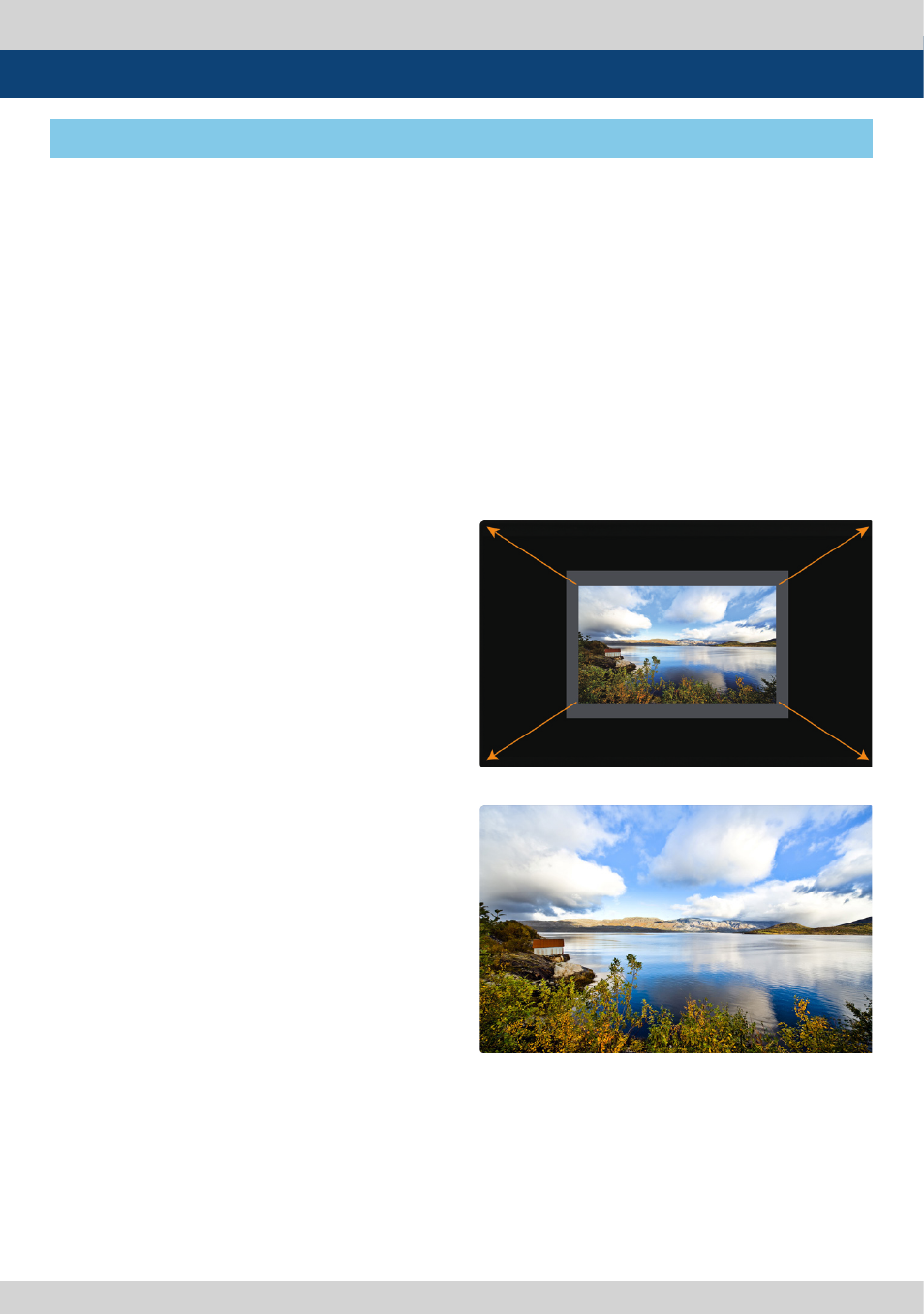
<DSLR Scale ON>
<DSLR Scale OFF>
• This function is designed for some
DSLR cameras(Canon 5D, 550D, SONY A77
and Nikon D7000) that output
different resolution from the operation
mode (preview, recording, playback).
• Select the Camera model in the [Display/
Vide]- [DSLR Camera Sel.] menu.
• CANON
- In StandBy mode of Canon 5D Mark II, 1080i
of HD resolution is indicated. However, the
real output resolution is 1620x1080, so a blank
area is displayed on the screen because the
16:9 aspect ratio is not realized.
- In this case, use the DSLR SCALE function to
enlarge the 1620x1080 image and display full
screen. In Recording mode of CANON 5D
Mark II, the output resolution is SD(480p).
- Although it is SD, the real output resolution is
640x390 not 720x480.
- DSLR SCALE function scales the 640×390
image to 1280x800(panel resolution) and
displays it full screen.
※
Note
1. When you compare the circle chart or the
camera shooting chart with DSLR connected
monitor(HDMI) and HDMI to SDI Conversion
connected monitor, The function of Live/
Rec 16:9 mode should be selected to
compare circle and it is equal to its actual
ratio. If the circle is compared in Live/Rec Full
mode, the output of the circle is deformed.
2. Both LVM-095W connected DSLR and
LVM-095W connected HDMI to SDI
Conversion should be compared to cirlce in
Zeroscan mode. It is deformed if user selects
in Overscan and Underscan mode.
• SONY
- In StandBy/Record mode of SONY, actual
resolution of the output signal from HDMI
terminal is 1440x1080, failing to display 16:9
aspect ratio and making marginal blank area.
Activating DSLR SCALE function will scale the
1440x1080 raster image to fill the full screen.
• NIKON
- In StandBy/Record mode of NIKON, actual
resolution of the output signal from HDMI
terminal is 952x634, failing to display 16:9
aspect ratio and making marginal blank area.
Activating DSLR SCALE function will scale the
952x634 raster image to fill the full screen.