Menu operations, 6] marker – TVLogic XVM-175W User Manual
Page 26
26 Multi Format LCD Monitor
●
MARKER
- Used to select the marker type when the
MARKER is displayed on the screen.
- Activates only by pressing the MARKER
button on the front of the monitor.
- Compatible MARKER types are as follows:
If AFD is selected, the embedded Aspect
ratio signal in the video signal will be
extracted and displayed as a marker.
●
CENTER MARKER
- Used to display the CENTER MARKER on
the screen. This function operates only
after activating the MARKER function by
pressing the MARKER button on the front of
the monitor.
●
SAFETY AREA
- Used to select to display and control the size
of the SAFETY AREA.
- Available types are 80%, 88%, 90%, 93%,
100%, EBU ACTION 16:9, EBU GRAPHIC 16:9,
EBU ACTION 14:9, EBU GRAPHIC 14:9, EBU
ACTION 4:3 and EBU GRAPHIC 4:3.
- This function operates only after activating
the MARKER function by pressing the
MARKER button on the front of the monitor.
●
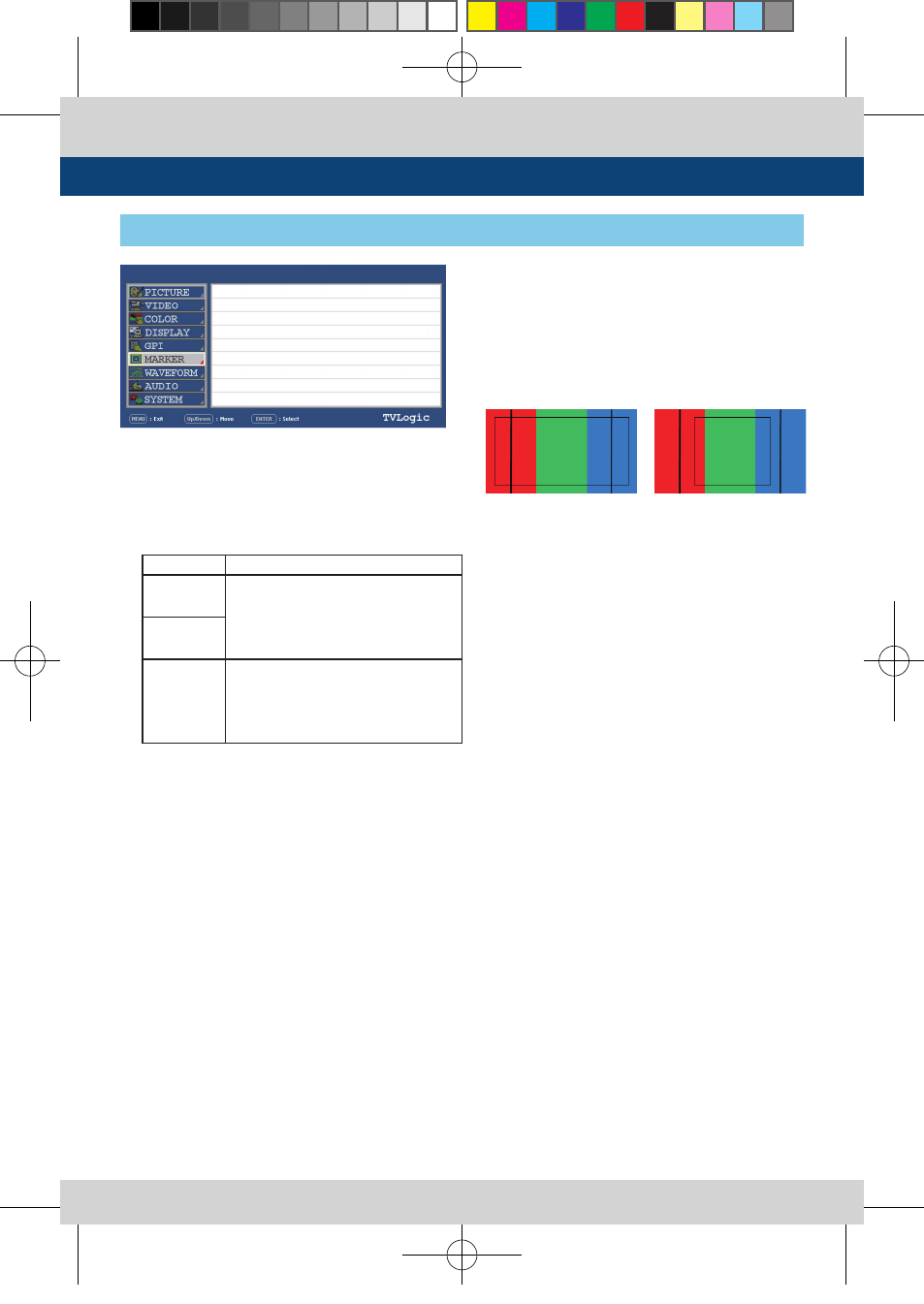
FIT MARKER
- Used to activate the FIT MARKER function.
- With FIT MARKER “ON”, the safety area is
displayed relative to the marker in use.
With FIT MARKER “OFF”, the safety area is
displayed relative to the incoming source.
- FIT MARKER ON/OFF displays as shown
below.
●
MARKER MAT
- This item darkens the area of the outside
of MARKER setting area. The degree of
darkness is between OFF(Transparency) and
7(Black). The higher the number, the darker
MARKER border becomes.
●
MARKER COLOR
- Used to control the color of MARKER lines.
- Available colors are white, gray, black, red,
green and blue.
●
MARKER THICKNESS
- This item controls the thickness of the
MARKER lines. The degrees of thickness are
between 1 and 7.
MODE
MARKER CLASS
HD
16:9, 4:3, 4:3 ON AIR, 15:9, 14:9,
13:9, 1.85:1, 2.35:1, 1.85:1 & 4:3,
4:3 ALT 16:9, 16:9 ALT 14:9, 16:9 ALT
4:3, AFD, USER
SD 16:9
SD 4:3
16:9, 4:3, 4:3 ON AIR, 15:9, 14:9,
13:9, 1.85:1, 2.35:1, 1.85:1 & 4:3,
4:3 ALT 16:9, 16:9 ALT 14:9, 16:9 ALT
4:3, AFD, USER
XVM-175WD
SDI A
[6] MARKER
5. Menu Operations
PAGE I >> PAGE II
MARKER
CENTER MARKER
SAFETY AREA
FIT MARKER
MARKER MAT
MARKER COLOR
MARKER THICKNESS
OFF
OFF
OFF
OFF
OFF
WHITE
4
●
MARKER : 4:3
●
SAFETY AREA : 90%
●
FIT MARKER : OFF
●
MARKER : 4:3
●
SAFETY AREA : 90%
●
FIT MARKER : ON
XVM-175W_245W-N_325W-EN_V2.4.indd 26
2014-02-12 오후 5:36:19