Loading labels or tags 2-2, Loading labels or tags -2 – Avery Dennison 9414 Equipment Manual User Manual
Page 8
Advertising
C o n n e c t i n g t h e C o m m u n i c a t i o n C a b l e
Before the printer can accept print jobs from the host,
you must
◆
connect the communication cable to the printer and
the host.
◆
set the communication values on the printer to
match those at the host (only required if you are
using the serial port).
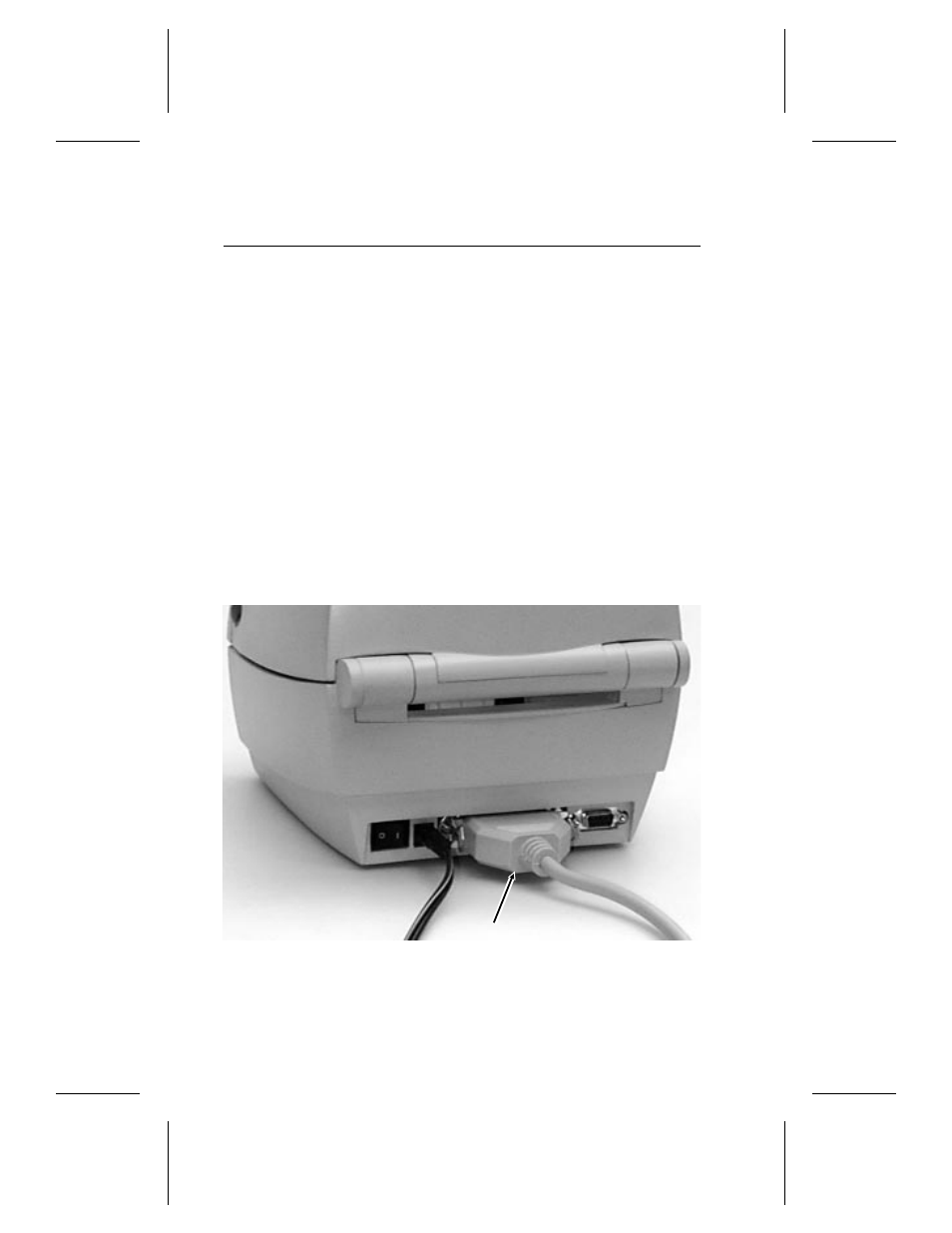
F o r p a r a l l e l c o m m u n i c a t i o n :
1. Turn the printer off before connecting the cable.
2. Connect a parallel printer cable from the computer
to the Centronics® parallel port at the back of the
printer.
3. Secure the cable with the spring clips.
Parallel
Port
1-4 Getting Started
Advertising
See also other documents in the category Avery Dennison Equipment:
- Monarch 1730 (4 pages)
- Pathfinder 6032 Supply (1 page)
- Pathfinder 6032 Quick Start (12 pages)
- Pathfinder 6032 Wrist Strap (4 pages)
- Platinum 6039 System Administrator Guide (48 pages)
- Platinum 6039 Weights and Measures (2 pages)
- Pathfinder 6140 Equipment Manual (36 pages)
- Pathfinder 6057 Quick Reference (40 pages)
- Pathfinder 6057 Quick Reference (115 pages)
- Pathfinder 6057 System Administrator Guide (60 pages)
- Pathfinder 6140 LNT Programmer Manual using XML (80 pages)
- Pathfinder 6140 Quick Reference (30 pages)
- FreshMarx 9415 Operator Handbook (44 pages)
- FreshMarx 9415 Maintenance Instructions (2 pages)
- FreshMarx 9415 System Administrator Guide (48 pages)
- Monarch 9416 XL Printer Equipment Manual (30 pages)
- Monarch 9416 XL Quick Reference (22 pages)
- FreshMarx 9415 Quick Reference (48 pages)
- Monarch 9416 XL AAFES Setup (4 pages)
- Monarch 9855 XL Intelligent Kit (34 pages)
- FreshMarx 9417 Replacing the Printhead (4 pages)
- FreshMarx 9417 Quick Reference (10 pages)
- Sierra Sport4 9493 Packet Reference Manual (230 pages)
- FreshMarx 9417 Operator Handbook (28 pages)
- Sierra Sport3 9433 Quick Reference (6 pages)
- FreshMarx 9417 System Administrator Guide (70 pages)
- 9450 RASCAL Programmer Manual (84 pages)
- Sierra Sport4 9493 System Administrator Guide (32 pages)
- Sierra Sport4 9493 Quick Reference (8 pages)
- Monarch 9855 RFMP Quick Reference (18 pages)
- 9850 Operator Handbook (134 pages)
- 7410 Network Card Programmer Manual (78 pages)
- Monarch 9855 MLI (4 pages)
- Monarch 9860 Quick Reference (12 pages)
- Monarch 9860 Operator Handbook (118 pages)
- Monarch 9860 Programmer Manual Addendum2 (14 pages)
- Monarch 9860 Programmer Manual Addendum (8 pages)
- Monarch 9864 Advanced Applications (21 pages)
- Monarch 9864 Quick Reference (28 pages)
- Monarch 9864 Error Messages (67 pages)
- Monarch 9864 Bar Code Information (19 pages)
- Monarch 9864 Command Overview (26 pages)
- Monarch 9878 (24 pages)
- Monarch 9864 Info Printouts and Parameters (111 pages)
- Monarch 9906 Quick Reference (48 pages)