Chapter3controlkeyboardoperations, 1controlkeyboardpanel, Chapter 3 control keyboard operations – CREATOR SC-390 User Manual
Page 16: Control keyboard panel, Chapter
CREATOR CHINA
2011-08
WWW.CREATOR1997.COM
9
Professional SDI/DVI/HDMI Switch Scaler User’s Manual
Chapter
Chapter
Chapter
Chapter 3
3
3
3 Control
Control
Control
Control Keyboard
Keyboard
Keyboard
Keyboard Operations
Operations
Operations
Operations
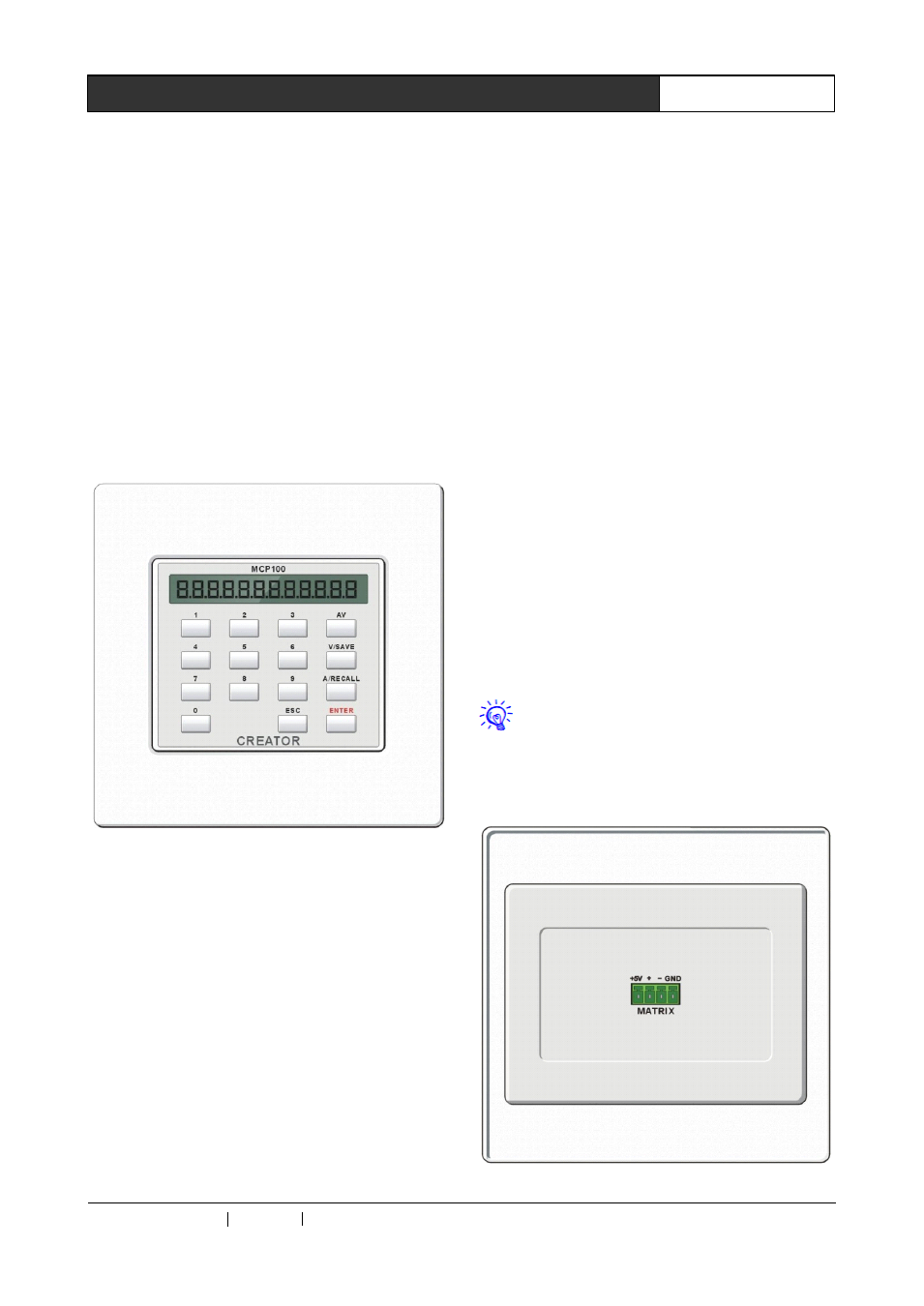
CREATOR’s
CR-MCP100
matrix
control
keyboard
may
be
used
together
with
its
professional SDI/DVI/HDMI switch scaler through
KEYBOARD
interface
under
RS-485
communication protocol, for conducting remote
audio/video switch control operation with the
switch scaler.
3.1
3.1
3.1
3.1 Control
Control
Control
Control Keyboard
Keyboard
Keyboard
Keyboard Panel
Panel
Panel
Panel
Front panel:
0,
0,
0,
0, 1
1
1
1…
…
…
…7
7
7
7—
—
—
—Output/input
Output/input
Output/input
Output/input channel
channel
channel
channel selection
selection
selection
selection key
key
key
key
Used for setting audio/video signal output
and input channel, corresponding to the 7-way
input channel selection keys and the 3-way output
channel selection keys on the front panel of the
professional SDI/DVI/HDMI switch scaler, as
follows:
Input channel selection key:
key 1 stands for YpbPr input
key 2 stands for YC input
key 3 stands for CV input
key 4 stands for VGA input
key 5 stands for 3G-SDI input
key 6 stands for DVI input
key 7 stands for HDMI input
Output channel selection key:
key 1 stands for 3G-SDI output
key 2 stands for DVI output
key 3 stands for HDMI output
AV--Audio/video
AV--Audio/video
AV--Audio/video
AV--Audio/video
synchronous
synchronous
synchronous
synchronous
switch
switch
switch
switch
selection
selection
selection
selection key
key
key
key
For synchronously switching the audio/video
signal in the same channel onto the same output
channel.
E.g.: Press “1”, “AV”, “2”, “ENTER” in turn, to
synchronously switch the YpbPr input signal in
the channel 1 to the DVI output channel 2.
ENTER
ENTER
ENTER
ENTER—
—
—
—Order
Order
Order
Order execution
execution
execution
execution key
key
key
key
Confirm switch selection, and perform switch
action.
Other keys are inoperable for operation of
the professional SDI/DVI/HDMI switch scaler.
Rear panel: