1cr-wf10configuration – CREATOR SPRO-CON9000 User Manual
Page 18
CREATOR Corporation China 2010-05 WWW.CREATOR1997.COM
13
User’s Manual for SPRO Network Control Host Series
◆
The flexible and reliable WAP supports any
model of touch screen works in an extensive area
and region.
◆
Supported by multiple VLAN (visual local area
network), capable of using single WAP to create
independent and safe network, and for individual
operation.
◆
With 3 configuration modes: wireless access point
mode, wireless access point / relay mode and bridge
connection mode.
◆
Support computer high-speed wireless internet
connection
◆
Support IEEE 802.11b/g international standard.
◆
Support long-distance remote control as far as
indoor 40m (non-obstacle) and outdoor 305m
(non-obstacle).
◆
Support maximum transfer rate of 54Mbps
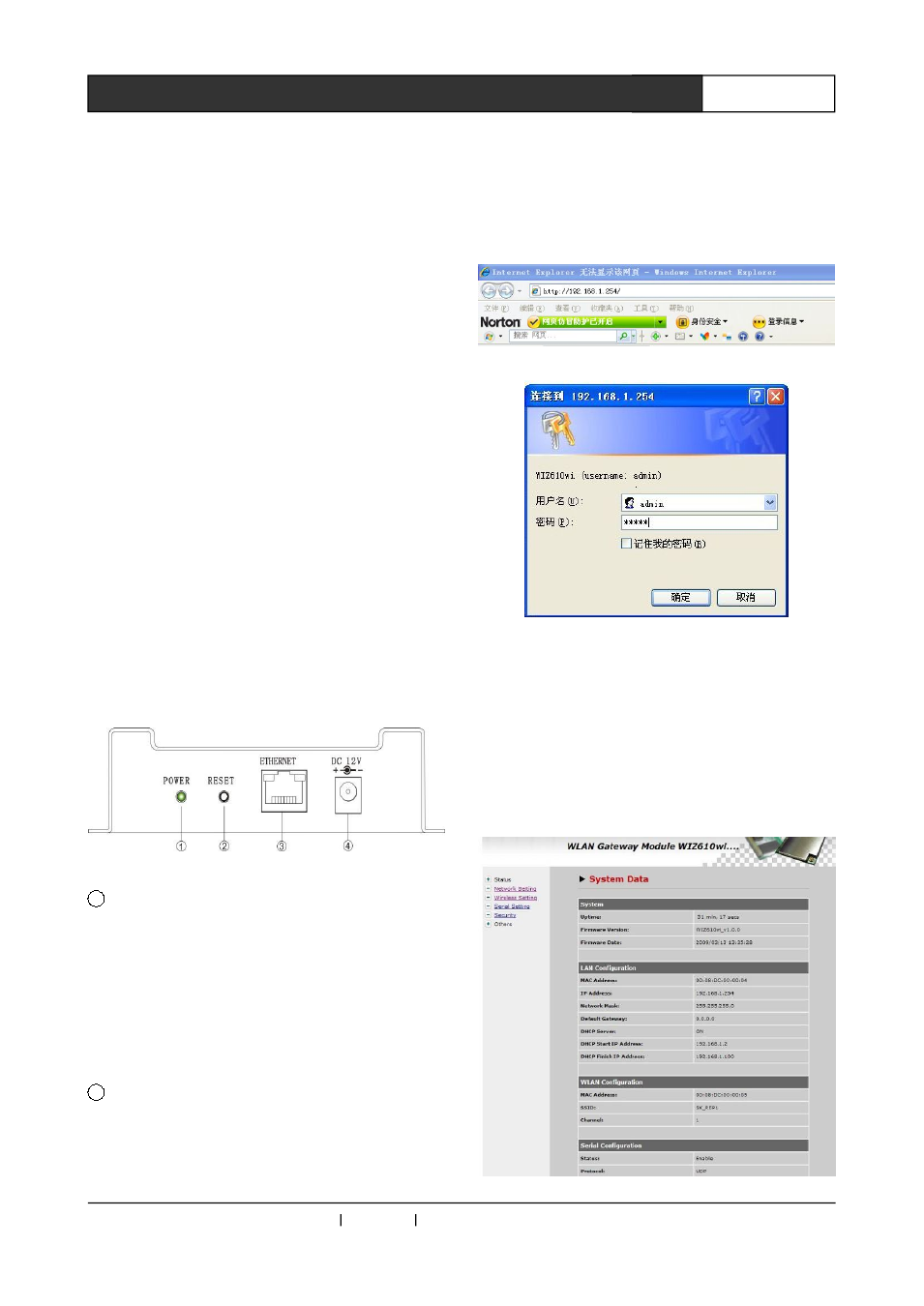
Ports Introduction
1
POWER: power indicator
②
RESET:Reset key for reset and restore factory
default. Slightly press it to reset, press and hold it for
10 second to restore factory default.
③
ETHERNET:Ethernet port
4
Power port: self-adapting to DC 12V power
3.1.1 CR-WF10 Configuration
1、 Use a standard network cable to connect
CR-WF10 wireless (WiFi) AP with PC.
2、 Connect with power and restart.
3、 Open Explorer, and input 192.168.1.254
(
default)as picture 3-1.
4、 Input user name: admin, password: admin
(default) in the pop-up window, as picture 3-2
Picture 3-1
Picture 3-2
5、Then access into module configuration screen, user
may configure some network information of the
module here.
Status
indicates
the
current
configuration
information of the device, as follow picture: