User controls, Quick operation guide – Cybex 525T Treadmill User Manual
Page 48
48
Cybex Owner’s Manual
User Controls
1
2
3
4
5
6
8
11
9 10
12
13 14
7
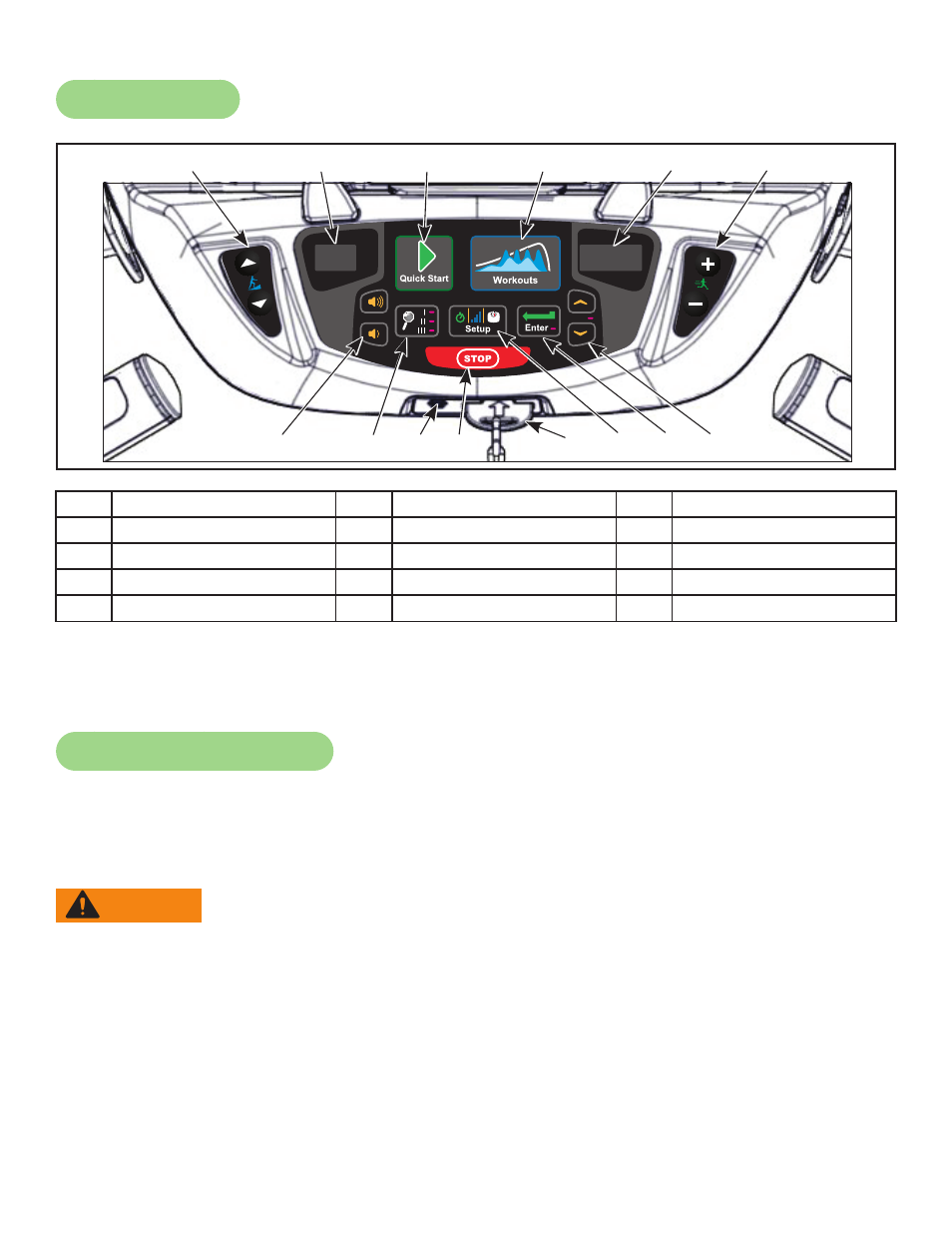
1
Incline keys
6
Speed keys
11 E-Stop key
2
Incline display
7
Volume keys
12 Setup key
3
Quick Start key
8
Display option key
13 Enter key
4
Workouts key
9
Headphone jack
14 Up/Down keys
5
Speed display
10 STOP key
Displays — Incline and speed are shown in the LED displays.
Keys — User controls for Incline, Quick Start, Workouts, Speed, Volume, Display option, STOP,
Setup, Enter and Up/Down.
Quick Operation Guide
Maximum user weight is 350 lbs. (158 kg).
The following is a quick overview of the operation of the treadmill. For more information read Detailed
Operation Guide in this chapter.
WARNING: Falling hazard.
When starting unit.
•
Stand on two top steps.
•
Do not stand on belt.
1. Place your feet on the two top steps located on each side of the running belt.
2. Clip the e-stop clip onto your clothing and test it as described under Emergency Stop in the
Safety chapter.
3. Press the QUICK START key.
4. The treadmill begins a countdown, “3...2...1,” after which it accelerates the belt to 0.5 mph (0.8
kph) and enters Active Mode.