Recipes complete, Corrals complete, Datakey – Digi-Star Diet Manager Full Guide User Manual
Page 22: Name, Clear datakey, Test datakey, Authorize datakey, Example excel, File
22
Diet Manager User’s Guide
Recipes Complete
Selecting
Recipes Complete displays the completed Recipes. The Recipe, Date, Total Call Weight,
Loaded Weight, Ingredient Call Weight, Ingredient Loaded Weight and Batch Number are shown.
Corrals Complete
Selecting
Corrals Complete displays the completed Corrals. The Corral, Date, Recipe, Call Weight, Fed
Weight, and Batch Number are shown.
DataKey
™
Name
Selecting
DataKey
™
Name displays the DataKey
™
Header. This file is for Digi-Star
®
informational
purposes only.
Clear DataKey
™
To access the Clear DataKey
™
screen, from the Main Menu, select DataKey
™
, Clear DataKey
™
.
Insert the DataKey
™
into the DataKey
™
Docking Station. The Diet Manager
™
program will ask you to
verify that you want to clear the DataKey
™
.
Note: Once a DataKey
™
has been cleared, the data cannot be recovered.
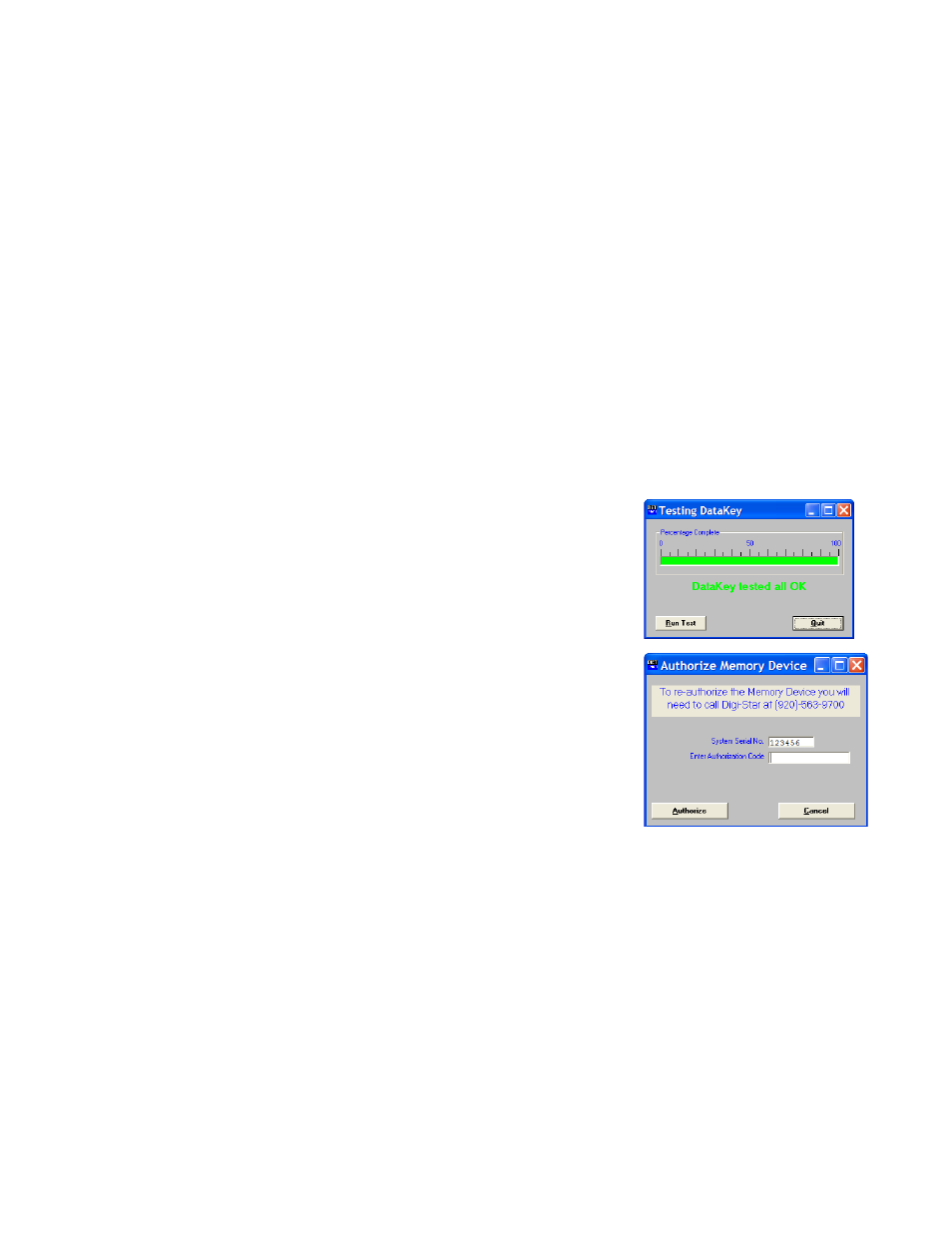
Test DataKey
™
To access the Test DataKey
™
screen, from the Main Menu, select DataKey
™
, Test DataKey
™
.
A message will appear asking you to verify that you want to Test the
DataKey
™
and that tesing will destroy any data on the DataKey
™
.
Select
Yes to test the DataKey
™
.
Note: The DataKey
™
test can take up to 1 minute to complete.
Select
Run Test to begin the DataKey
™
test.
Authorize DataKey
™
To access the Authorize DataKey
™
screen, from the Main Menu,
select DataKey
™
, Authorize DataKey
™
.
In the unlikely event that a DataKey
™
Header file becomes corrupt,
the Authorize DataKey
™
function will re-format the DataKey
™
Header. Selecting this function will require an Authorization Code
provided by Digi-Star
®
. Enter the code as provided by Dig-Star
®
and
click Authorize. The Diet Manager
™
program will re-format the
DataKey
™
header file.
Example Excel
®
File
This file is an example of the CSV file created by Diet Manager
™
. The file has been opened in Microsoft
Excel
®
and some formatting has been performed to assist in explaining the data fields.
The first 22 records are data sent from the Diet Manager
™
to the DataKey
™
. The remaining records are
records completed and returned from the EZ3500 Indicator.