Appendix – Foxconn P35A User Manual
Page 117
Advertising
110
Appendix
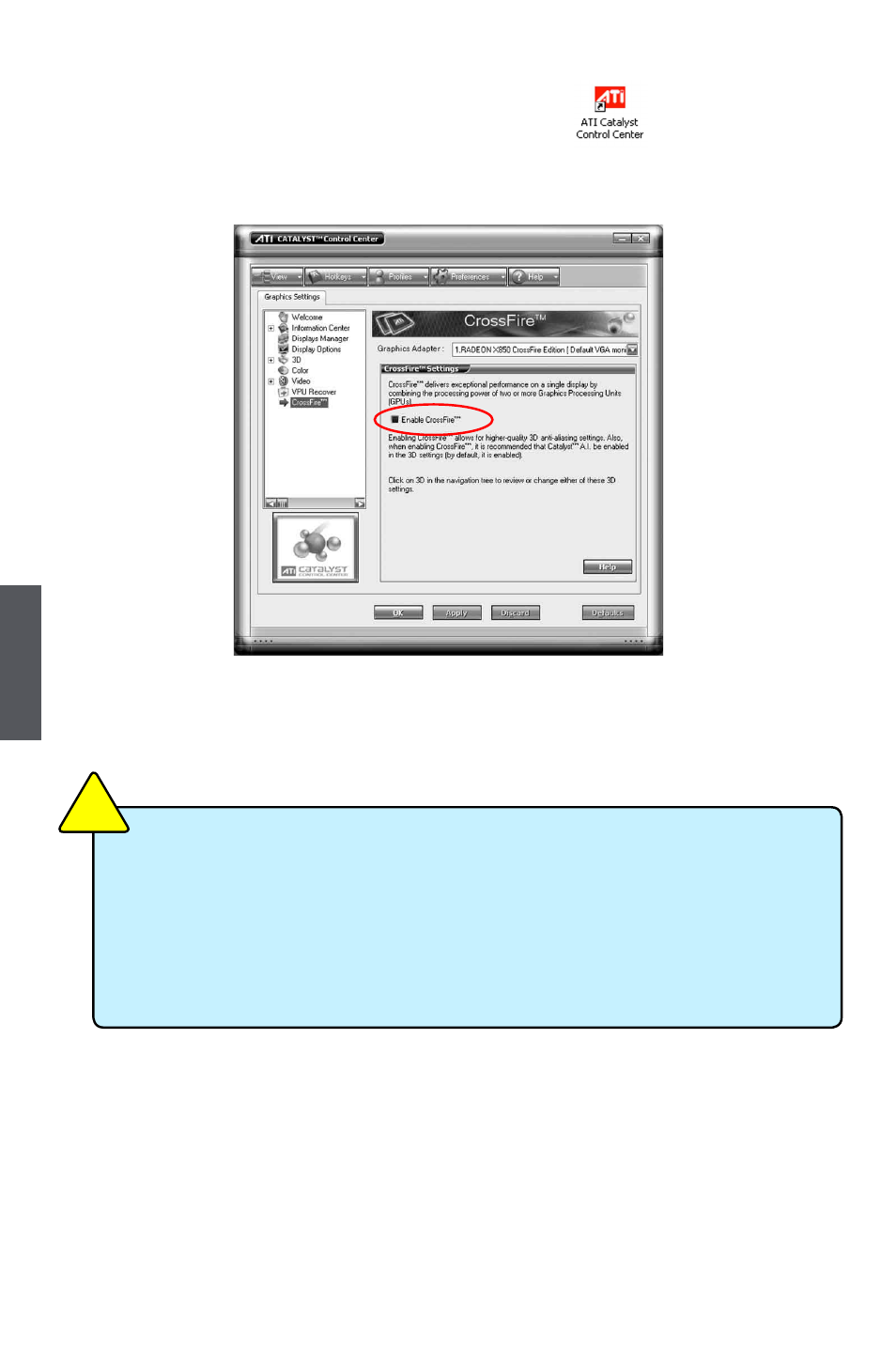
9. Double-click on the ATI Catalyst Control Center icon to launch it. Click
“View”-->Select “Advanced View” -->Click “CrossFire
TM
”-->Set “Enable CrossFire
TM
”
to Yes.
Now you can enjoy the advanced CrossFire
TM
technology.
■
It is recommended using 400-450 Watt power supply or above to enjoy the
benefit of CrossFire
TM
technology.
■
One PCI Express x16 slot will work at x16 mode and the other will work at
x4 mode when you are using CrossFire
TM
technology.
■
The all new Radeon X1300 and X1600 graphics cards do not need a Cross-
Fire
TM
Edition co-processor or external cable.
CA
UT
IO
N
!
Advertising