Fusion MS-BT200 User Manual
Page 2
7
8
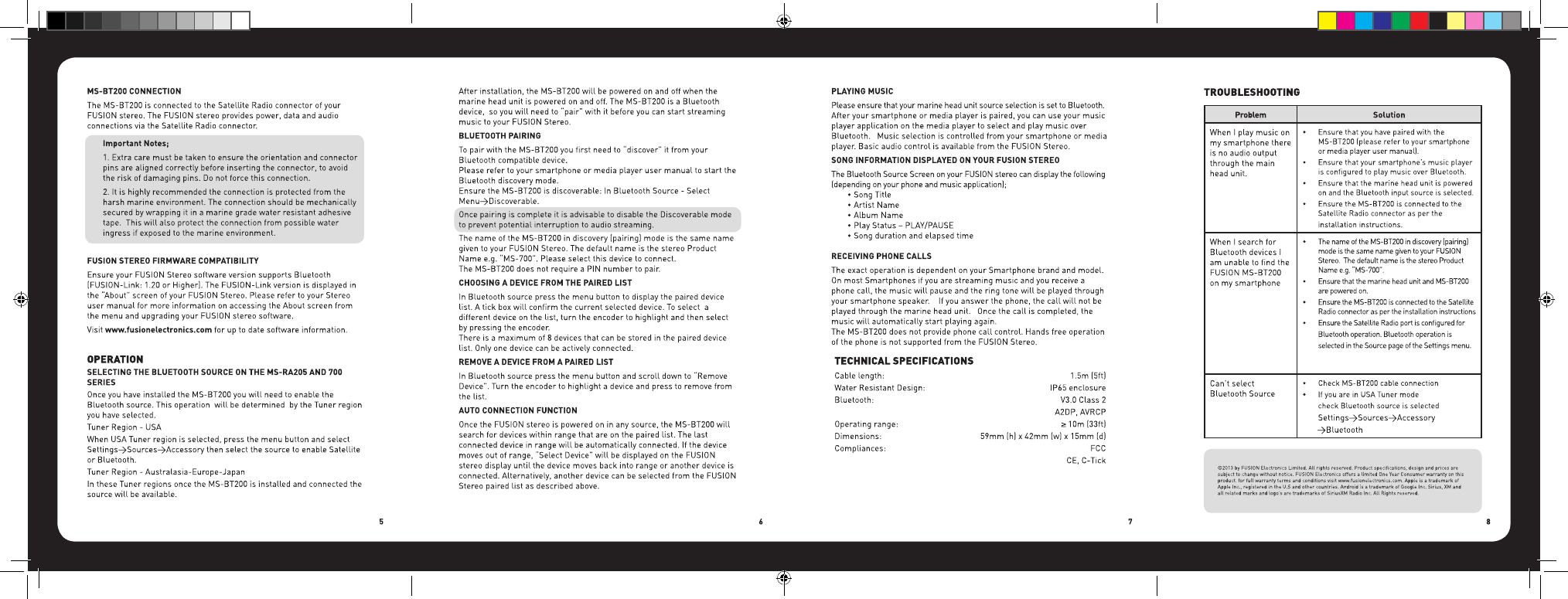
TROUBLESHOOTING
Problem
Solution
When I play music on
my smartphone there
is no audio output
through the main
head unit.
•
Ensure that you have paired with the
MS-BT200 (please refer to your smartphone
or media player user manual).
•
Ensure that your smartphone’s music player
is configured to play music over Bluetooth.
•
Ensure that the marine head unit is powered
on and the Bluetooth input source is selected.
•
Ensure the MS-BT200 is connected to the
Satellite Radio connector as per the
installation instructions.
When I search for
Bluetooth devices I
am unable to find the
FUSION MS-BT200
on my smartphone
•
The name of the MS-BT200 in discovery (pairing)
mode is the same name given to your FUSION
Stereo. The default name is the stereo Product
Name e.g. “MS-700”.
•
Ensure that the marine head unit and MS-BT200
are powered on.
•
Ensure the MS-BT200 is connected to the Satellite
Radio connector as per the installation instructions
•
Ensure the Satellite Radio port is configured for
Bluetooth operation. Bluetooth operation is
selected in the Source page of the Settings menu.
Can’t select
Bluetooth Source
•
Check MS-BT200 cable connection
•
If you are in USA Tuner mode
check Bluetooth source is selected
Settings>Sources>Accessory
>Bluetooth
MS-BT200 Manual Outlines.indd 5-8
9/07/13 2:13 PM