Start menu – Asus Transformer 3 Pro T303UA User Manual
Page 45
Advertising
ASUS Tablet and ASUS Keyboard Dock E-Manual
45
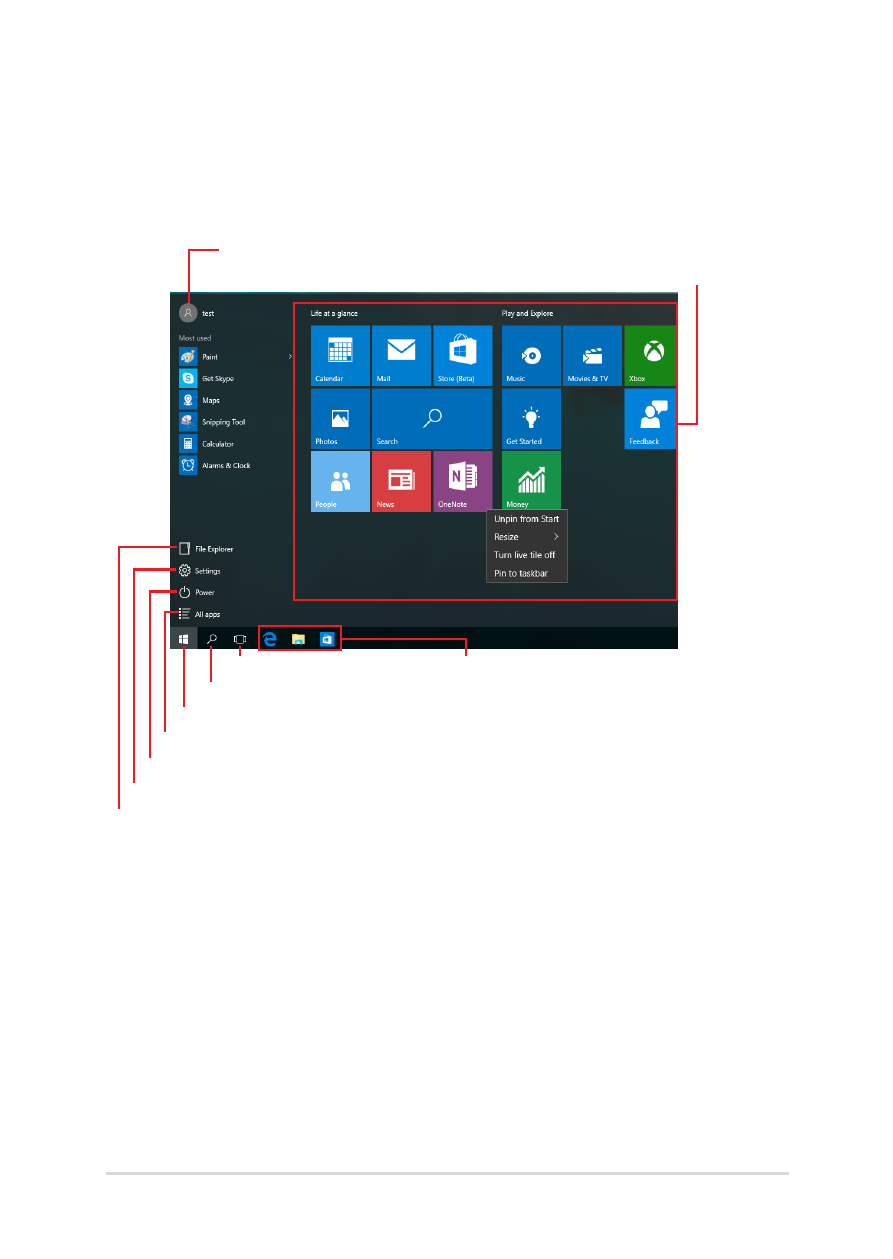
Start menu
The Start menu is the main gateway to your ASUS Tablet’s programs,
Windows® apps, folders, and settings.
You can use the Start menu to do these common activities:
•
Start programs or Windows® apps
•
Open commonly used programs or Windows® apps
•
Adjust ASUS Tablet settings
•
Get help with the Windows operating system
•
Turn off your ASUS Tablet
•
Log off from Windows or switch to a different user account
Change account settings, lock, or sign out from your account
Launch the Start menu
Shut down, restart, or put your ASUS Tablet to sleep
Launch All apps
Launch Taskview
Launch an app from the taskbar
Launch an app from the Start screen
Launch File Explorer
Launch Settings
Launch Search
Advertising