Alcatel Idol 3 6039 A User Manual
Page 3
4
5
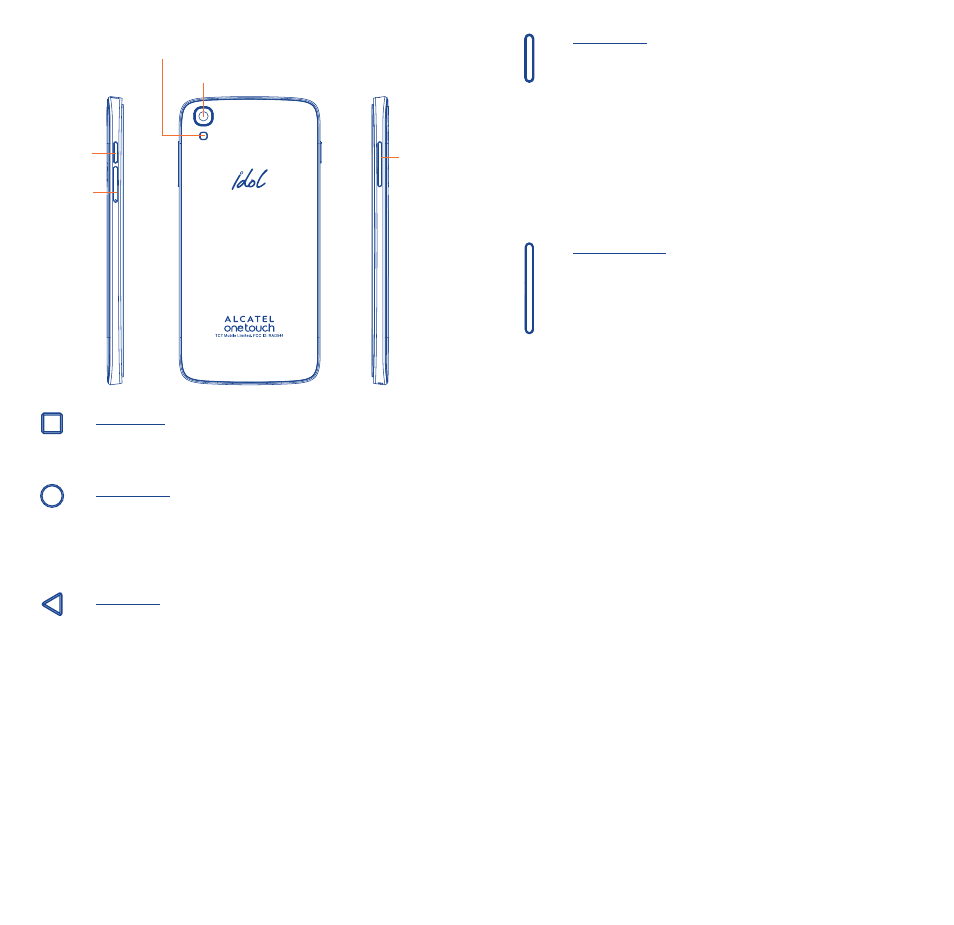
Camera
Camera Flash/
Flashlight
Power
key
SIM card
slot/
microSD
card slot
Volume
key
Menu key
•
Touch to view recently used applications.
Home key
•
From any application or screen, touch to return to the
Home screen.
•
Touch and hold to pop up Google search icon. Slide
your finger to the icon to open Google search.
Back key
•
Touch to go back to the previous screen, or to close
a dialog box, options menu, the notification panel, etc.
These keys are visible when the phone is unlocked.
Power key
•
Press: Lock the screen/Light up the screen.
•
Press and hold: Show the pop-up menu to select from
Power off/Restart/Airplane mode.
•
Press and hold the Power key and Volume up key
to reset.
•
Press and hold the Power key and Volume down key
to capture a screenshot.
•
Press and hold the power key for at least 10 seconds to
force reboot or hold it longer to power off.
Volume Keys
•
In call mode, adjusts the earpiece or headset volume.
•
In Music/Video/Streaming mode, adjusts the media
volume.
•
In general mode, adjusts the ringtone volume.
•
Mutes the ringtone of an incoming call.
•
In camera preview mode, press Volume up or down
key to enter burst shoot.
Idol3-4.7_6039A_US_QG_20150420.indd 4-5
2015/4/20 18:21:46