Measurement Computing DaqBoard-ISA User Manual
Page 24
3-6 Hardware
02-14-02
DaqBoard-ISA User’s Manual
The P1 connector on the DaqBoard and on each DBK is a DB37 male connector. Connecting DBKs to a
DaqBoard is accomplished with a CA-131-x cable, where the x is the number of option cards to be
connected; for example, a CA-131-3 cable would be used to attach three DBK option cards to a DaqBoard.
Such connections are often referred to as a “daisy-chain.” Note that the CA-131-x cables consist of female
DB37 connectors.
&$87,21
Before connecting DBKs to the DaqBoard, power-down all connected units.
Failure to do so could result in damage to the DBK or DaqBoard.
&$87,21
Do not confuse connectors. Ensure that you only connect P1 I/Os to P1,
P2 I/Os to P2, and P3 I/Os to P3. Improper connection may result in equipment
damage.
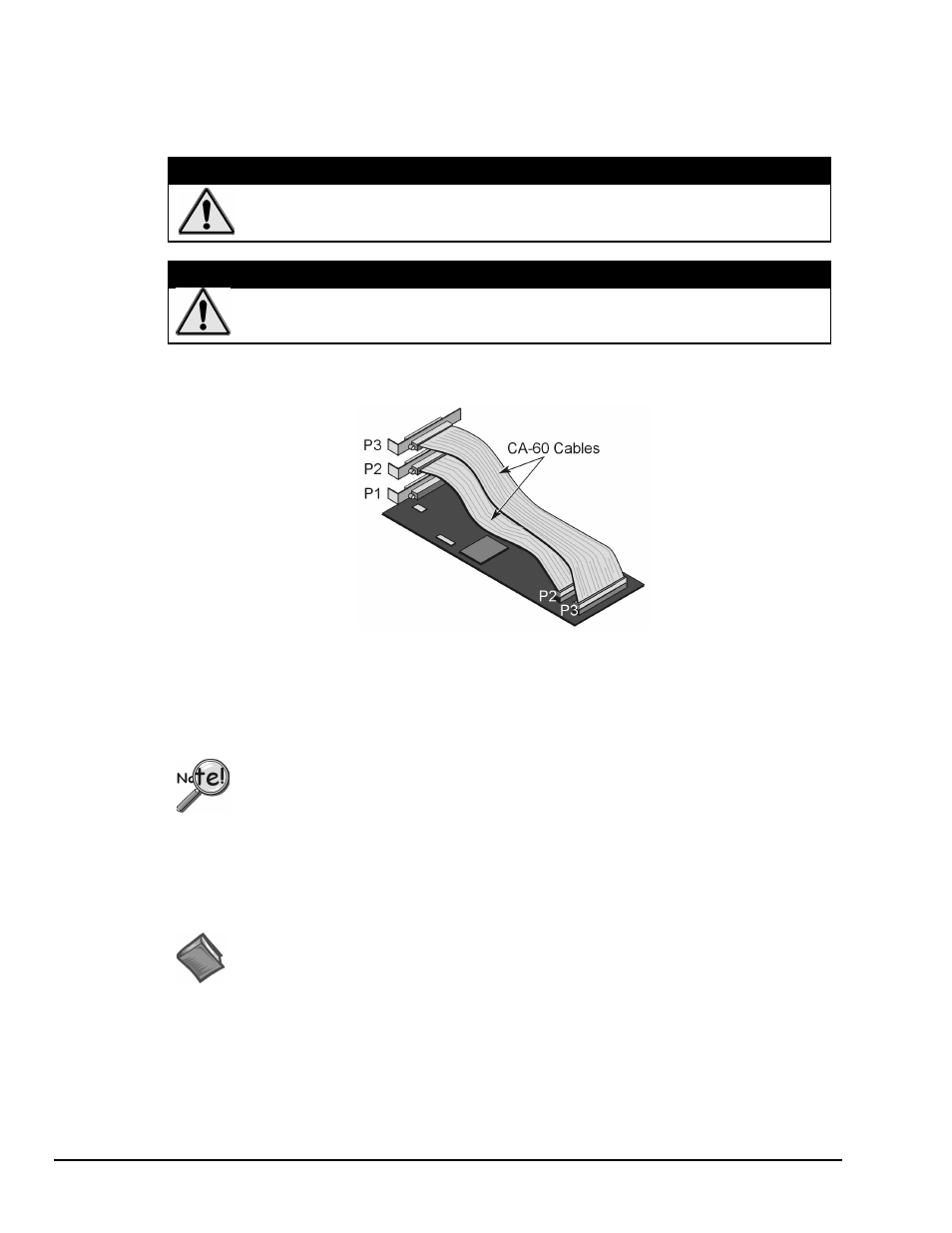
In addition to P1 ports, DaqBoard/100A and DaqBoard/200A devices have P2 and P3 ports. For these
devices a CA-60 cable is required to connect the DaqBoard 40-pin headers with a DB37 connector outside
the PC, and then to the DBK option card.
A DaqBoard with CA-60 Cables for P2 and P3
• P1 Analog I/O. Provides sixteen analog input channels, two analog output channels, a 16-bit
counter/timer, four TTL inputs and outputs, and various signals for driving expansion cards.
• P2 Digital I/O. Provides three 8-bit TTL programmable I/O ports and external interrupt
input.
P2 expansion cables must be kept relatively short to ensure reliable operation. Do not
exceed 14 inches per attached DBK card.
• P3 Frequency I/O. Provides five16-bit counters and sixteen high-speed digital inputs and
external interrupt input.
To gain access to the DaqBoard port connectors, signals can be connected via CA-131-x cable through a
D-shell 37-pin female connector or a DBK11 screw-terminal option card with component sockets.
Reference Notes: You must set up DaqView for the particular DBKs in your system. If you
are unfamiliar with the method of setting up DBKs in DaqView, or if you need a refresher,
refer to one or more of the following:
➣
the
DaqView
document module
➣
the
DBK Set Up in DaqView
chapter of the DBK Option Cards and Modules User’s
Manual.
➣
The DBK document modules, for hardware configuration aspects that require setup in
software.
Note: As new DBKs become available, be sure to use the latest revision of DaqView with the proper
configuration options.