Monster FlatScreen SuperThin Articulating Mount - Up to 46” Screens User Manual
Page 17
17
Routing your TV’s Power cord and AV cable
through the cable Management System (cont’d)
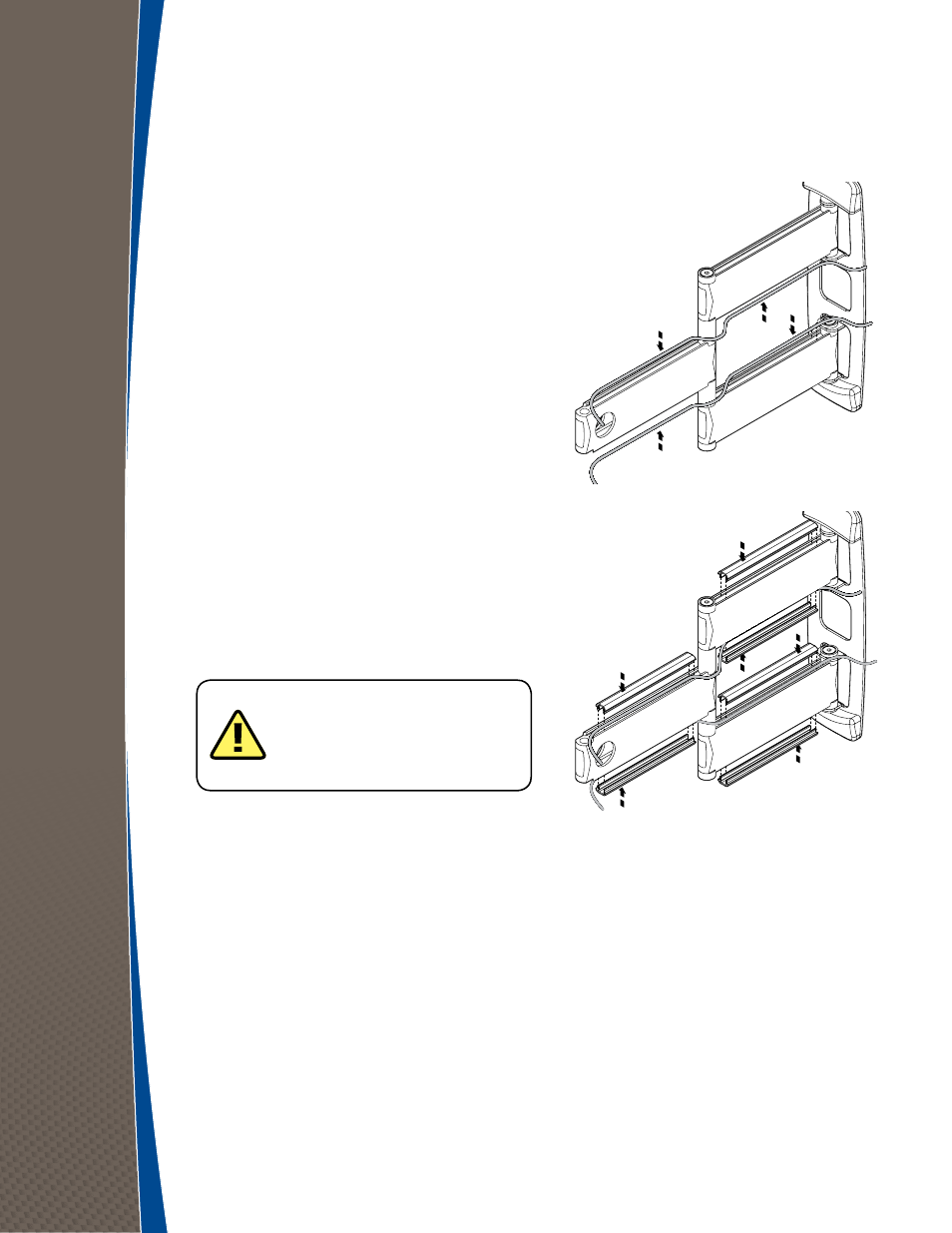
4
Route your TV’s power cord through the
bottom cable channel.
5
Route AV cable from your wall, set-top box,
AV receiver, or other source through the
top channel, as shown to the right and make
connections to your TV.
6
Slide the cable channel covers back into place.
Cable channels are in place when you hear
them click.
7
Plug the TV power cord into an AC outlet.
NOTE: DO NOT run power and AV
cables in the same channel, as this may
cause electrical interference that can
affect picture and sound quality.
congratulations
You’ve successfully installed your Monster SuperThin
™
FlatScreen Mount.
Visit us at www.MonsterCable.com/FlatScreen for more innovative Monster FlatScreen products.