Product - installation diagram, Introduction, Features – Smart Avi UX-PLUS User Manual
Page 2: Applications, Installation
Introduction
The UX-PLUS is a cross-platform WUXGA and USB KVM
switch capable of sharing one computer between two
consoles, one local and one remote.
Features
•
Supports WUXGA video extension for
resolutions up to 1920 x 1200
•
Local WUXGA output for a local display
•
Plug and play, no software required
•
Fully compliant with USB 1.1 specifications
for Keyboard and Mouse
•
Built-in skew compensation
•
Uses a single CAT5 UTP cable up to 500 feet
•
External power adapter for transmitter and
receiver unit
•
Fully transparent (does not use any emulation)
Applications
•
Security
•
PC Networking
•
Conference Center Systems
•
Point of Sale
•
Camera Surveillance
•
Video Phone
•
Control Room Systems
•
Recording Studio
•
PC KVM Extension
•
MAC Keyboard Mouse Extender
In the medical or industrial field, where it may not be
practical (or safe) to have one or more CPUs in the
general vicinity, SmartAVI’s VNET Switch Series is the
perfect solution, allowing for either PC or Mac signals
to be extended from computer to the display.
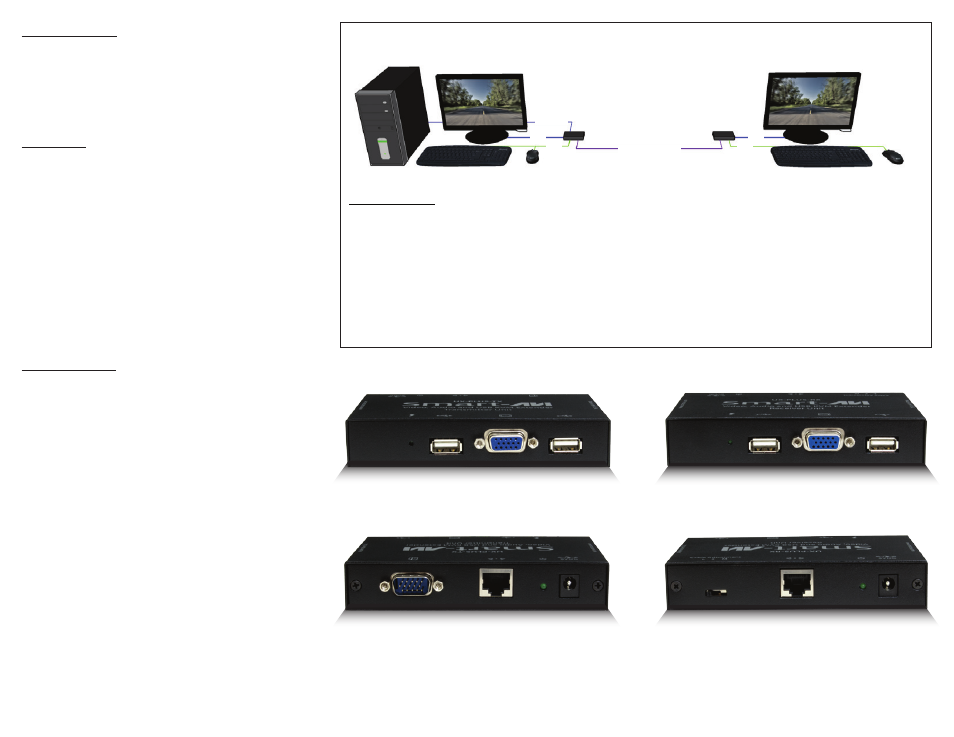
Product - Installation Diagram
Installation
1. Turn off the computer and displays.
2. Connect the VGA/USB cable from the computer into the VGA/USB connector on the UX-PLUS transmitter.
3. Connect the local display to the VGA connector on the UX-PLUS transmitter.
4. Connect the local USB keyboard and mouse to the USB connectors on the UX-PLUS transmitter.
5. Connect the remote display to the VGA connector on the UX-PLUS receiver.
6. Connect the remote USB keyboard and mouse to the USB connectors on the UX-PLUS receiver.
7. Connect the power cord to both the UX-PLUS transmitter and receiver.
8. Power on the computers and the display.
UX-PLUS-TX
UX-PLUS-RX
500 ft over CAT5
USB KEYBOARD
USB KEYBOARD
USB MOUSE
USB MOUSE
VGA/USB
VGA
VGA
USB
USB
REMOTE DISPLAY
LOCAL DISPLAY
COMPUTER
UX-TXPLUS-FRONT
UX-TXPLUS-REAR
UX-RXPLUS-FRONT
UX-RXPLUS-REAR