Product - installation diagram, Introduction, Connecting the dvx2u – Smart Avi DVX2U User Manual
Page 2: Applications, Features
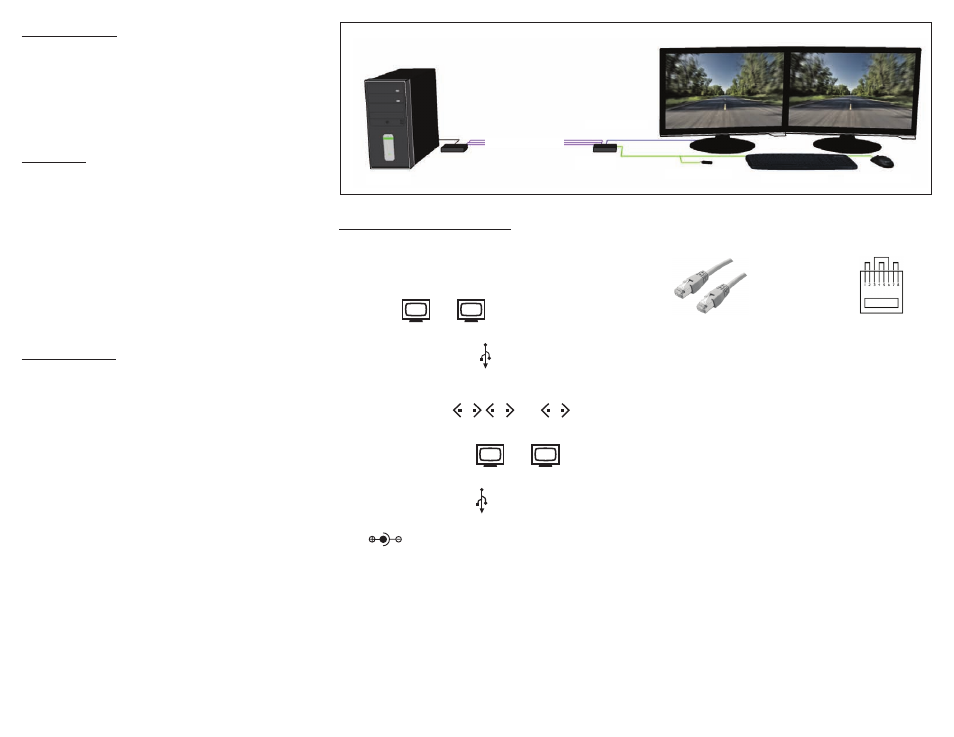
up to 275 ft over STP
DVX2U-TX
DVX2U-RX
USB FLASH DRIVE
USB KEYBOARD
USB MOUSE
DVI-D MONITORS
COMPUTER
Introduction
The DVX2U is the perfect solution for extending dual
DVI-D displays and USB 1.1 devices to a remote location.
It extends DVI-D and USB 1.1 signals to a remote location
up to 275 feet away.
Connecting the DVX2U
1.
Power off all devices.
2.
Connect two DVI-D sources (computer) to the
DVI-D ports of the DVX2U-TX
labeled and .
3.
Connect two USB sources to the USB ports of the
the DVX2U-TX labeled .
4.
Connect the DVX2U-TX to the the DVX2U-RX with
three STP (Sheilded Twisted Pair) cables using the
rear ports labeled and .
5.
Connect a DVI monitor to the port on the rear of
the DVX2U-RX labeled and .
6.
Connect up to 4 USB 1.1 devices to the ports on
the DVX2U-RX labeled .
7.
Connect the power supply to the ports labeled
on the DVX2U-TX and DVX2U-RX.
8.
Power on the computer, displays and USB 1.1
devices.
Applications
•
Medical Applications
•
Industrial Work Areas
•
Home Theater Integration
•
Digital Signage Deployment
•
Information Kiosks/Displays
•
Film/Recording Studios
Features
•
DDC from internal table for Mac/PC
•
Supports Mac, PC, and Linux DVI
•
Supports High Resolution 1920x1200 60Hz
WUXGA
•
Uses universal DVI Single Link connectors
•
Zero pixel loss with TMDS signal correction
•
Supports all USB 1.1 Devices Transparently
(Flash Drives, Printers, Cameras, Scanners, etc.)
•
Supports USB 1.1 keyboard and mouse
Product - Installation Diagram
1
2
1
2
3
1
2
The following is the wiring standard for terminating UTP/STP
cable using RJ-45 connector:
Connectors: RJ-45
Capacitance:
14 pf/ft (46.2 pf/m)
Conductor Gauge:
24 AWG
Impedance:
100 +/- 15 ohms
Pair 1
Pins 1 & 2
Pair 2
Pins 3 & 6
Pair 3
Pins 4 & 5
Pair 4
Pins 7 & 8