Product - installation diagram, Introduction, Applications – Smart Avi V2V-D2H-01 User Manual
Page 2: Features, Installation
Introduction
The V2V-D2H-01 Converts DVI-D Video with S/PDIF
Stereo Digital Audio to HDMI.
Applications
•
Home Theater
•
PC Networking
•
Conference Center Systems
•
Point of Sale
•
Camera Surveillance
•
Video Phone
•
Control Room Systems
•
Recording Studios
Features
•
Converts One DVI+ SPDIF input signal to one
HDMI 1.1 signal
•
Supports DVI-D input
•
Supports audio SPDIF input
•
HDMI output : Supports up to 1080p/60HZ, same
format as input
•
HDCP 1.1 protocol compliant
•
Supports CEC
•
Audio formats supported : DTS-HD/Dolby-trueHD/
LPCM7.1/DTS/Dolby-AC3/DSD
•
LED indication
•
Supports output up to 60 feet over AWG26 cable
•
No loss of quality
•
Installs in minutes
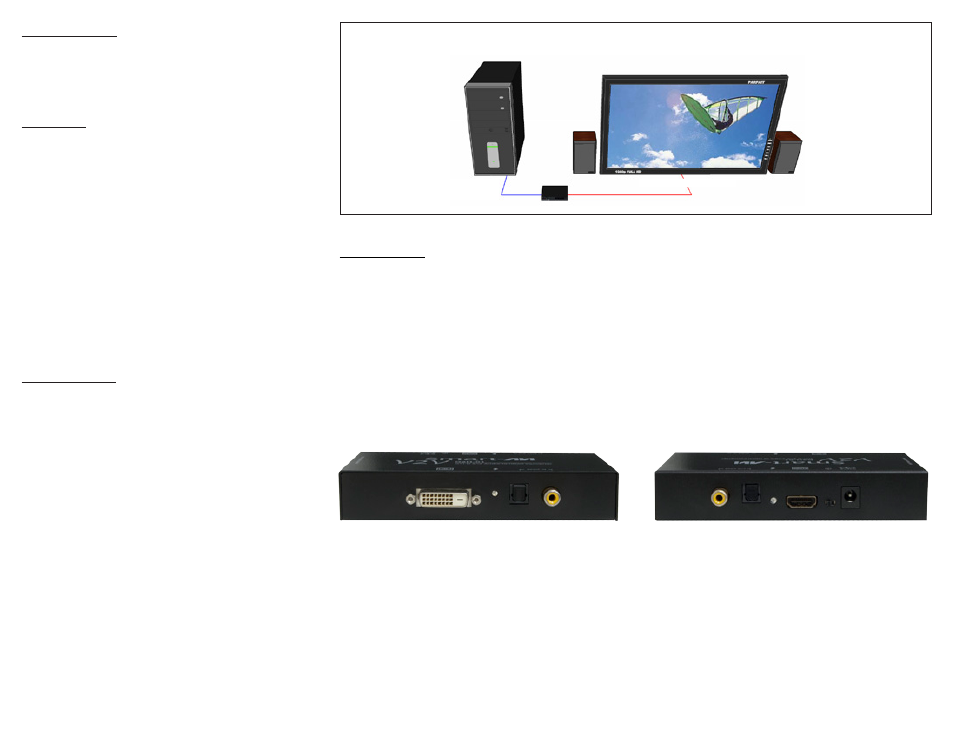
Product - Installation Diagram
Installation
1. Connect a DVI input device to the DVI input on the
V2V-D2H-01.
2. Connect a digital audio input device.
3. Connect a digital audio output device.
4. Connect an HDMI display to the HDMI output on
the V2V-D2H-01.
5. Connect the power cord to the V2V-D2H-01.
6. Power on the input devices and the display.
V2V-D2H-01
HDMI DISPLAY AND SPEAKERS
DVI-D AND
AUDIO SOURCE
V2V-D2H-01 Front
V2V-D2H-01 Rear