SOMFY MYLINK User Manual
Quick start guide
Advertising
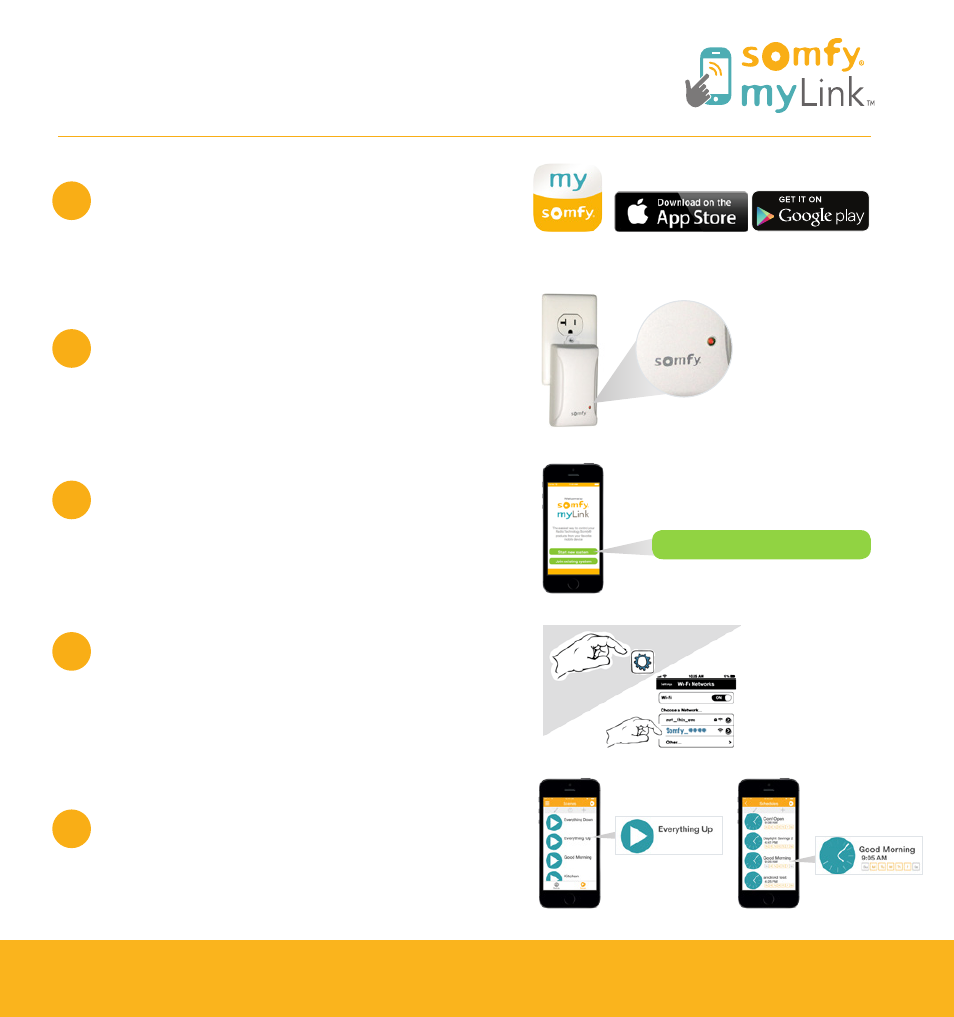
Download app from App Store or
Google Play.
Plug myLink
™
bridge into 110V AC outlet
and confirm status LED is solid red.
Open myLink app and press
“Start new system.”
Follow on-screen instructions for
joining myLink to WIFI network,
naming and icon selection.
Program Radio Technology Somfy
®
(RTS)
products to the myLink, create scenes
and schedules.
Quick Start Guide
Free app for iOS and Android
For additional information and installation support, visit www.mylink.somfy.com.
1
2
3
4
5
Start new system
Scenes
Schedules
Advertising