Super Systems SuperDATA Load Entry User Manual
Page 31
Advertising
SuperDATA Standard Load Entry Operations Manual
Super Systems Inc.
Page 31 of 58
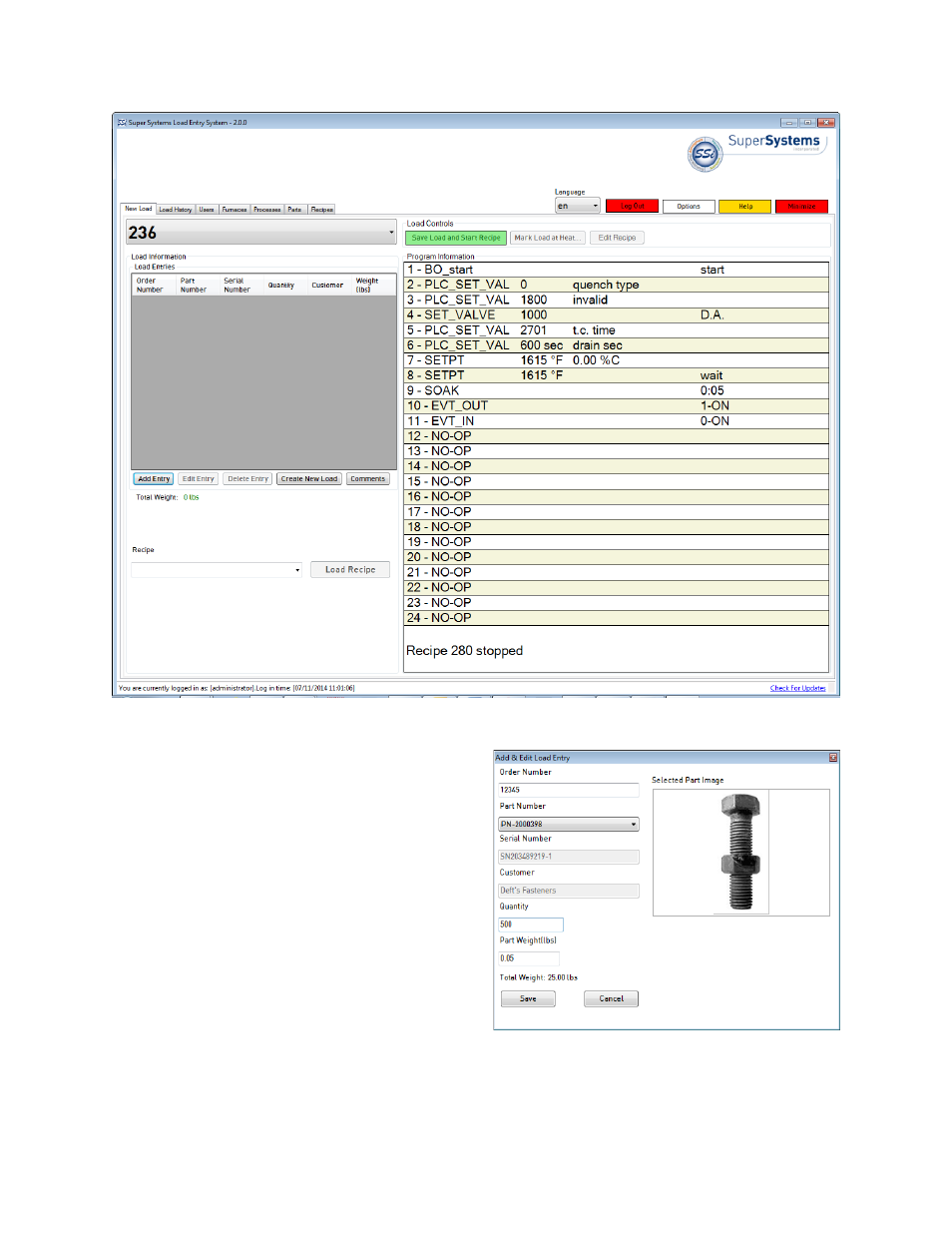
Figure 33 - New Load Tab
The Add Entry button allows you to add an entry
the load
•
If the Parts Database is enabled in Parts
options, the part number is selected from a
drop-down list. If part images are also
enabled in Parts options, the image of the
part will be displayed.
•
If Load Queue is enabled in Queue options,
all of these details will be filled
automatically by entering an order number
from the queue.
Figure 34 - Add & Edit Load Entry (Typical, When Load
Queue Mode is Disabled in Options menu)
Advertising
See also other documents in the category Super Systems Equipment:
- Bazooka Probe (10 pages)
- Gold Probe (16 pages)
- HP2000 With 9100 Controller (10 pages)
- HP15 (23 pages)
- SuperOX (14 pages)
- PGA3000 (16 pages)
- PGA3500 (26 pages)
- e-TRIM (27 pages)
- 9120 with TS (80 pages)
- MGA6000 (42 pages)
- DP2000 (17 pages)
- DPC3500 (5 pages)
- MGA6010 (54 pages)
- DPC2530 (17 pages)
- Simple Dew (18 pages)
- DPL4000 (16 pages)
- H2 Sensor (17 pages)
- Hydrogen Nitrider Analyzer (12 pages)
- PH2 (19 pages)
- AC20 Quick Start (5 pages)
- XGA Viewer (46 pages)
- AC20 RS485 Modbus (62 pages)
- AC20 (114 pages)
- 20Q Calibration Manual (9 pages)
- CAT-100 (51 pages)
- 7EK 31080 (32 pages)
- 7EK 31082 Calibration Manual (5 pages)
- 7EK 31081 (36 pages)
- 7EK 31082 (34 pages)
- 20PQ (170 pages)
- X5 Calibration Manual (1 page)
- 20Q (126 pages)
- 7SL (36 pages)
- X5 (74 pages)
- 9000 Series (15 pages)
- 3L Series (54 pages)
- 9015 Series (11 pages)
- 3 Series (92 pages)
- 9010 Series (66 pages)
- 9210 Series (65 pages)
- 9130 Series (174 pages)
- PC Configurator 2 Quick Start (15 pages)
- 9100 RPS (10 pages)
- 9125 Series (235 pages)
- 9120 RPS (11 pages)