Westermo ODW-631 User Manual
Page 23
23
6650-2243
Configure the ODW-631.
…
S1: 2-wire RS-485. Data rate, asynchronous mode must be set by S1.
…
S2: Asynchronous mode or Synchronous mode.
…
S3: Termination and fail-safe of the RS-422/485 port.
…
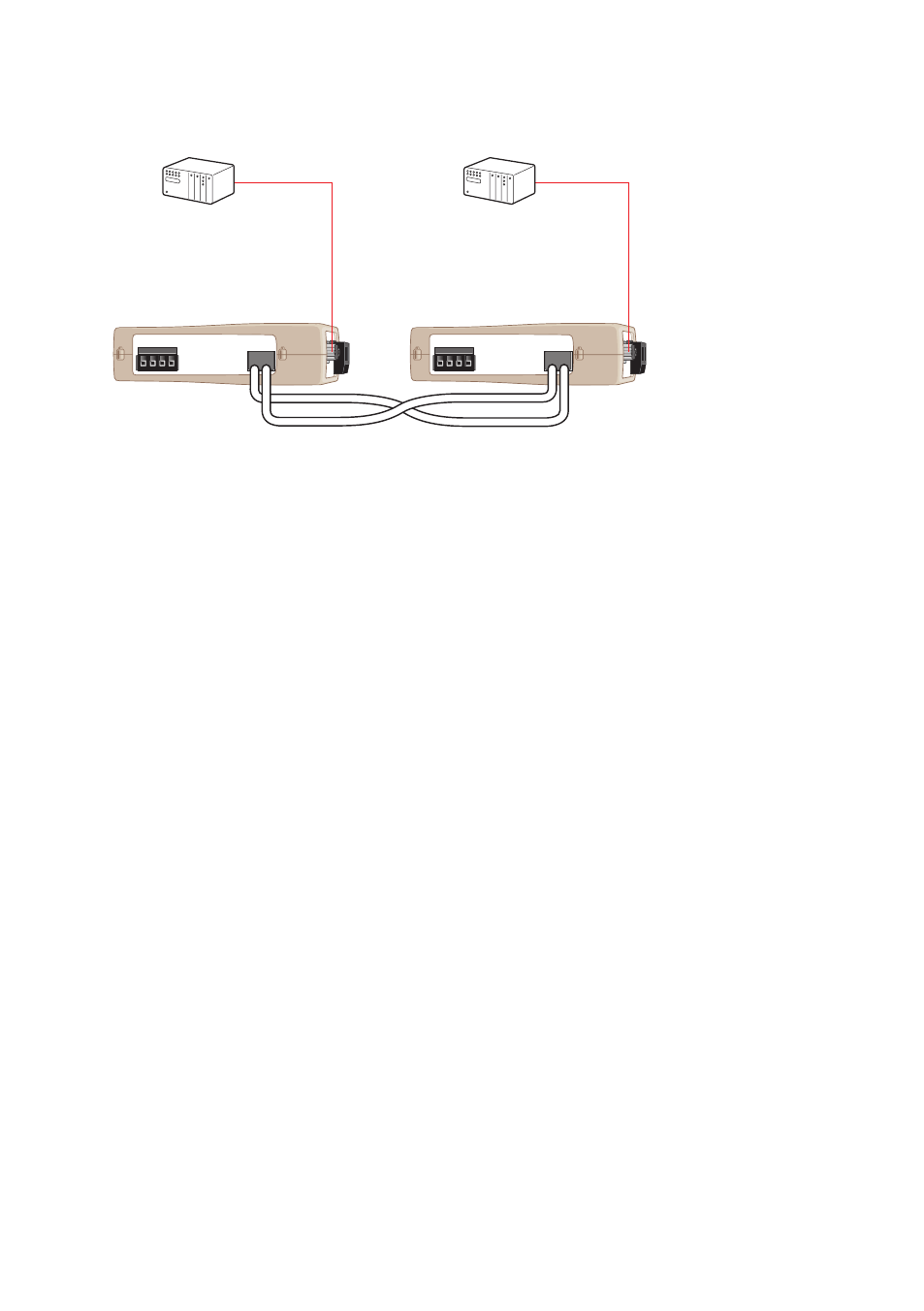
Connect the fibre link between the ODW-631s.
…
Connect the power supply to both ODW-631s.
…
After a few seconds the fibre link should be in operation, indicated by an active CH1
…
LED.
Connect the serial cables from PLC master and slave to respective ODW-631s.
…
Frames from PLC master that are correctly received in the ODW-631 will be
…
indicated by flashing TD LED.
Frames that are received via the fibre link will be transmitted to the PLC slave
…
and indicated by flashing RD LED.
Replies from slave to master will be transferred and indicated in the opposite way.
…
The point-to-point application is up and running.
…
POWER
CH 1
COM +VA +VB COM
POWER
CH 1
COM +VA +VB COM
TX
RX
TX
RX
Start up guide, point-to-point application
Follow the steps below to get the unit up and running in a simple application.
Master
Slave