How to use hns200 functions – Xoro HNS 2200 User Manual
Page 3
Advertising
3
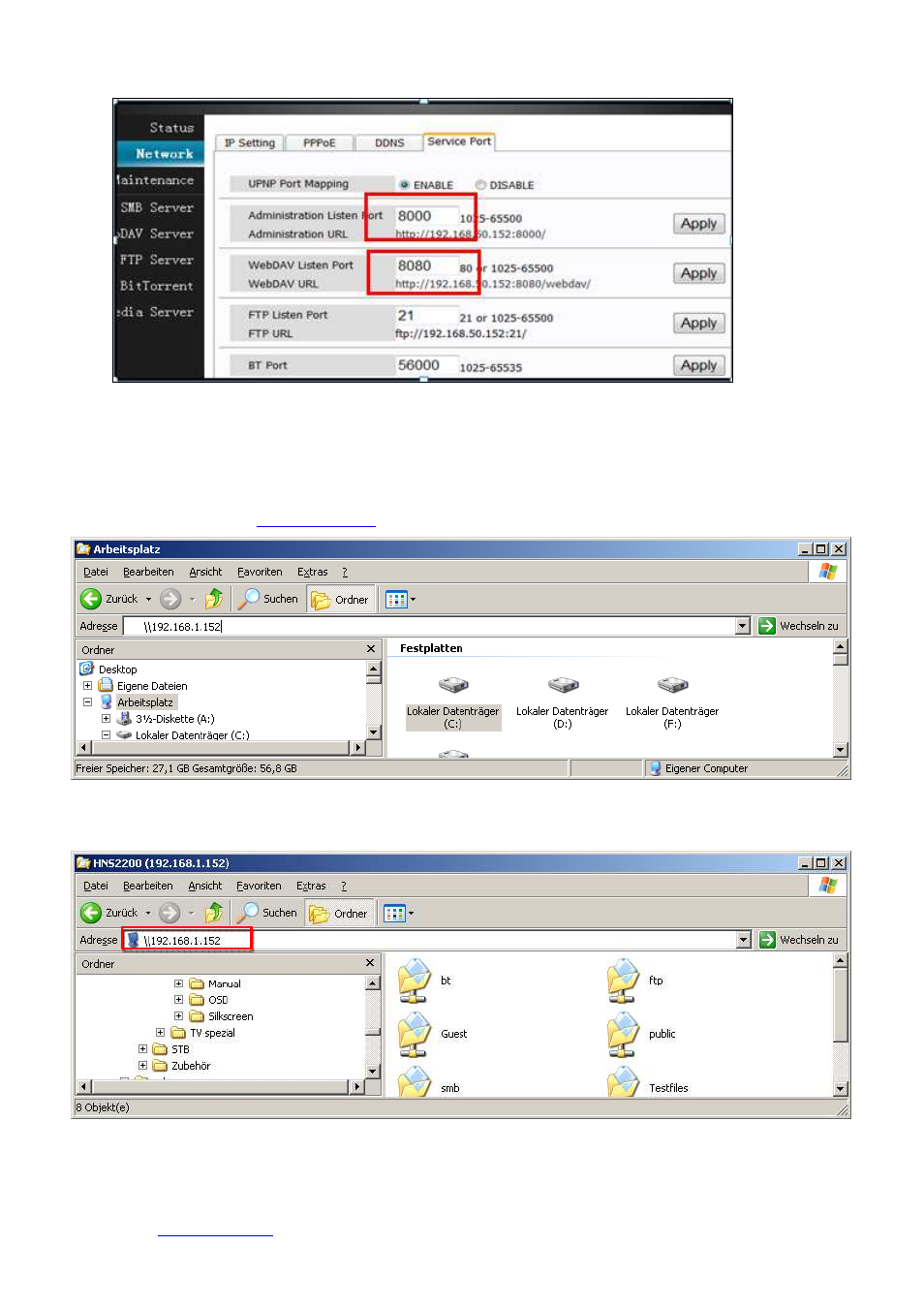
Remark: change the URL on network-Service Port.
(
The default URL may have conflict with the router
)
III.
How to use HNS200 functions——
Available on both local network and WAN.
HNS2200 local network
(
(
(
(
SMB Server
)
)
)
)
Input HNS2200 IP address (
\\192.1.168.1.152
) in local address bar
Connect the Computer to HNS2200 and then you can copy and delete files
How to visit HNS2200 throuth Internet
(
(
(
(
WEBDAV Server
)
)
)
)
On your PC
1.
Open the setting page, go to Network-DDNS user registration page and find out the registered name.
2.
Input
www.wwnav.com
in the address bar of the explorer
,
go to webdav page, visit the device carrying your
username. (xoronas) .
Advertising