Camera login, Browser-based – Eneo PXD-2030PTZ1080 User Manual
Page 5
Camera Login
_____
The network Speed Dome Camera’s default IP address is: 192.168.1.10. Therefore, to access the
camera for the first time, set the PC’s IP address as: 192.168.1.XXX; for example:
IP Address: 192.168.1.20
Subnet Mask: 255.255.255.0
Login ID & Password
•
Key in the camera’s IP address in the URL bar of the Web browser window and press “Enter.”
•
Enter the default user name (admin) and password (admin) in the prompt request dialogue.
Note that user name is case sensitive.
Install the ActiveX Control
•
After connecting to the network Speed Dome Camera, the request for installing the ActiveX
control will appear just below the URL bar.
•
Right Click on the information bar, and press “Install ActiveX Control…” to permit ActiveX control
installation.
•
In the pop-up security warning window, click on “Install” to start downloading DC Viewer software
on the PC.
•
Click on “Finish” after DC Viewer installation is complete.
Browser-based
_____
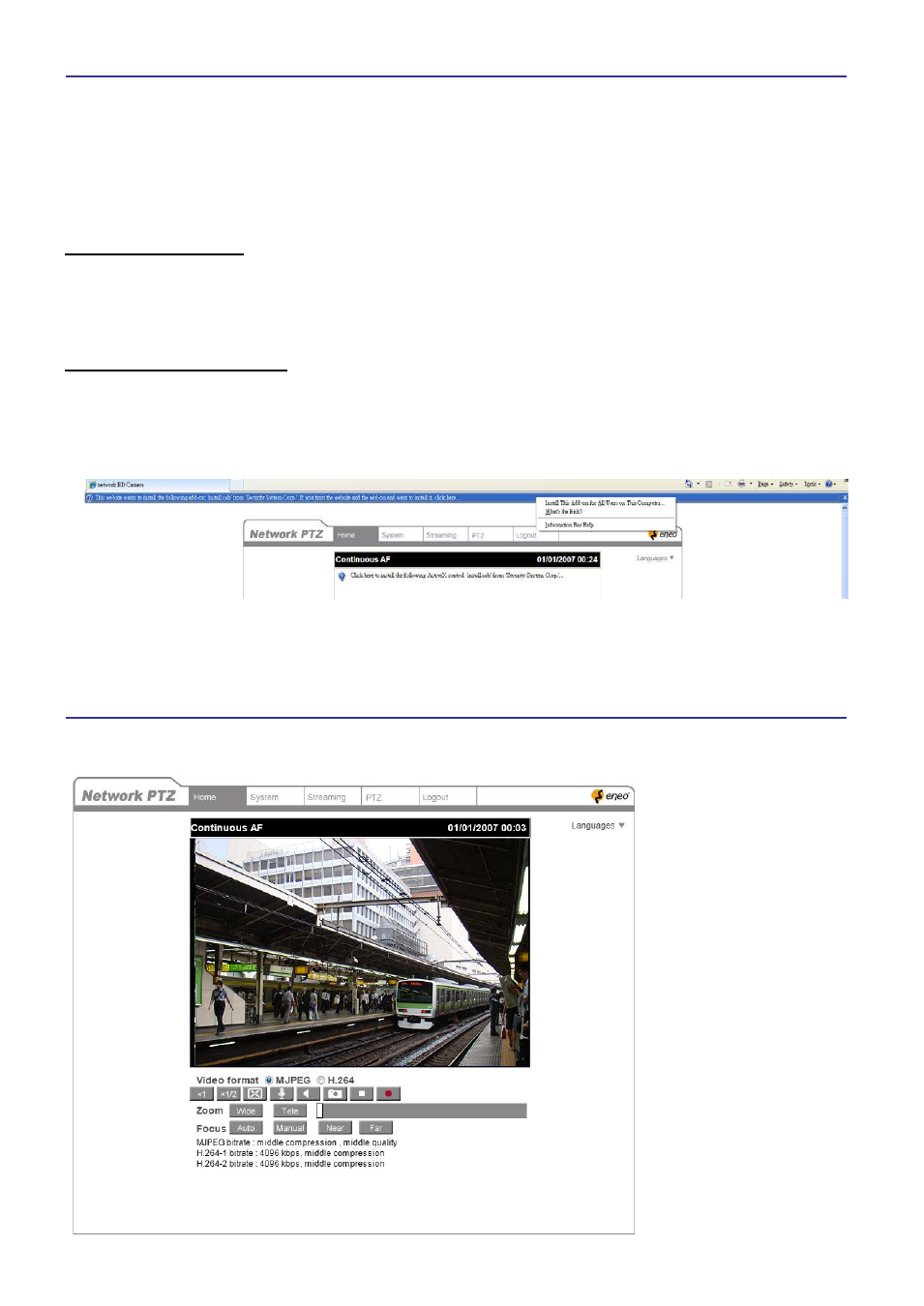
The main page of the network Speed Dome Camera user interface is as shown below.