Installation, Select hdtv standard – Grass Valley 8980TLS User Manual
Page 10
Advertising
4
8980TLS Instruction Manual
8980TLS NTSC to HDTV Tri-level Sync Converter
Installation
To install the 8980TLS module:
■
Select the proper HDTV video standard.
■
Insert the module in the selected frame slot.
■
Cable and terminate signal ports.
■
Adjust output timing to input reference
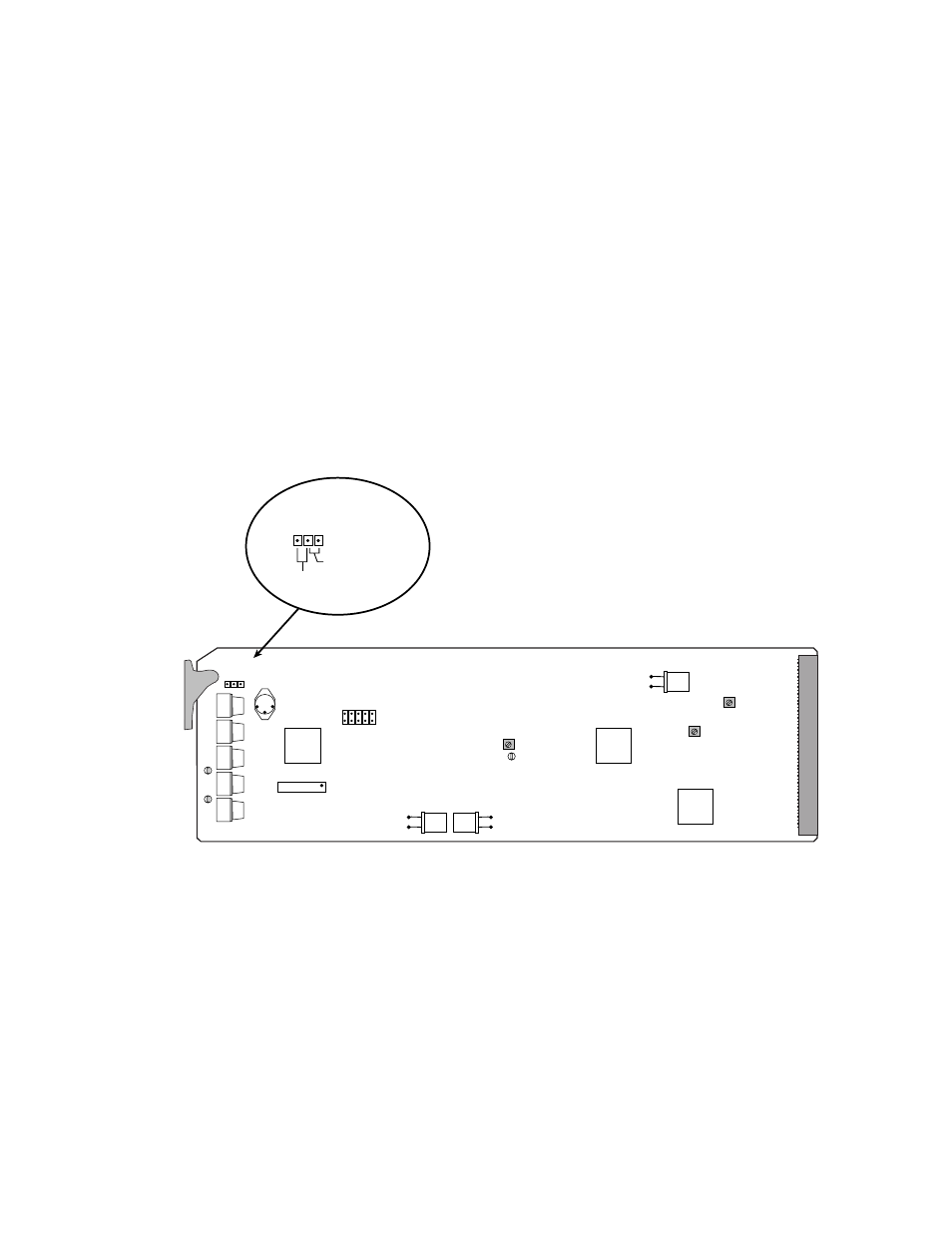
Select HDTV Standard
Jumper JP1 on the top edge of the module (see
video standard for the output signals—1080i or 720p. These signals
conform to SMPTE 240M and SMPTE 296M standards, respectively.
Figure 2. HDTV Video Standard Selection Jumper
8980
720P
1080I
720P
1080I
JP1
0515_03
Jumper for 720p
Jumper for
1080i
HDTV
Standard
Selection
Advertising