Connecting with putty, 19 connecting with putty – Grass Valley K2 Edge Engineering Manual v4.1 User Manual
Page 42
K2 Edge Engineering Manual- document version: 4.1 - Page 42
19
Connecting with PuTTY
PuTTY is a software program that uses the secure shell protocol to connect to a remote computer and
can be used to access the K2 Edge server. PuTTy can be downloaded from
and is
installed on a Windows workstation with connection the K2 Edge server.
To start Putty:
On a workstation with connection to the K2 Edge server, double-click the PuTTY icon to start.
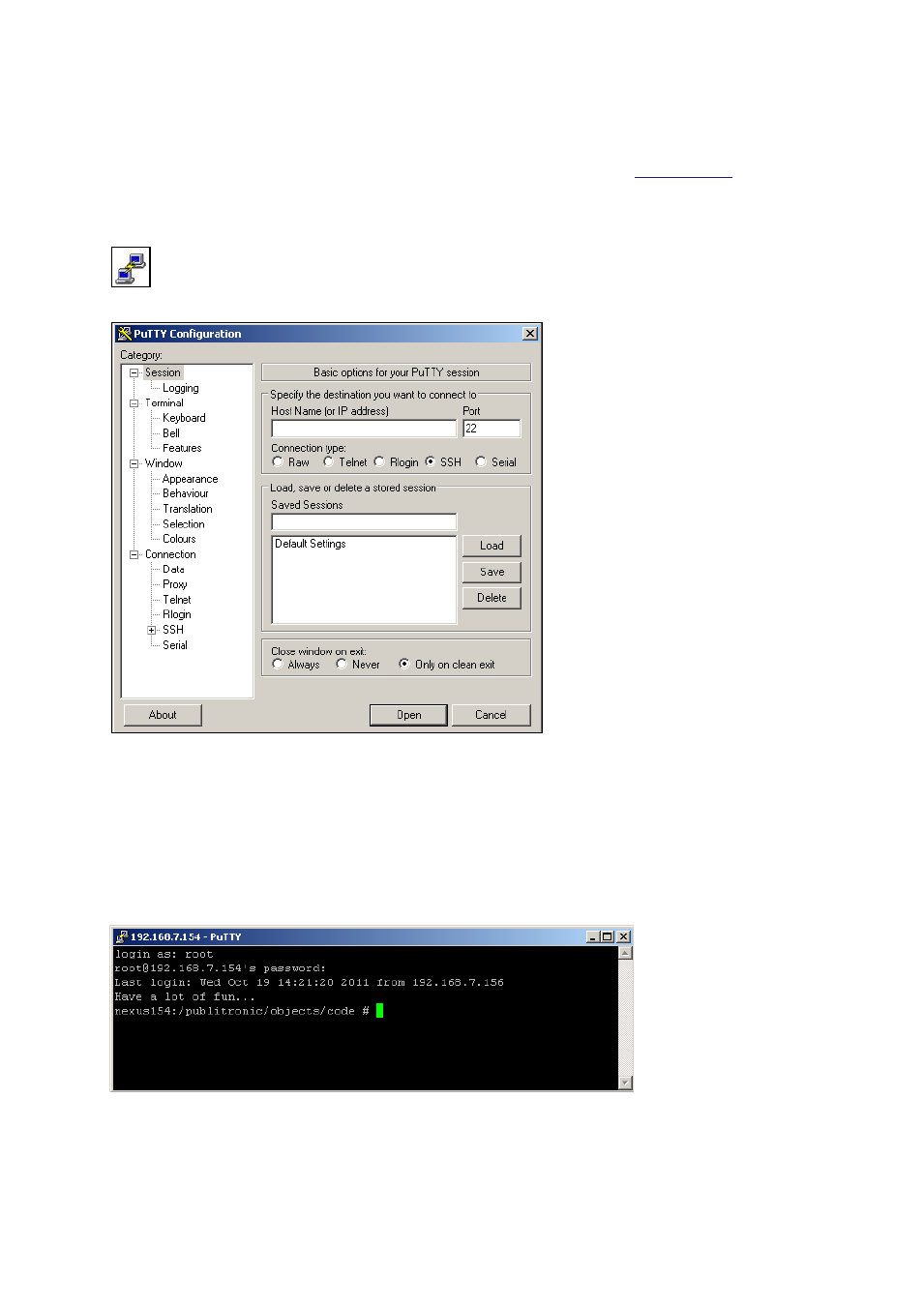
The following (default) screen appears:
Once you set up a Putty session, in the Putty screen:
Enter the IP-address of the system that you want to connect to. The default Port is 22.
Select the Connection type: SSH.
Click Open.
The terminal window opens and you can log in. From the command prompt you will be able to enter
Linux commands.
Example PuTTY terminal window.
To exit the Linux shell, on the command line enter: logout, exit or press [CTRL-D].