Grass Valley Kameleon HD Multi-Function Modules v.2.5.0 User Manual
Page 81
Advertising
Kameleon HD—Instruction Manual
81
Initial Configuration Process Overview
HD Video Out Web Page
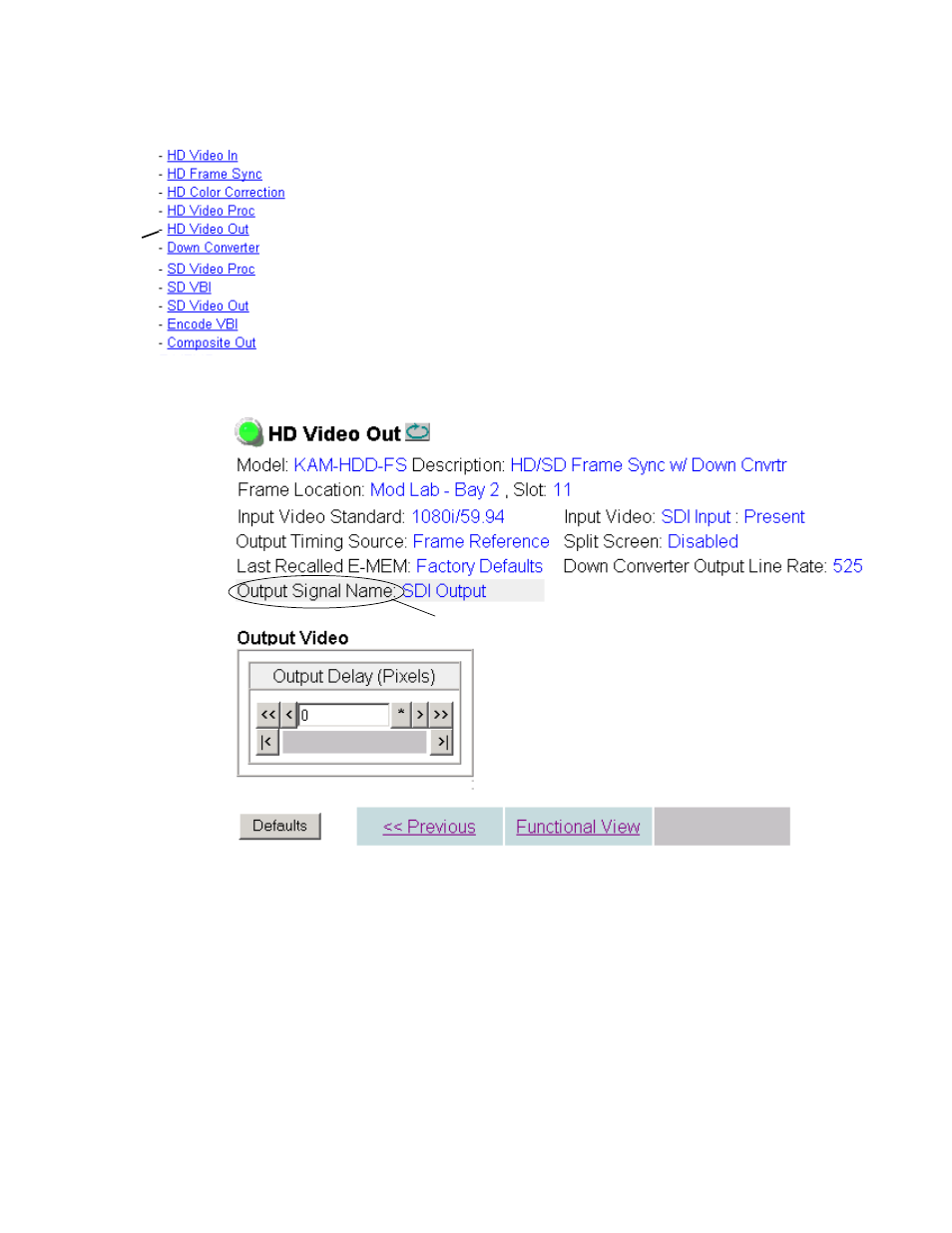
The HD Video Out web page (
) is present when an HD input type
is selected as the input to the module. It provides controls for adjusting the
HD SDI video output. The name of the output video signal assigned on the
I/O Config web page is displayed in the lower left corner of the web page
header.
Output Video
Use the following control to adjust the HD video output signal:
•
Output Delay (Pixels)
– adjust the coarse delay of the video output in
pixels.
Figure 59. HD Video Out Web Page
Use
this
link
Output signal name defined on I/O Config web page.
Advertising