Record a clip, Workstation operation – Grass Valley Turbo iDDR Quick Start User Manual
Page 17
Advertising
17
Workstation Operation
06 July 2005
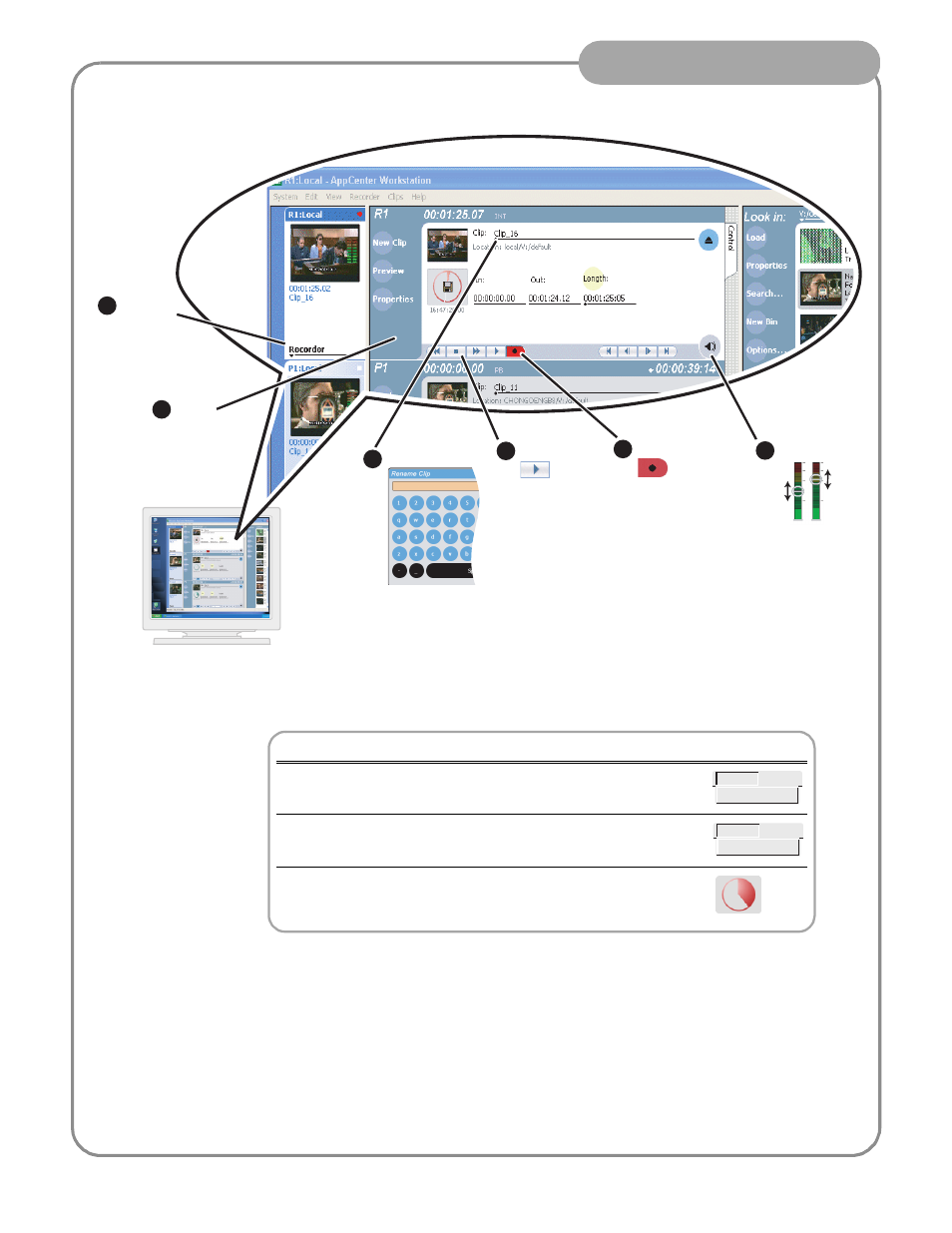
Record a clip
1
Select
the
record
channel
2
Verify
Recorder
mode
3
Adjust audio
6
Rename clip
4
Begin record
5
Stop record
Related operations
To change the timecode source, click Recorder | Options, select your
timecode source, and click OK.
If video source is widescreen format (16:9), click Recorder | Widescreen.
To enable Loop record mode, click the Time Dome, then choose
Continuous Record in the pop-up menu.
Recorder
Options
Recorder
✓ Widescreen
Advertising
This manual is related to the following products: