HEIDENHAIN ND 510 v.2 User Manual
Heidenhain, Working with the digital readouts
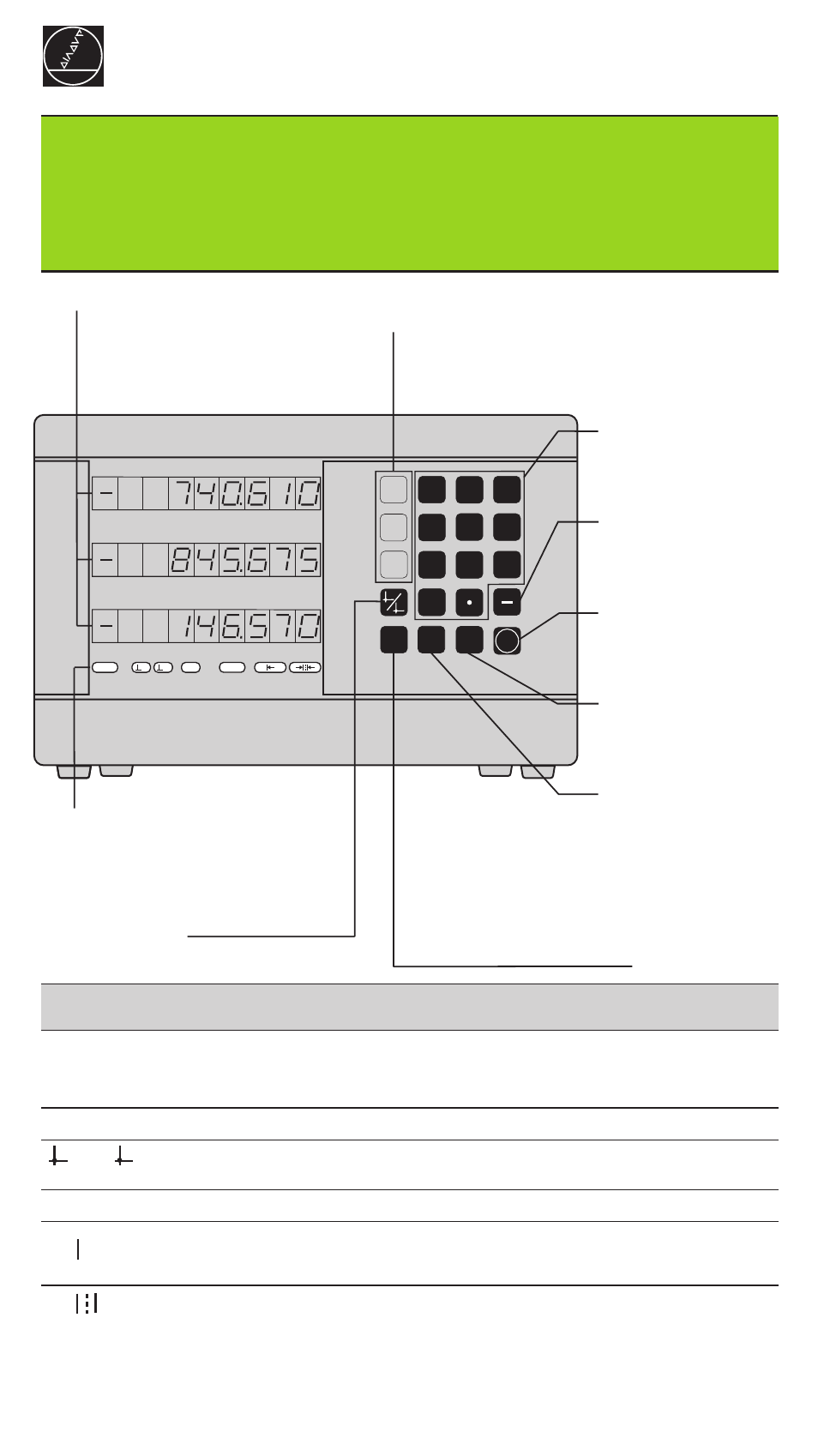
Numeric keypad
and decimal point
• Sign
• Change parameter
Confirm
entry values
• Call operating
parameters
• Page forward in
parameter list
Datum setting
function
Status indicators
• Select datum
• Page backward in
parameter list
Indicator
Meaning
REF
Reference mark was crossed over – datum points are now stored
in non-volatile memory.
Blinking: Waiting for reference mark to be crossed over.
in.
Position values displayed in inches.
1 / 2
Datum point 1 / Datum point 2 currently active.
SCL
Scaling factor active.
Define workpiece edge as datum.
Blinking: Waiting for operator to confirm selection.
Define centerline between two workpiece edges as datum.
Blinking: Waiting for operator to confirm selection.
• Clear entry
• CL plus two-digit number:
select parameter
• Clear parameter entry
• Select coordinate axis
(Z-axis with ND 550 only)
• Select axis-based operating parameters
Actual value and input display
(7-segment LED,
8 decades and sign)
Downwards: X-axis, Y-axis,
ND 550 only: Z-axis
MOD
0
Y
X
HEIDENHAIN
3
6
5
4
2
1
ENT
8
7
9
Z
REF
1
2
CL
1
2
SPEC
FCT
SCL
in.
←
←
←
←
←
→
→
→
→
→
Working with the digital readouts
ND 510 ND 550
HEIDENHAIN
←
←
←
←
←