Sunny display language selection -15, Sunny display language selection – SMA SB 700U User Manual
Page 63
Advertising
SB700U-11:SE3207
SMA America
6-15
Sunny Display Language Selection
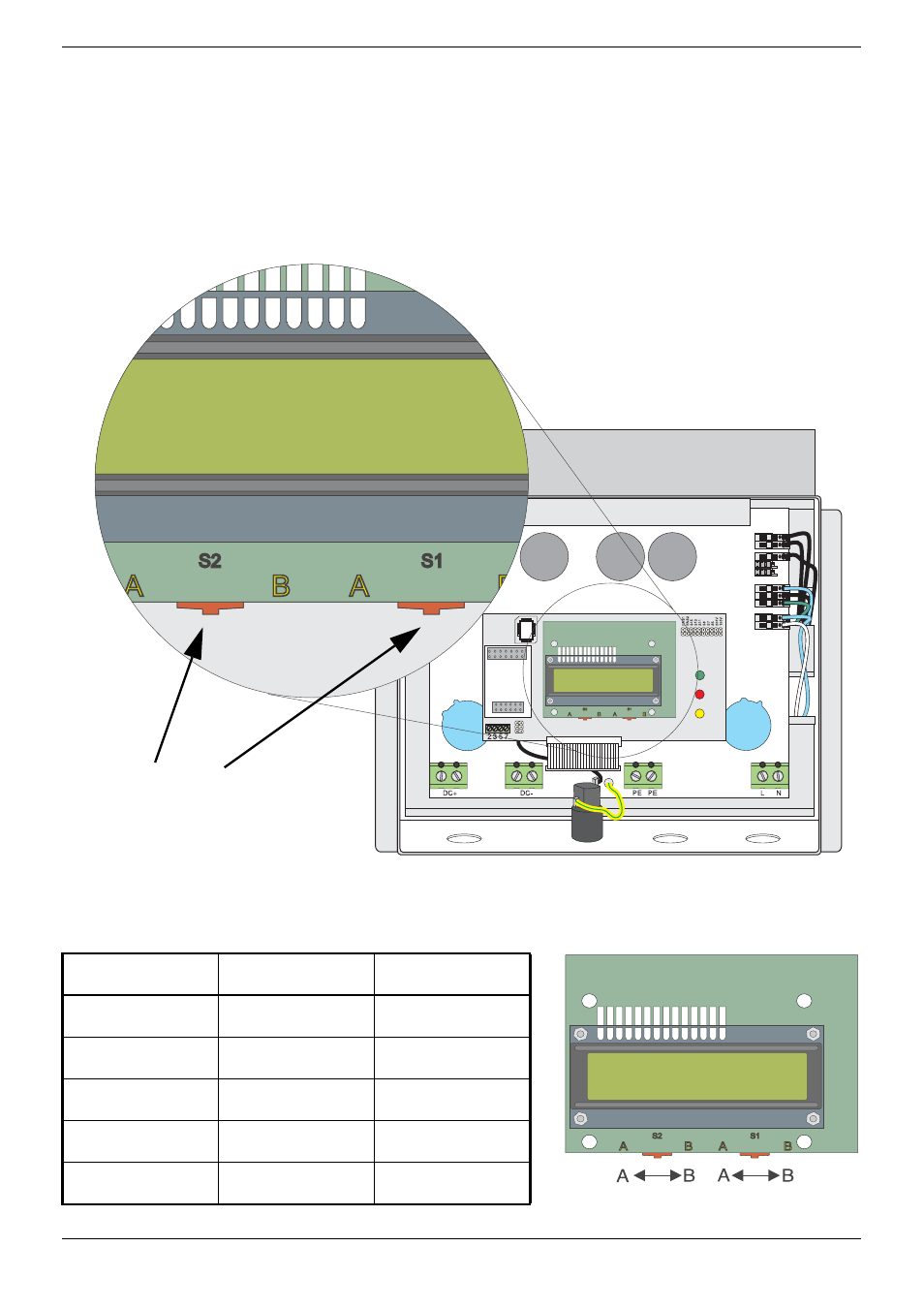
The Sunny Display option has the ability to display information in any of four
different languages. Setting the language is performed by using a pair of slide
switches located along the bottom edge of the display PC board. The language
choices are: Spanish, English, French and German. Use the diagram and chart
below for setting the display.
Position of the switches for
configuration of the Sunny
Display language
Figure 6-3 Language Selecting Switches for the Sunny Display Option
L
Language
Switch S2
Switch S1
German
B
B
English
B
A
French
A
B
Spanish
A
A
Language
Switch S2
Switch S1
Switch S2 Switch S1
Advertising