FujiFilm FinePix XP120 User Manual
Page 33
15
First Steps
Charging the Battery
3
Charge the battery.
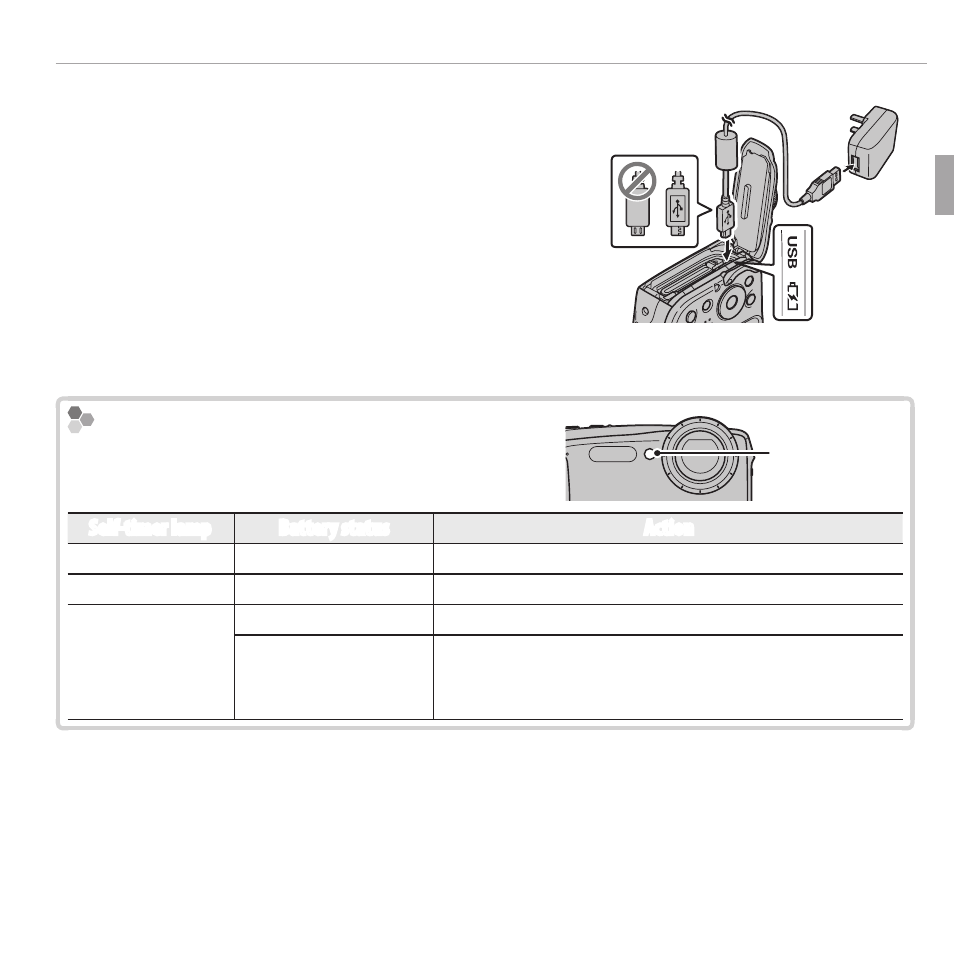
Connect the camera to the supplied AC
power adapter using the supplied USB
cable. Then plug the AC power adapter into
an indoor power outlet.
Q
Be sure the connectors are in the correct
orientation and then insert them fully.
Connect to camera Micro USB
connector (Micro-B)
The Self-timer Lamp
The self-timer lamp shows battery charge status
as follows:
Self-timer lamp
Self-timer lamp
Battery status
Action
On
Battery charging.
—
Blinks
Battery fault.
See page 101.
Off
Charging complete.
—
Can not charge.
Unplug the AC power adapter from the power outlet
and reinsert the battery in the correct orientation
(P 101).
Q
The battery will not charge while the camera is on.
R
The camera operates in external power mode if the camera is turned on while
plugged into AC power.