Curtis LCDVD2454A-B User Manual
Page 15
27
OSD OPERATION
OSD OPERATION
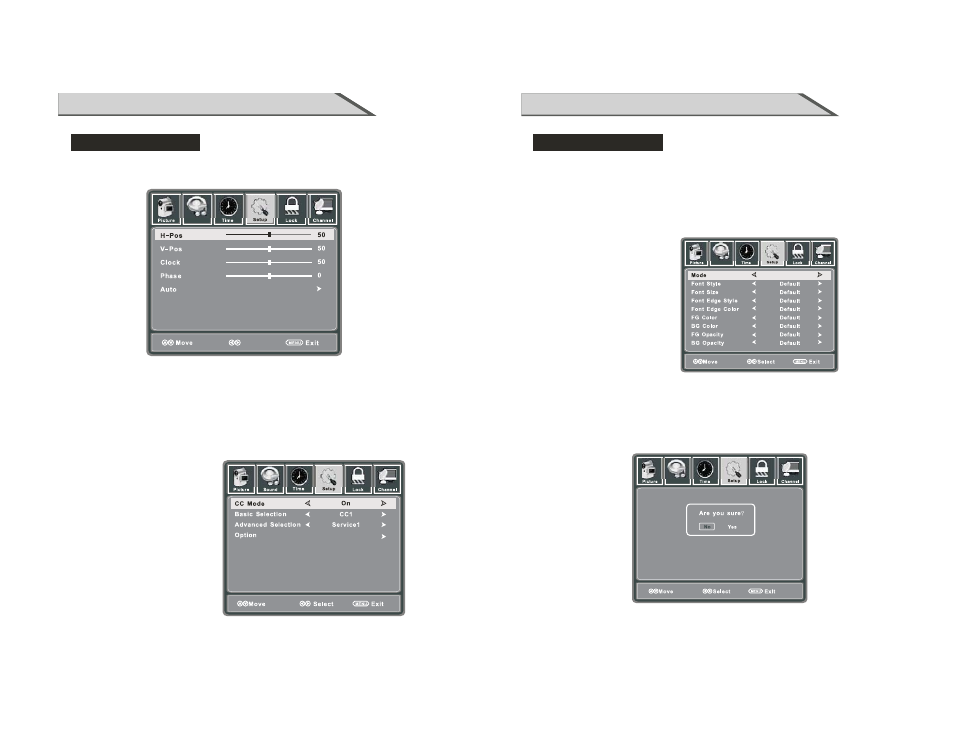
Setup menu options
H-Position
Allow you to use ◄ / ► button to adjust the H Position.
V-Position
Allow you to use ◄ / ► button to adjust the V Position.
Clock Allow you to prolong the image.
Phase Allow you to adjust the definition.
Auto
Select “Auto” and press ►, the unit will automatically adjust all items to achieve a best effect.
Advance
Input PC signal first, then press SOURCE button to select VGA mode,
confirm.
press ► button to
Close Caption
Use
the Close Caption item, then
press
►
button to enter
into the following menu.
▼
button to highlight
CC Mode
Allows you to select the
CC Mode among:
On, Off and CC on Mute.
Audio
Adjust
28
OSD OPERATION
Setup menu options
Basic Selection
Allows you to select the basic selection among: CC1, CC2, CC3, Cc4,
Text3 and Text4.
Text1, Text2,
Advanced Selection
Allows you to select the advanced selection among:
Service4, Service 5 and Service 6.
Service1, Service2, Service3,
Option
Use
“Option” item, then press
►
button to enter into the
following menu.
▼
button to highlight the
Use
▼ / ▲
buttons to highlight the desired item, and use ◄ / ► buttons to select.
Restores all settings in SETUP menu to factory settings.
Restore Default
Ar
eyousu
Re
No
Yes
Ifent
erin
gth
eaudi
oonl
ymode
pleas
POWE
Rtexi
t
Audio
Audio
Custom