Parts introduction, Remote control, Usage of remote control – Curtis DVD1040 User Manual
Page 5
- 5 -
PARTS INTRODUCTION
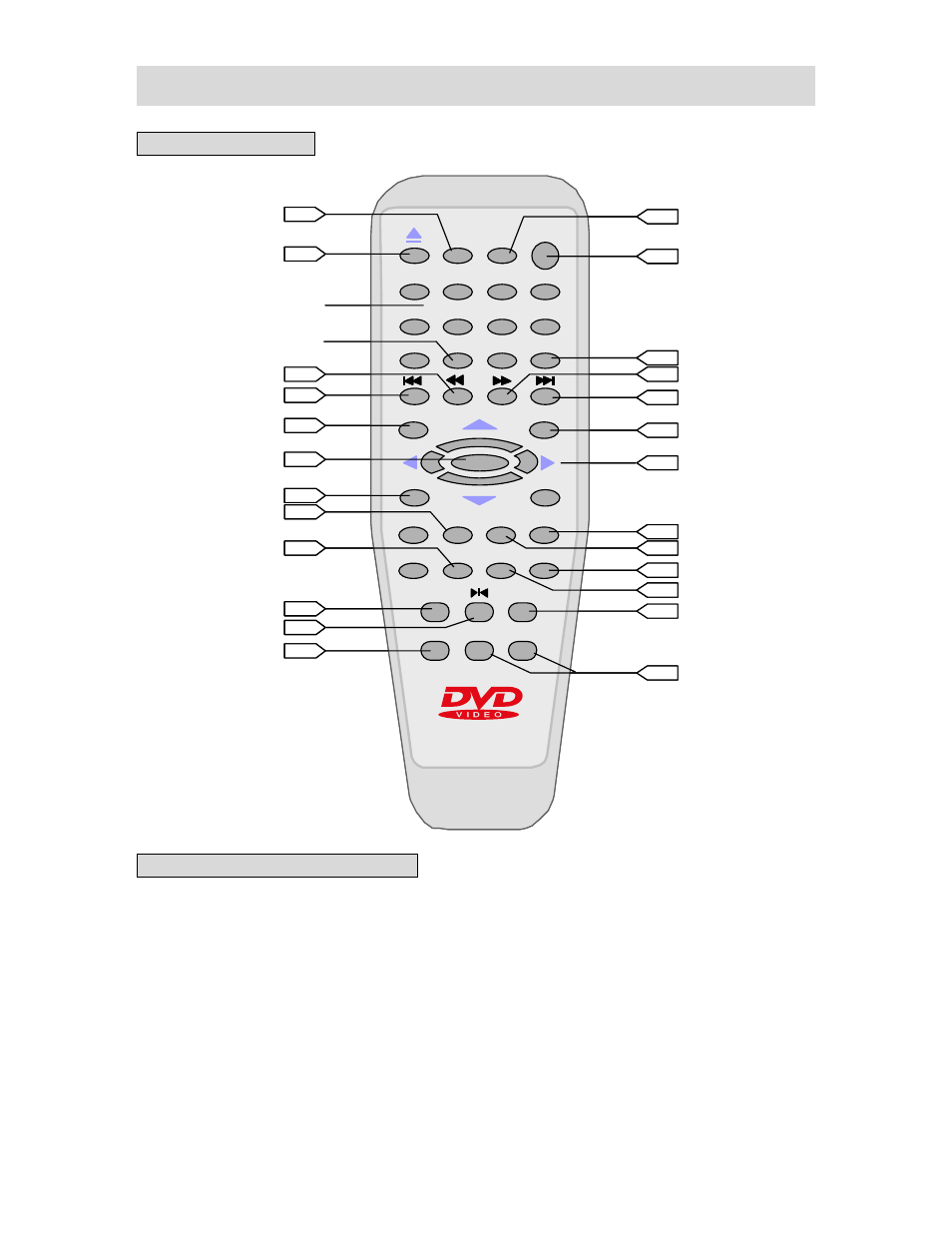
REMOTE CONTROL
USAGE OF REMOTE CONTROL
Open the battery case cover, and insert two “AAA” batteries into it in accordance with the
indications (+, -) inside the compartment. Point the remote control at remote sensor for
operation within an angle of 60°and a distance of 7m, and remove all obstructions.
◆
Normally batteries can last for around six months. If the remote control does not work,
replace the batteries.
◆
If the player is not used for a long time, take out the batteries to prevent leakage and
possible damage to the remote control.
1
2
3
4
5
6
7
8
9
OK
+10
0
SETUP
STOP
A-B
PLAY
POWER
P/N
OSD
GOTO
RETURN
ANGLE
TITLE
SUBTITLE AUDIO
VOCAL REPEAT
SLOW
ZOOM
MENU
PROGRAM
VOL+
VOL-
11
11
10
10
8
10
9
9
11
11
10
12
12
6
8
11
10
8
8
13
9
9
12
11
11
+10 button
OPEN/CLOSE button
number buttons
REV SCAN button
PREV SKIP button
direction buttons
PAUSE/STEP button
NEXT SKIP button
FWD SCAN button
OK button
1
2
3
4
5
6
7
8
9
OK
+10
0
SETUP
STOP
A-B
PLAY
POWER
P/N
OSD
GOTO
RETURN
ANGLE
TITLE
SUBTITLE AUDIO
VOCAL REPEAT
SLOW
ZOOM
MENU
PROGRAM
VOL+
VOL-
11
11
11
11
10
10
10
8
10
10
99
99
11
11
11
10
12
12
12
12
66
88
11
10
10
8
88
13
13
9
99
12
12
11
11
11
11
+10 button
OPEN/CLOSE button
number buttons
REV SCAN button
PREV SKIP button
direction buttons
PAUSE/STEP button
NEXT SKIP button
FWD SCAN button
OK button