Functions during stitch editing and cropping – Casio Panorama Editor User Manual
Page 23
Advertising
22
2.
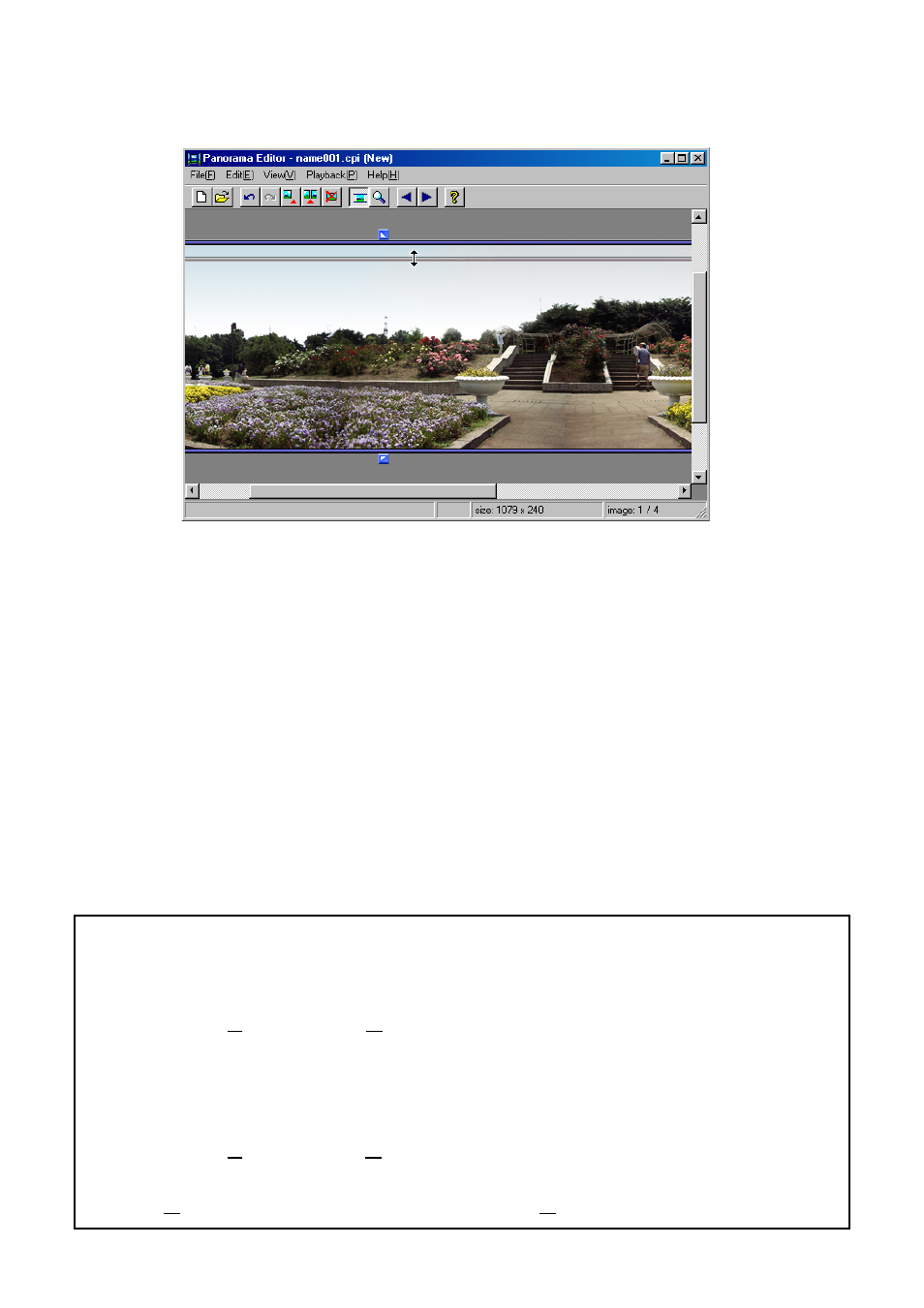
Drag the cropping lines up or down to specify the cropping
positions (upper and lower cutoff positions).
■ Functions during stitch editing and cropping
• Undo
Select [Edit(E)]
→ [Undo(U)].
Cancels the previous operation. Only [Edit stitch] and [Edit cropping]
operations can be cancelled.
• Canceling [Undo]
Select [Edit(E)]
→ [Redo(R)].
Restores the [Edit stitch] or [Edit cropping] operations cancelled by
[Undo(U)] to the condition before the [Undo(U)] operation.
Advertising
See also other documents in the category Casio Cameras:
- EX-JE10 (189 pages)
- EX-JE10 (191 pages)
- EX-JE10 (195 pages)
- EX-JE10 (187 pages)
- EX-JE10 (187 pages)
- EX-Z650 (193 pages)
- EX-Z400 EN (203 pages)
- EX-Z450 (For North American customers) (191 pages)
- EX-Z650 (202 pages)
- EX-Z200 (For North American customers) (170 pages)
- EX-H10 (For North American customers) (189 pages)
- EX-H10 (For North American customers) (189 pages)
- EX-H10 (For North American customers) (194 pages)
- EX-JE10 (196 pages)
- EX-JE10 (196 pages)
- EX-JE10 (194 pages)
- EX-JE10 (192 pages)
- EX-JE10 (195 pages)
- EX-Z750 (250 pages)
- EXILIM G MA0910-A 1170 (193 pages)
- QV-2800UX (151 pages)
- EX-ZS160 (137 pages)
- EX-ZS26 (138 pages)
- EX-ZS160 (136 pages)
- EX-FS10 (184 pages)
- EX-H20G (For North American customers) (192 pages)
- EXILIM EX-Z550 (196 pages)
- EX-P700 (267 pages)
- EXILIM EX-Z270 (194 pages)
- EXILIM EX-Z270 (202 pages)
- EXILIM EX-Z19 (139 pages)
- EXILIM EX-Z19 (139 pages)
- EX-H5 (For North American customers) (186 pages)
- EX-ZS200 (139 pages)
- EXILIM EX-Z28 (136 pages)
- EX-FC100 (191 pages)
- EX-FC150 (193 pages)
- EX-Z400 EN (203 pages)
- EX-P600 (247 pages)
- QV-3EX (122 pages)
- EX-TR200 (129 pages)
- EX-TR150 (129 pages)
- EX-TR150 (127 pages)
- EX-S100 (207 pages)
- EX-Z2000 (195 pages)