Installation, Removing the device, Gb mt – Silvercrest SAR 28 A1 User Manual
Page 105
101
Installation
SAR 28 A1
GB
MT
CAUTION
Possible damage to the cable!
►
To avoid damage, observe the position of the cables when sliding the
device into the bay.
♦
Carefully push the device into the installation bracket
30
until it locks into
place.
♦
After all the connections have been established, press the RESET
22
button
for about 6 seconds with a ballpoint pen or other sharp object.
♦
Attach the face plate as described under “Installing the face plate”.
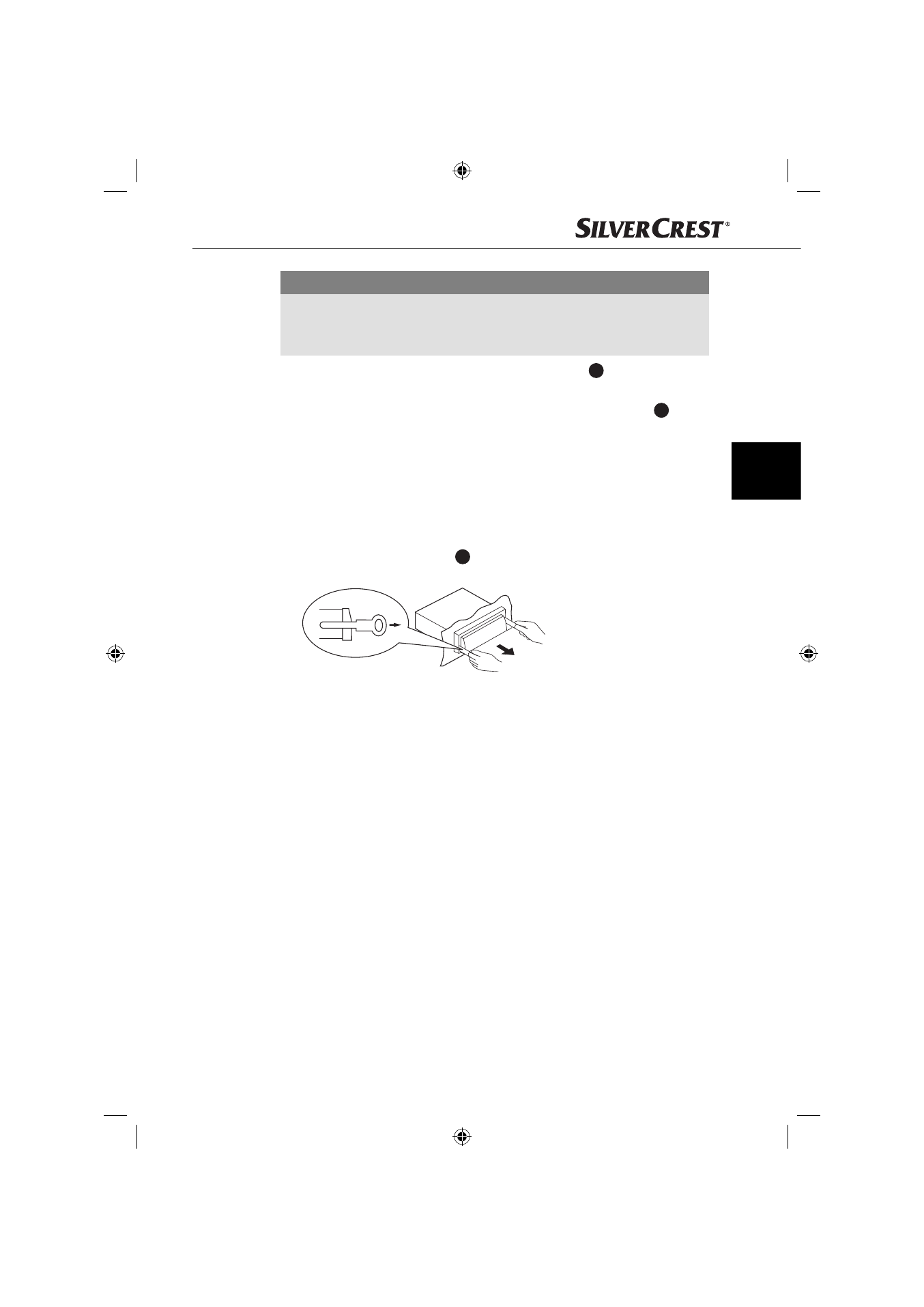
Removing the device
To remove the installed device, proceed as follows:
♦
Insert the right and left keys
31
into their respective slots on the sides of the
device. (The tabs are now bent back).
♦
Pull the device out.
IB_85465_SAR28A1_LB5.indb 101
IB_85465_SAR28A1_LB5.indb 101
06.12.12 16:54
06.12.12 16:54