Handling and use, Connecting the hdmi changeover switch – Silvercrest SHU 3.1 B2 User Manual
Page 11
Advertising
GB
8
SHU 3.1 B2
Handling and use
This section provides you with important information on handling and
using the device.
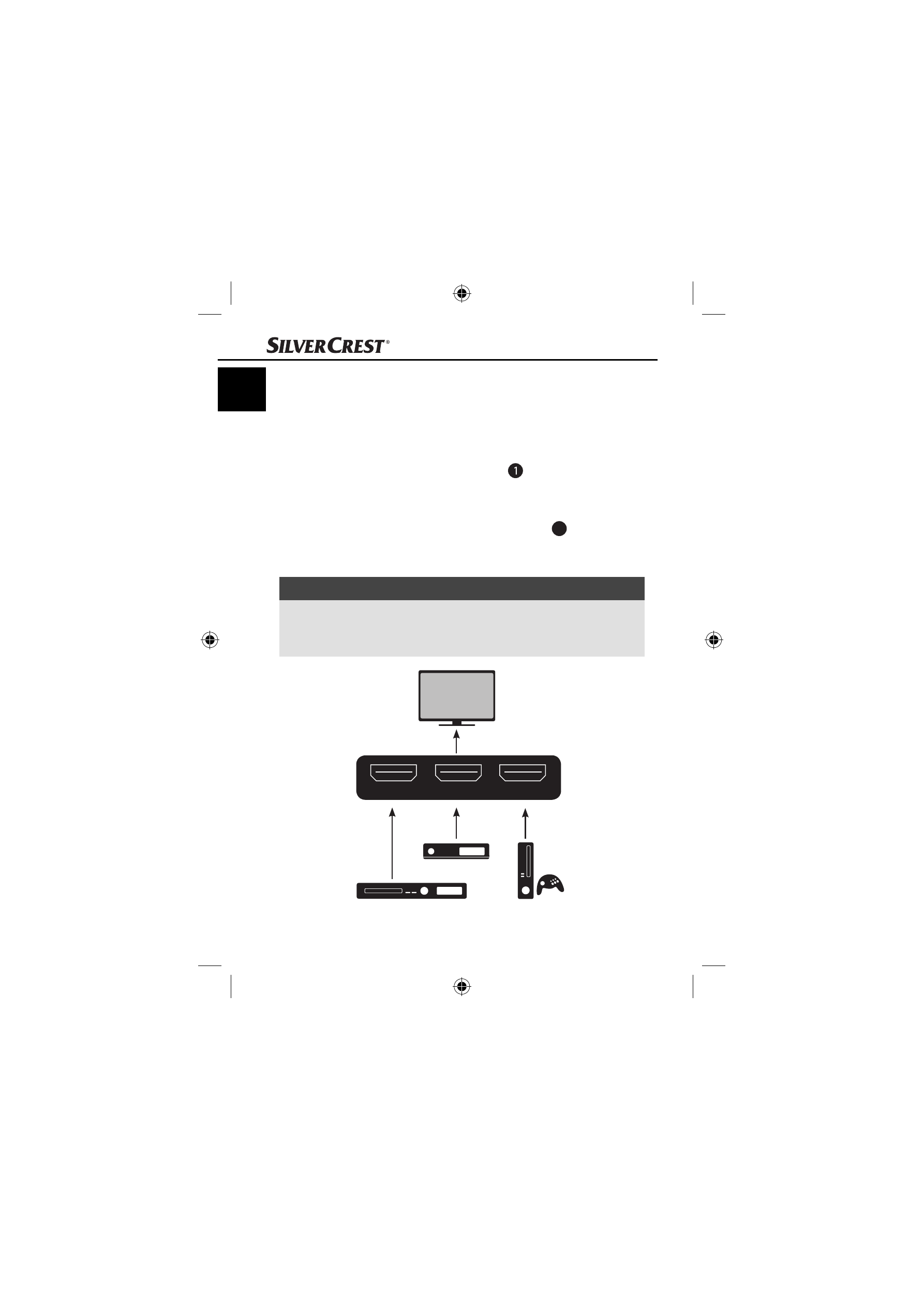
Connecting the HDMI changeover switch
♦
Connect the HDMI connection cable
to your output device
(e.g. television or beamer).
♦
Connect your source devices (e.g. SAT receiver, DVD player
or games console) to the HDMI input sockets
4
. Use a high-
speed HDMI connection cable to obtain optimum video and
audio quality.
NOTE
►
If you connect a source device with 3D content (e.g. a
Blu-ray player) to the HDMI changeover switch, always
use a high-speed HDMI connection cable.
HDMI 3
HDMI 2
HDMI 1
SAT receiver
Blu-ray player / DVD player
Games console
IB_85863_SHU3.1B2_LB4.indb 8
IB_85863_SHU3.1B2_LB4.indb 8
03.01.13 12:15
03.01.13 12:15
Advertising