Gb mt cut length add-ons – Silvercrest SHBS 1000 A1 User Manual
Page 54
51
SHBS 1000 B1
GB
MT
Cut length add-ons
7
:
♦
Select a suitable cut length add-on
7
to match your required hair length (4 - 6
mm / 7 - 9 mm / 10 - 12 mm / 16 - 18 mm / 22 - 24 mm / 28 - 30 mm).
♦
Click the selected cut length add-on
7
onto the trimmer block
from behind.
Ensure that both pins in the cut length add-on
7
correctly locate into the side
cutouts in the trimmer head holder.
♦
You can use the slide switch
2
to make fi ne adjustments to the required cut
length
7
. For example, if you want to cut your hair to 22 mm length, take a cut
length add-on
7
for hair lengths of 22-24 mm and push the slide switch
2
for
fi ne length adjustment upwards as far as possible (0.5 mm).
NOTE
►
Variable adjustment of the fi ne adjustment downwards increases the cut
length to 22.5 mm (with fi ne adjustment 1.0 mm); to 23 mm (with fi ne
adjustment 1.5 mm) or to 24 mm (with fi ne adjustment 2.5 mm).
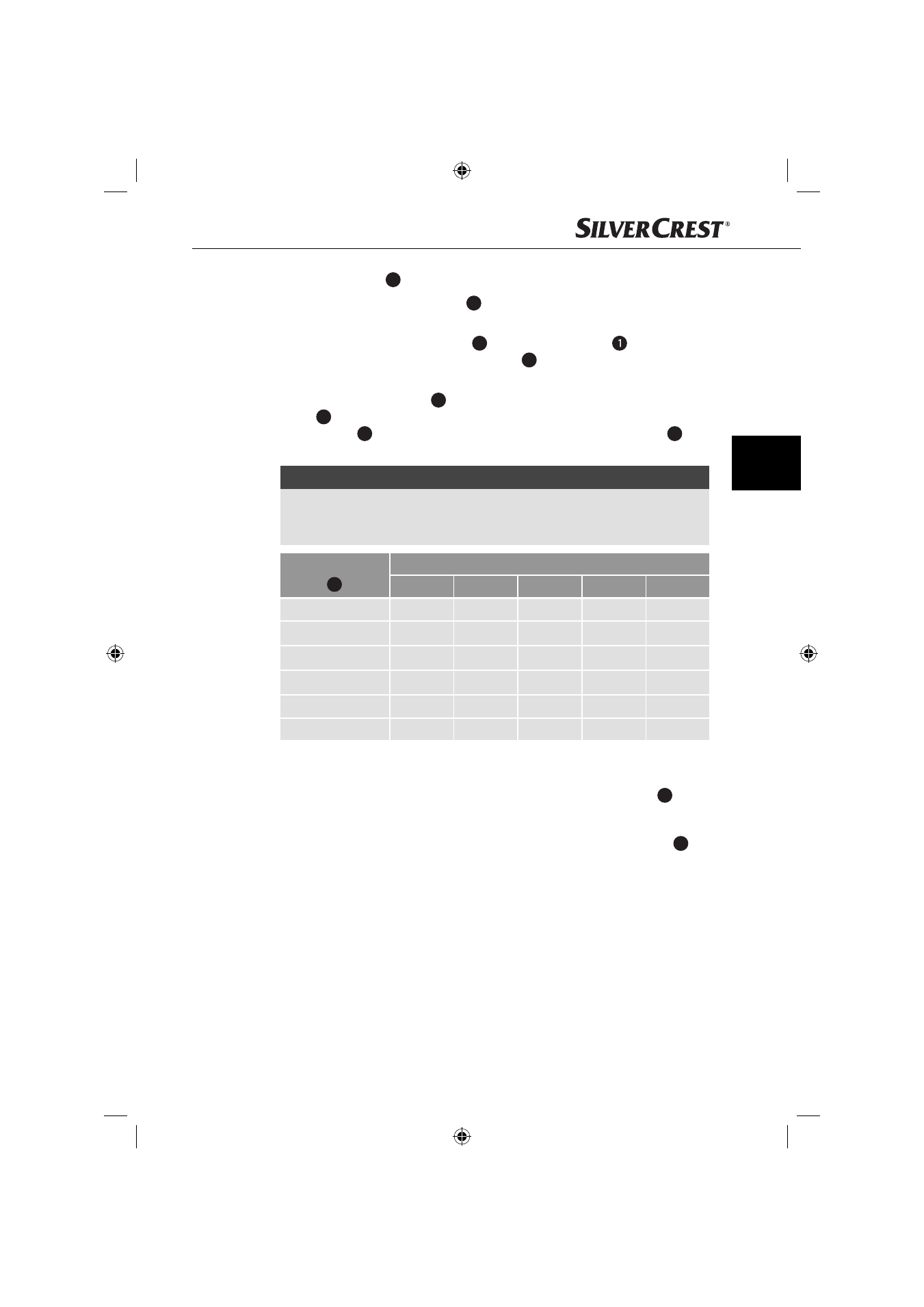
Cut length
add-on
7
(mm)
Cut length* with fi ne length adjustment (mm)
0.5
1.0
1.5
2.0
2.5
4 - 6
4
4.5
5
5.5
6
7 - 9
7
7.5
8
8.5
9
10 - 12
10
10.5
11
11.5
12
16 - 18
16
16.5
17
17.5
18
22 - 24
22
22.5
23
23.5
24
28 - 30
28
28.5
29
29.5
30
* Please note that the cut length can deviate from the stated length depending
on the angle of cut.
♦
Switch the hair and beard trimmer on by pressing the ON - OFF switch
3
.
♦
Run the hair and beard trimmer slowly through your hair.
♦
When doing so, hold the appliance so that the selected cut length add-on
7
is
as fl at as possible against your scalp.
♦
Always cut from your neck towards the top of your head, or from your forehead
and temples upwards towards the middle of the head.
IB_31711_SHBS1000B1_LB5.indb 51
IB_31711_SHBS1000B1_LB5.indb 51
03.02.14 08:17
03.02.14 08:17