Build-in, Choice of location, 2 / installing your appliance en – DE DIETRICH DOP1180 User Manual
Page 6: Fig.1
6
2 / INSTALLING YOUR APPLIANCE
EN
BUILD-IN
To do this:
1) Drill a hole in the cabinet panel to avoid
splitting the wood.
2) Attach the oven with the 2 screws.
•
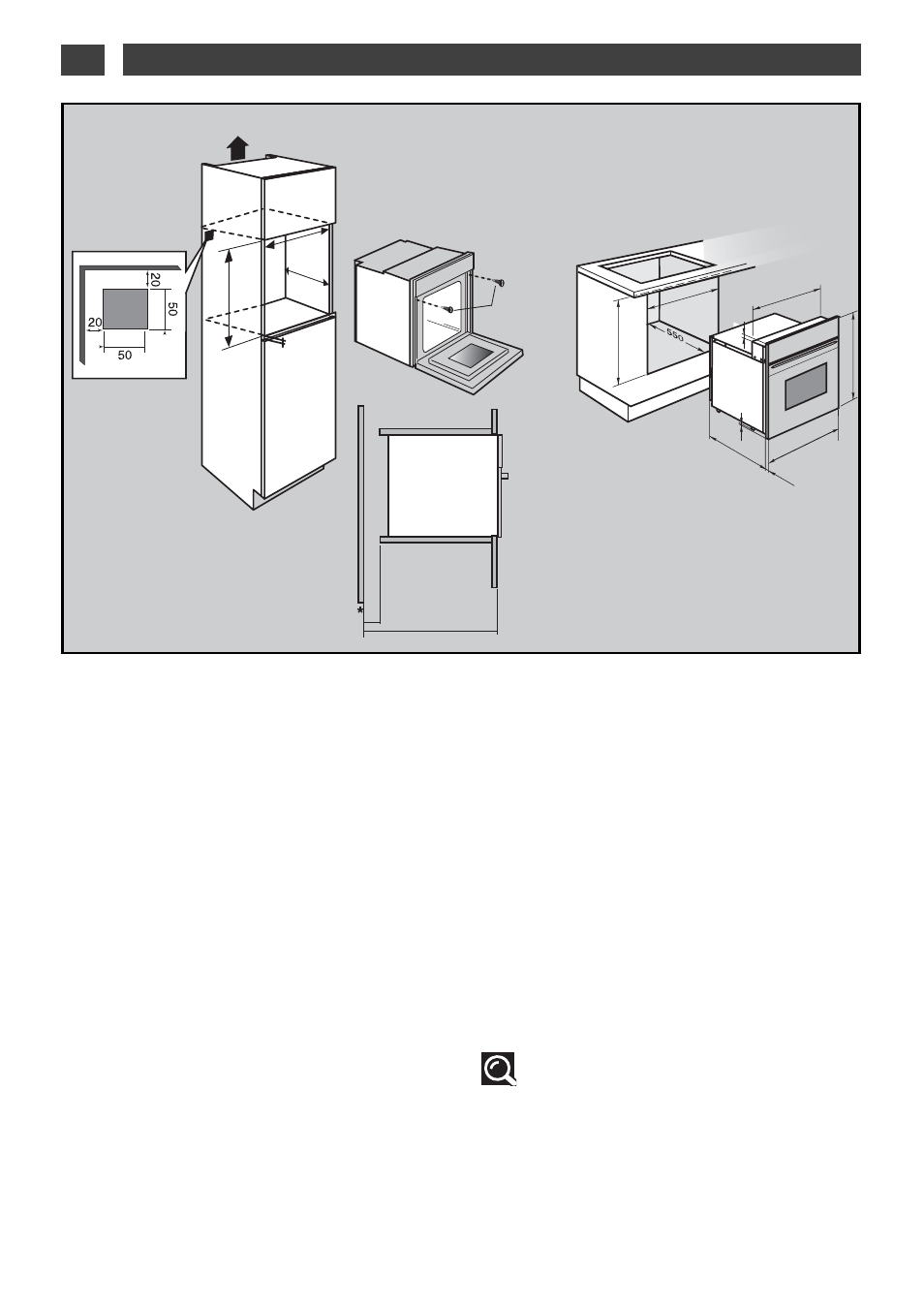
• CHOICE OF LOCATION
The above diagrams show the dimensions of a
cabinet that will be able to hold your oven.
The oven can be installed under a work top or
in a column of cabinetry (open* or closed)
having the appropriate dimensions for built-in
installation (see adjacent diagram).
Your oven has optimised air circulation that
allows it to achieve remarkable cooking and
cleaning results if the following guidelines are
followed:
• Centre the oven in the cabinet so as to
guarantee a minimum distance of 5 mm
between the appliance and the cabinet beside it.
• The material or coating of the cabinet must
be heat-resistant.
• For greater stability, attach the oven in the
cabinet with two screws through the holes
provided for this purpose on either side of the
front inner panel (fig.1).
•
•
555
50
555
592/593
597
+3
-0
600
+4
-0
560
+4
-0
560
+4
-0
8
8
22
/25
529
/545
595.5
553
21
fig.1
Tip
To be certain that you have properly
installed your appliance, do not hesitate to
call on a household appliance specialist.