Avago Technologies eXtremeRAID 2000 User Manual
Page 27
Installation
Manual No. DB11-000028-00
2-5
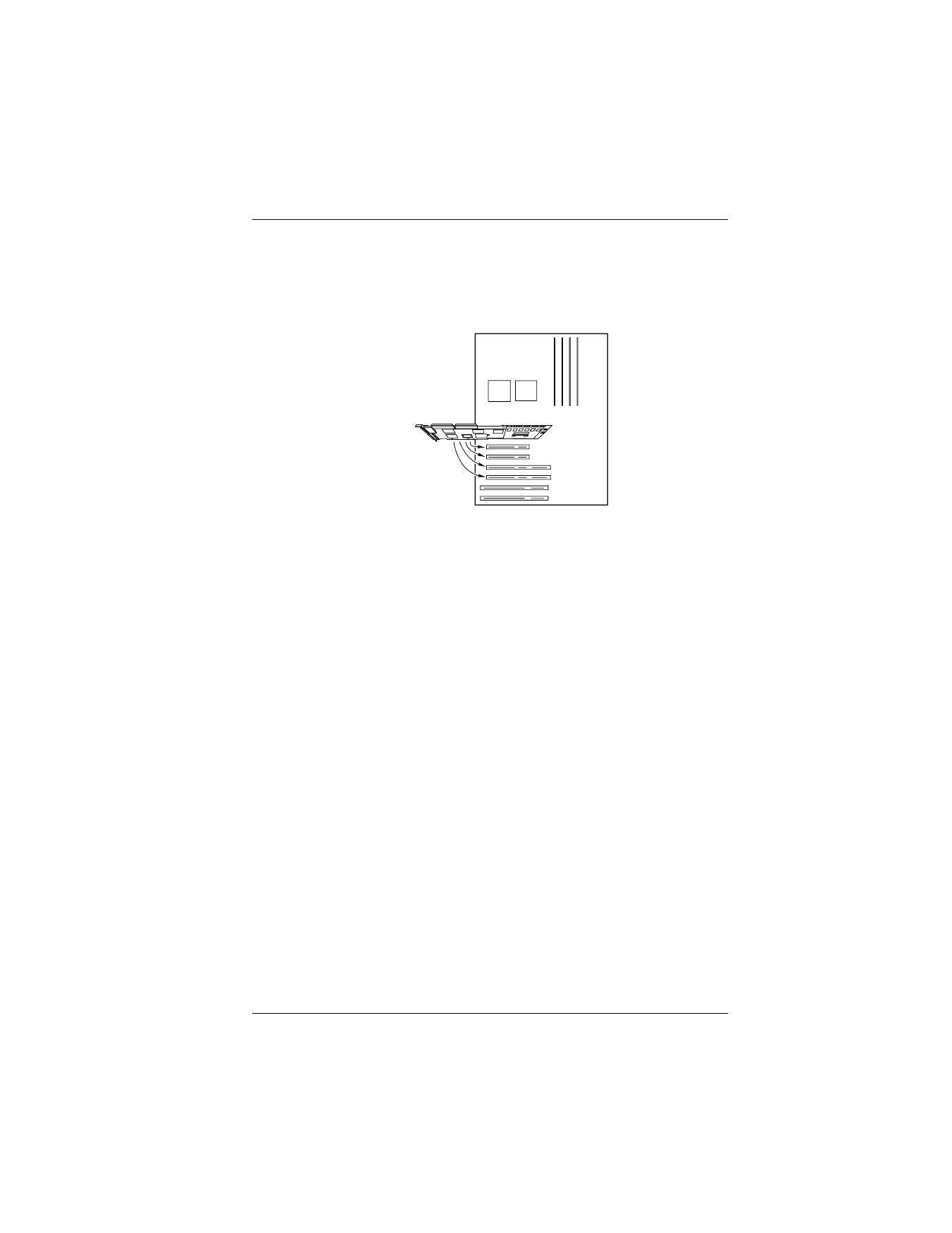
5. Plug the controller firmly into an available 32-bit or 64-bit PCI slot so
that the controller’s external connectors can be accessed through the
access port. Use the retaining screw to secure the controller by its
mounting bracket (Figure 2-2).
Figure 2-2. Plugging the eXtremeRAID 2000 into a PCI Slot
☛
Note
Although the eXtremeRAID 2000 controller will
operate very well in a 32-bit PCI slot, a 64-bit PCI slot
(if available) is recommended for optimal
performance. If the system board contains both 32-bit
and 64-bit PCI slots, the 64-bit slots are longer.
6. On a static-free surface, lay out the drives that will be used with this
controller and arrange the drives by channel. For example, all Channel
0 drives should be grouped together, all Channel 1 drives should be
grouped together, and so on.
For optimal performance, distribute the drives equally across the SCSI
channels and select the maximum data transfer rate supported by the
drives.
☛
Note
If you plan to use both narrow and wide SCSI devices
on the eXtremeRAID 2000, make sure the narrow and
wide devices are on separate channels. If LVD-
capable drives and single-ended drives are installed on
the same channel, all drives on the channel will
operate as single-ended drives, and the bus length will
be limited to the single-ended bus length specified in
Table 2-2.
Plug Controller into
any Available 32-bit
or 64-bit PCI Slot
System Board