PLANET IPX-2000 User Manual
Page 32
PLANET IPX-2000 user’s manual
32 of 51
dialing. Say, 4 leading consecutive “w” result
in 2 seconds delay before dialing.
3.12 Routegroup Configuration
A routegroup groups routes into a logical superset of route patterns. Such abbreviation simplifies
the association of multiple routes with a trunk, say, a PSTN line. A route could be included in
various routegroups and a routegroup could contain one single route only.
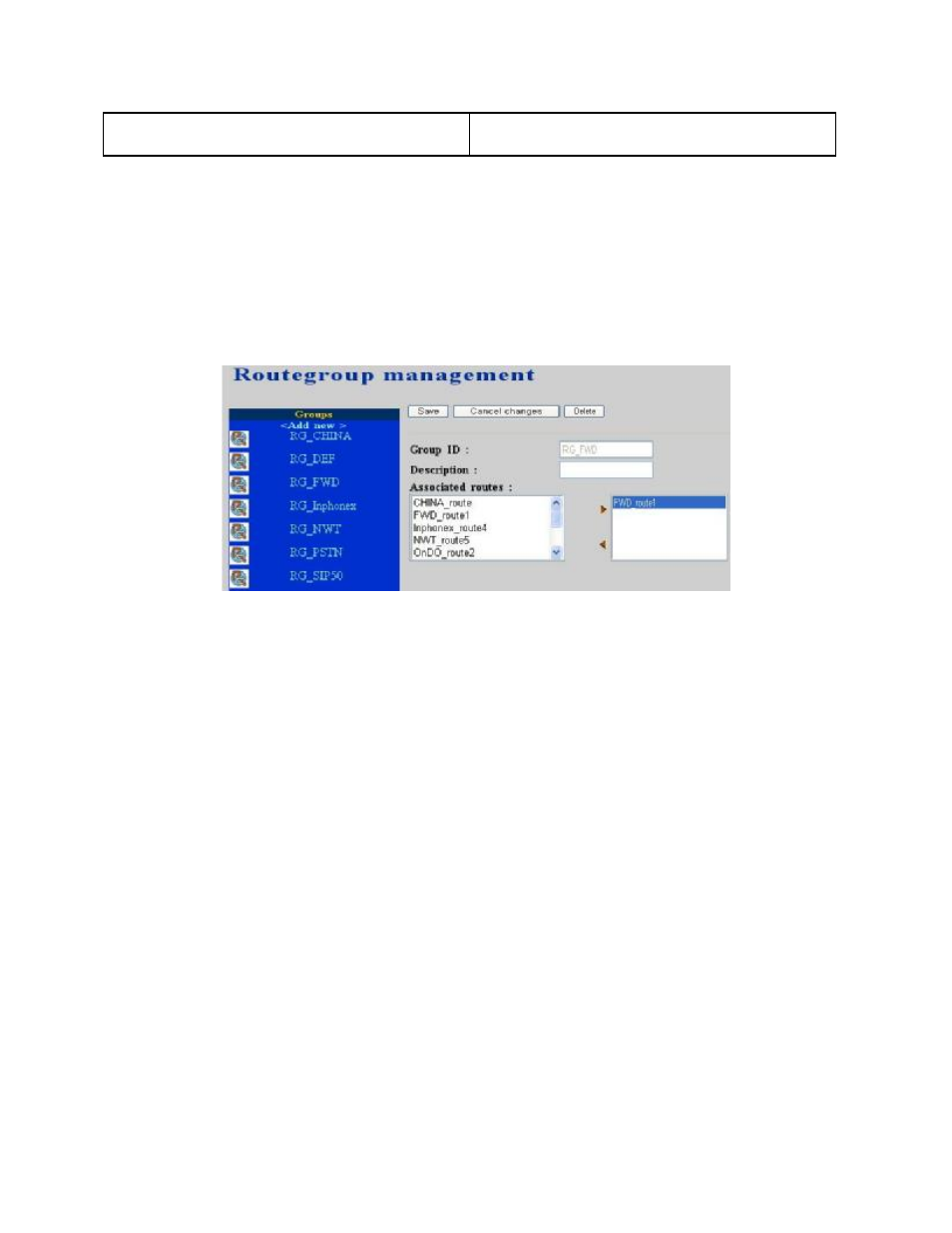
By select Route -> Routegroup, the administrator can add, edit, and delete routegroups in the
Routegroup Management page. IP PBX service must be reloaded to activate changes.
3.12.1 Add Routegroup
•
Click <Add new> button from the left panel.
•
Enter settings shown in Table 4-5.
•
Click Save button.
The newly added routegroup should be displayed in Groups panel on the left side.
3.12.2 Edit Routegroup
•
Click the link of the routegroup to edit from the Groups panel.
•
Edit settings shown on the right side.
•
Click Save button.
3.12.3 Delete Routegroup
•
Click the link of the routegroup to delete from the Groups panel.
•
Click Delete button.
The deleted routegroup shall disappear from the Groups panel.