Listening to music through wireless headphones – Yamaha ISX-18 User Manual
Page 26
22
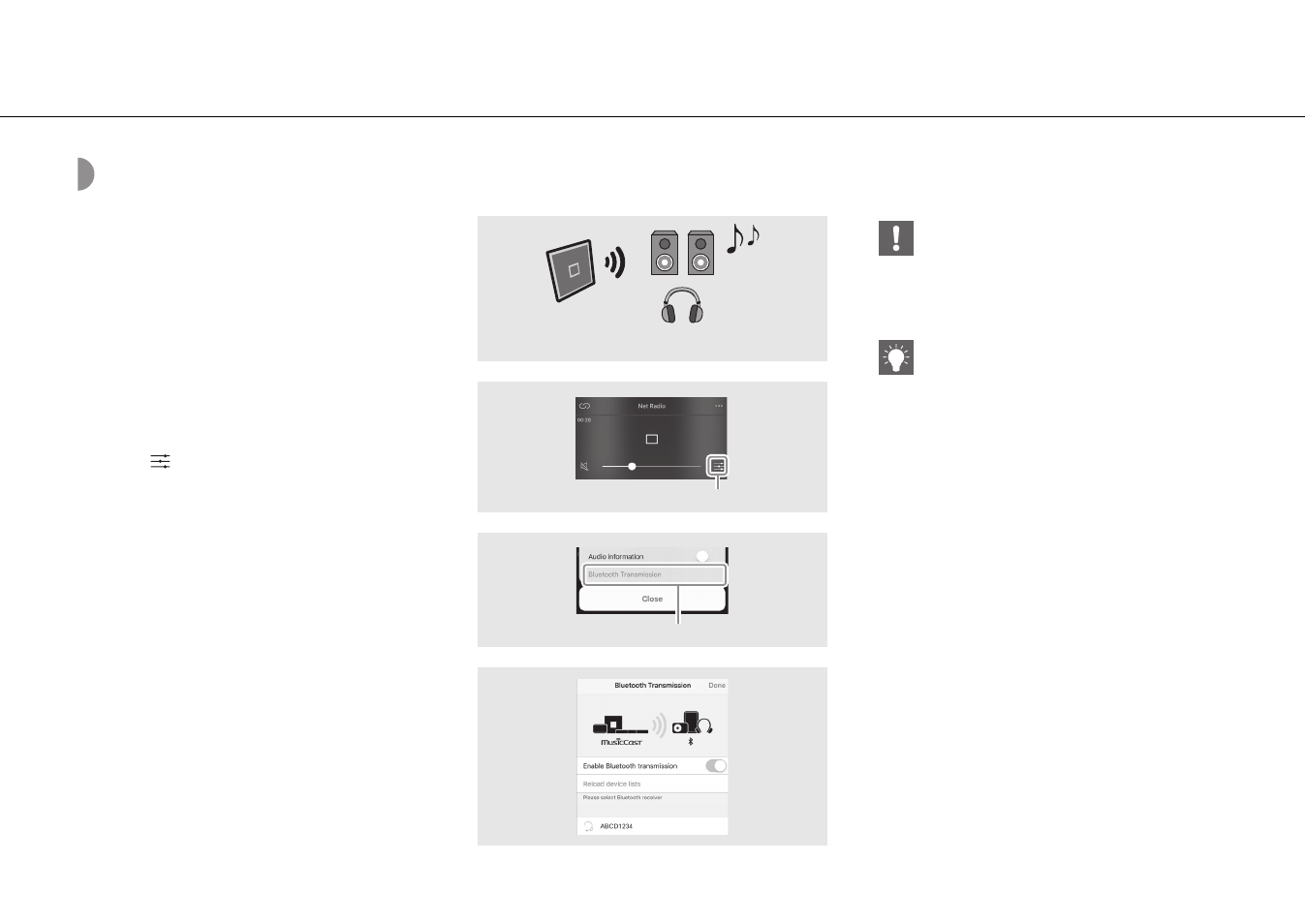
Listening to music through wireless headphones
You can listen to the audio played back by this unit
through Bluetooth-compatible wireless headphones. The
audio will be transmitted to the wireless headphones
using “MusicCast CONTROLLER” installed on your mobile
device.
1
Set the Bluetooth connection for the
Bluetooth device (wireless
headphones, etc.) to standby.
2
Tap
in the playback display of
“MusicCast CONTROLLER.”
3
Tap “Bluetooth Transmission.”
4
Select the Bluetooth device (wireless
headphones, etc.).
• When the connection is established, the
Bluetooth indicator ( P.6) lights up.
5
Tap “Done.”
• The sound is output by the receiving Bluetooth
device (wireless headphones, etc.).
2
3
4
Bluetooth
speakers/headphones
Tap
Tap
ISX-18/ISX-18D
• Use Bluetooth devices compatible with the A2DP
profile.
• Audio from AirPlay or a Bluetooth device cannot
be transmitted to and output by another
Bluetooth device.
• The playback sound is also output by the unit.
• The “MusicCast CONTROLLER” app displays shown
here are from an iPhone.
• For details on using your Bluetooth device, refer to
its owner’s manual.
Listening to music via Bluetooth connection