Part names and functions, Front panel, Front panel 16 – Roland V-1200HD Multi-Format Video Switcher User Manual
Page 16
16
Part Names and Functions
Front Panel
Number Name
Description
Page
1
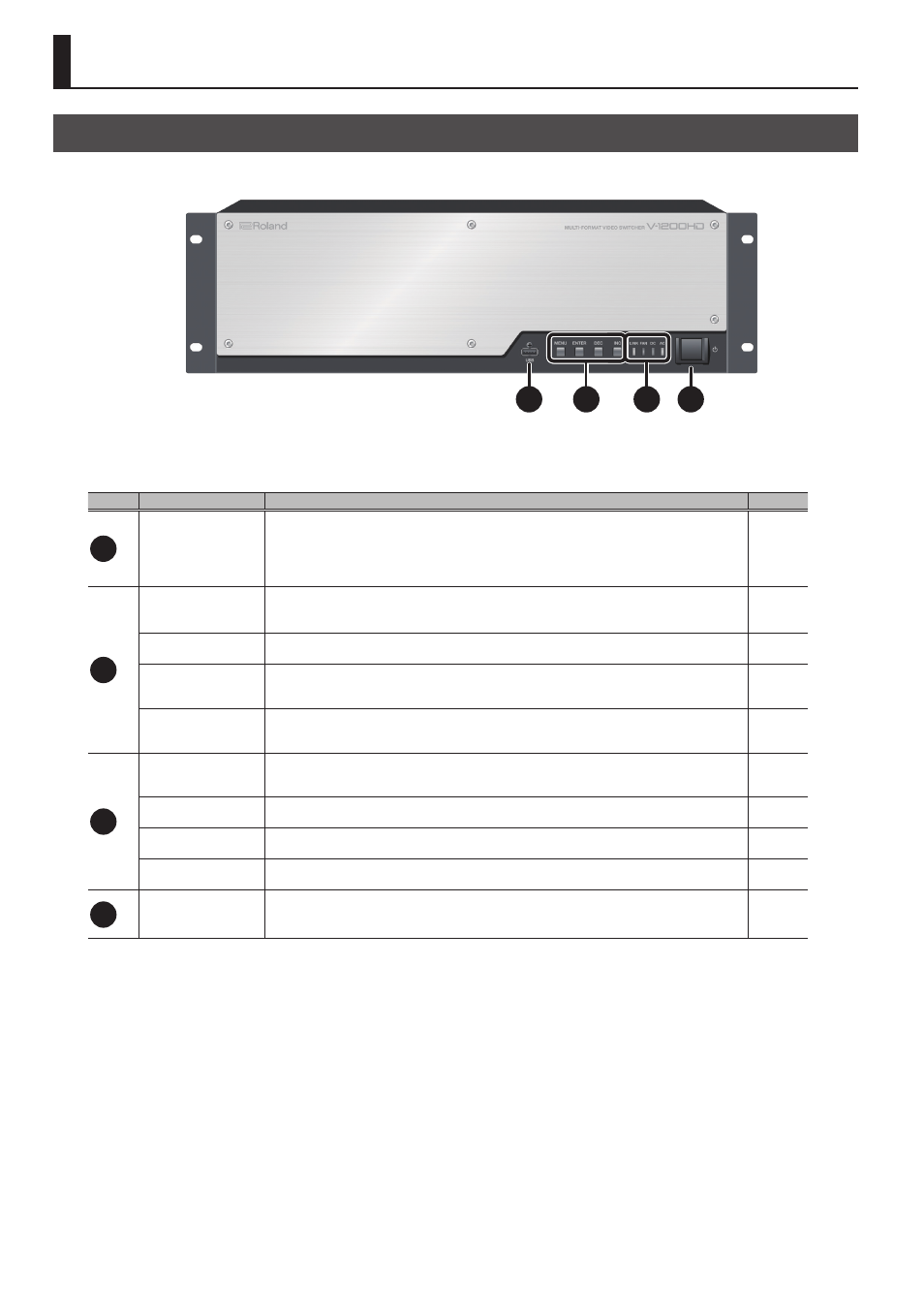
USB port
This is a USB port exclusively for connecting a USB flash drive.
Connect a USB flash drive to save/recall V-1200HD settings and import still images.
* For information on importing still images, refer to the “V-1200HDR/V-1200HD RCS Remote Control
Guide” (PDF) available for download at the Roland website.
2
[MENU] button
This displays the menu screen.
The menu screen is shown on the monitor connected to the HDMI OUT MULTI-VIEW 2 connector.
[ENTER] button
This confirms menu items and applies changes made to parameter values.
[DEC] button
Use this to move between items and change parametera values on the menu screen. Pressing this makes
the parametera value smaller.
[INC] button
Use this to move between items and change parametera values on the menu screen. Pressing this makes
the parametera value larger.
3
LINK indicator
This lights up when a connection is established with the V-1200HDR dedicated controller (optional) or
V-1200HD RCS remote-control software.
—
FAN indicator
This flashes when the cooling fan experiences a problem and stops turning.
—
DC indicator
This lights up when DC power is supplied from an external power unit connected to the rear panel.
—
AC indicator
This lights up when AC power is supplied to the V-1200HD’s internal power supply circuit.
—
4
Power button
This turns the power to the V-1200HD on and off.
* This is enabled only when the rear-panel [POWER] (main power) switch is set to “ON.”
1
2
3
4