Headset, Headset" p.11, Part names and functions – Epson Moverio BT-35E Smart Glasses User Manual
Page 11
Advertising
Part Names and Functions
11
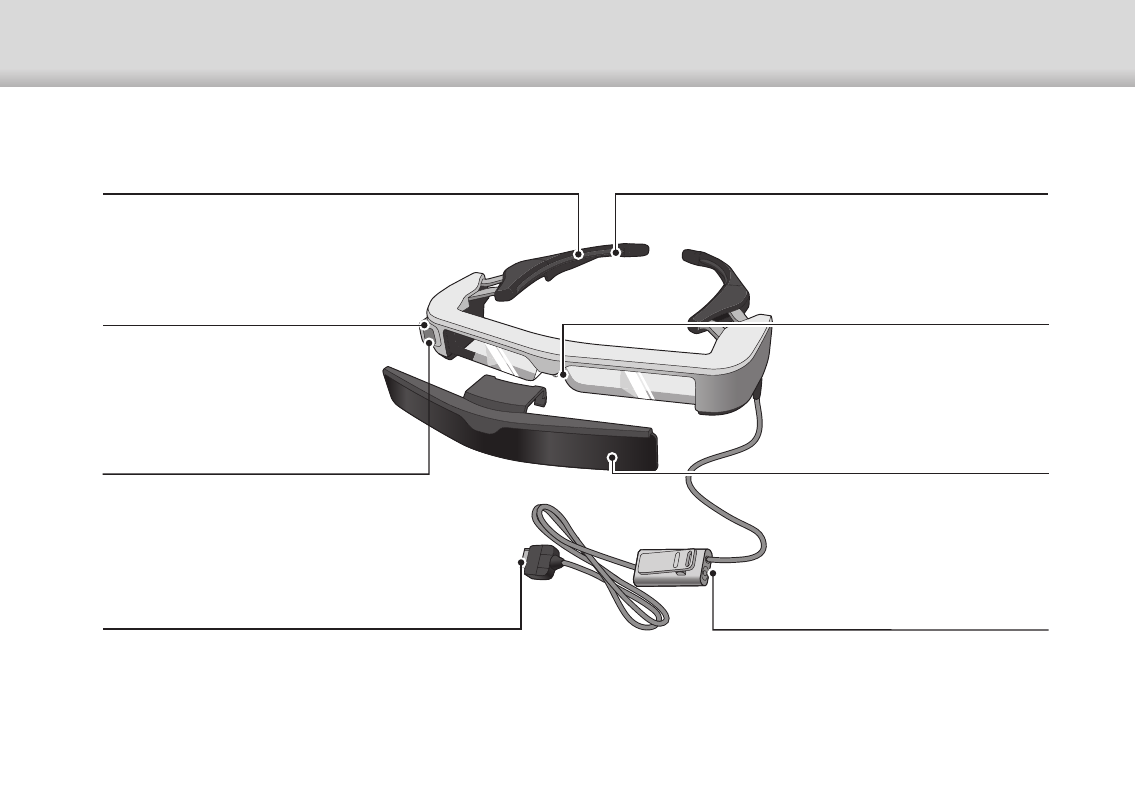
Headset
Nose pads
If the nose pads get dirty, it can be
replaced.
"Replacing the Nose Pads" p.26
Temples
Open the temples to wear.
➡
Temple grip
If the temple grip gets dirty or deterio-
rates, it can be replaced.
➡
"Replacing the Temple Grip" p.25
3.5 mm audio jack
You can connect commercially available
earphones and microphones.
➡
Camera
Captures images and movies.
Remove the protective film before
use.
Interface unit connector
Inserts into the interface unit.
➡
➡
"Connecting by USB Type-C" p.14
Safety shield (shaded shown)
ANSI Z87.1-compliant. Shaded
shield helps minimize ambient light.
Ambient light sensor
Senses the brightness of your sur-
roundings and automatically ad-
justs the brightness of the screen.
Advertising