HP Z31x 31.1" 17:9 DreamColor Studio Cinema 4K IPS Display User Manual
Page 32
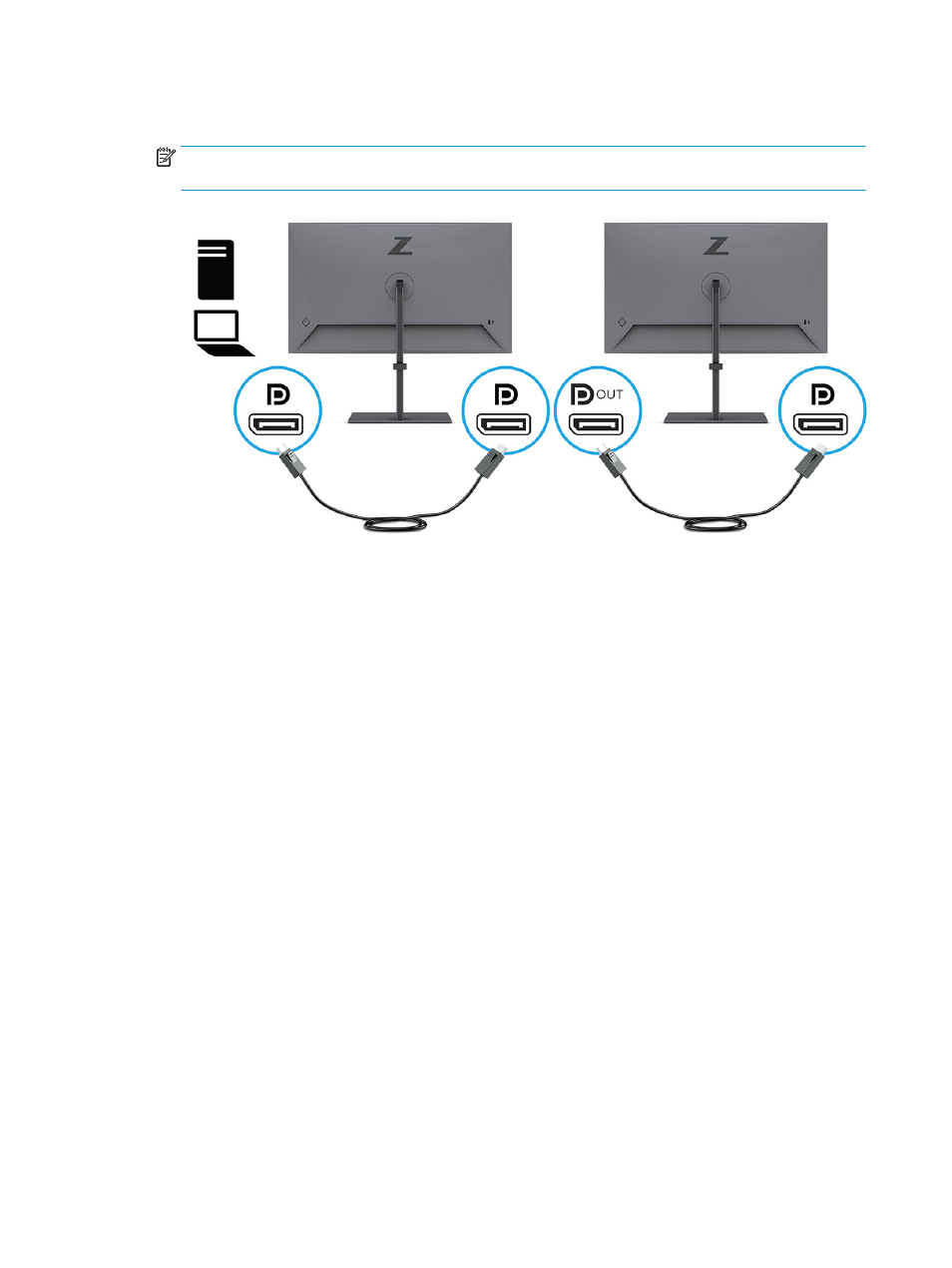
2.
Add a second monitor by connecting a DisplayPort cable between the DisplayPort OUT port on the
primary monitor and the DisplayPort IN port on a secondary monitor.
NOTE:
All but the last daisy-chained monitor need to have DisplayPort IN and OUT video ports. The last
monitor in the chain needs only a DisplayPort IN video port.
3.
Set a connected monitor to display the same image as the primary monitor or a different image.
4.
To connect additional monitors (up to four maximum), press the
Menu
button to open the OSD menu.
Navigate to Input and then USB-C MST Configuration, and select
USB-C Video+USB 2.0
.
5.
Connect the DisplayPort cable from the DisplayPort OUT port of one monitor to the DisplayPort IN port
of the next monitor.
24
Chapter 2 Using the monitor