2 alf-tg table grommet – Alfatron Table Grommet for ALF-WU4K User Manual
Page 6
Advertising
Alfatron ALF-TG
6
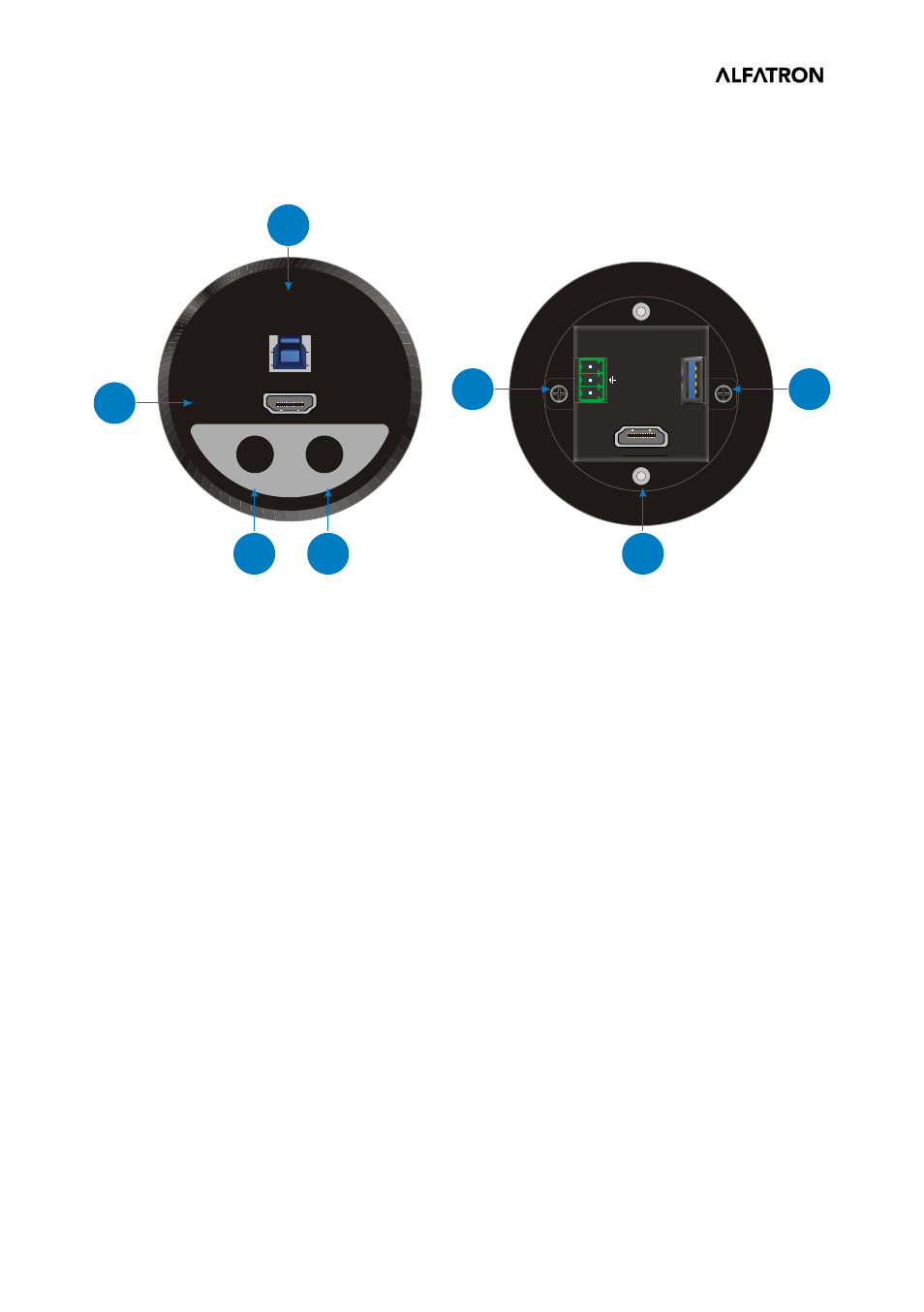
1.2 ALF-TG Table Grommet
①
Show Me:
Press the button to select the HDMI input source.
②
Black Output:
Press the button to output black screen for display.
All the input source LEDs on the front panel of the Switcher will go out when
pressing Black Output button.
③
HDMI input port to connect HDMI source device (e.g. PC).
④
Type-B USB port to connect PC.
⑤
HDMI output port to connect the HDMI input port of ALF-WU4K HUB switcher.
⑥
3-pin terminal block to connect the GR1~GR4 port of ALF-WU4K HUB switcher.
⑦
Type-A USB port to connect the type-B USB port of ALF-WU4K HUB switcher.
BO
SM
Show
Me
1
2
5
4
3
6
7
Blank
Output
Advertising