HyperX Cloud II Wired Gaming Headset (Black & Gunmetal) User Manual
Page 9
Advertising
Document No. 480KHX-HSCP001.A01
HyperX Cloud II Headset
Page 8 of
11
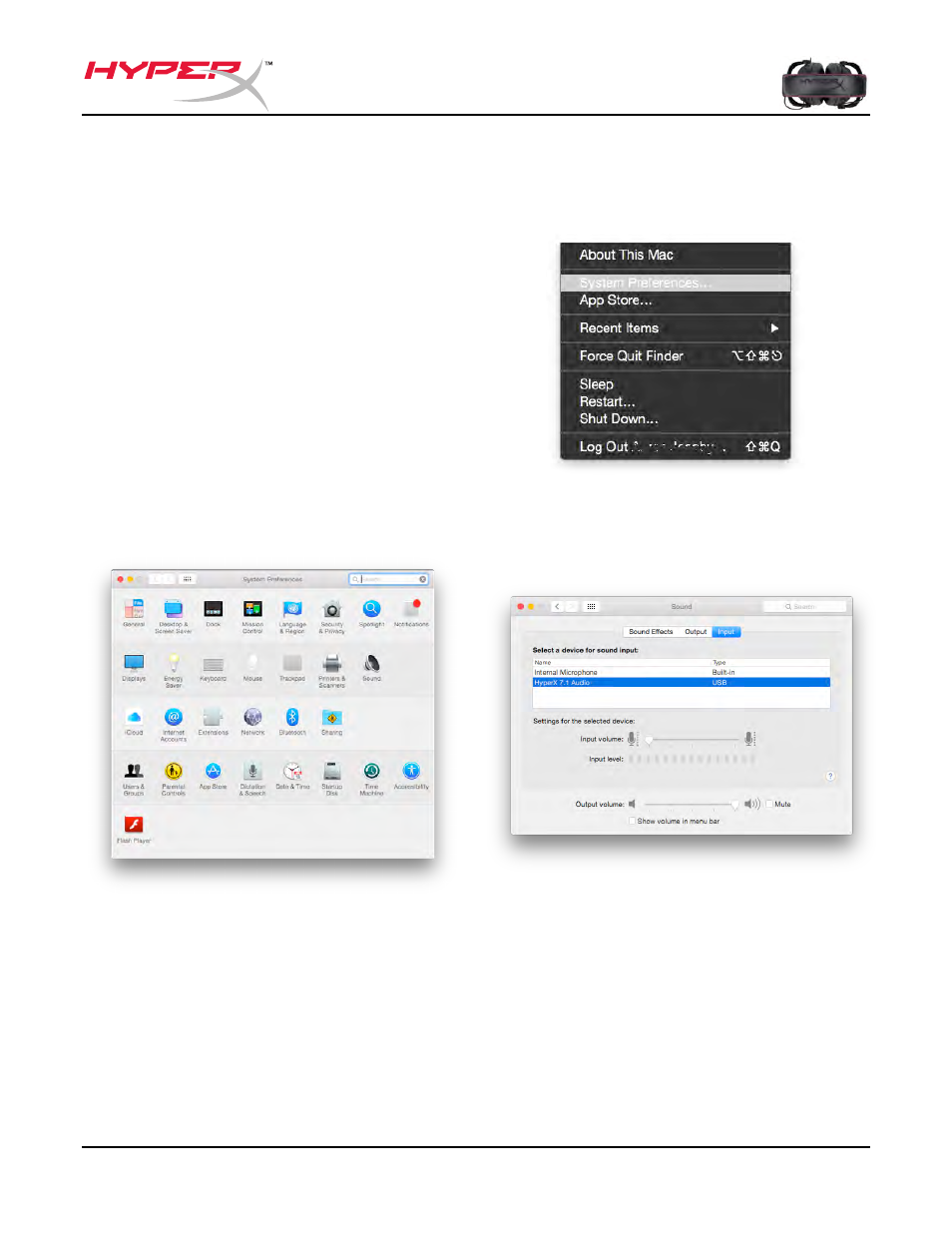
To ensure that HyperX Cloud II is the default audio device, you must follow these
instructions:
For Mac:
1. Click the Apple menu and select
“
System Preferences
” from the
drop-down menu.
2. In “
System Preferences
”, click on
the ‘Sound’ icon.
3. Click on the Input tab and select
“
HyperX 7.1 Audio”
for default sound
input.
4. Click on the Output tab and select
“
HyperX 7.1 Audio
” for default sound
output.
Figure 2 – System Preferences
Figure 1 – Apple Menu
Figure 3 – Sound Preferences
Advertising
This manual is related to the following products: