M/s | active | link, Controls – elysia alpha compressor Dual-Channel Analog Mastering Compressor User Manual
Page 17
17
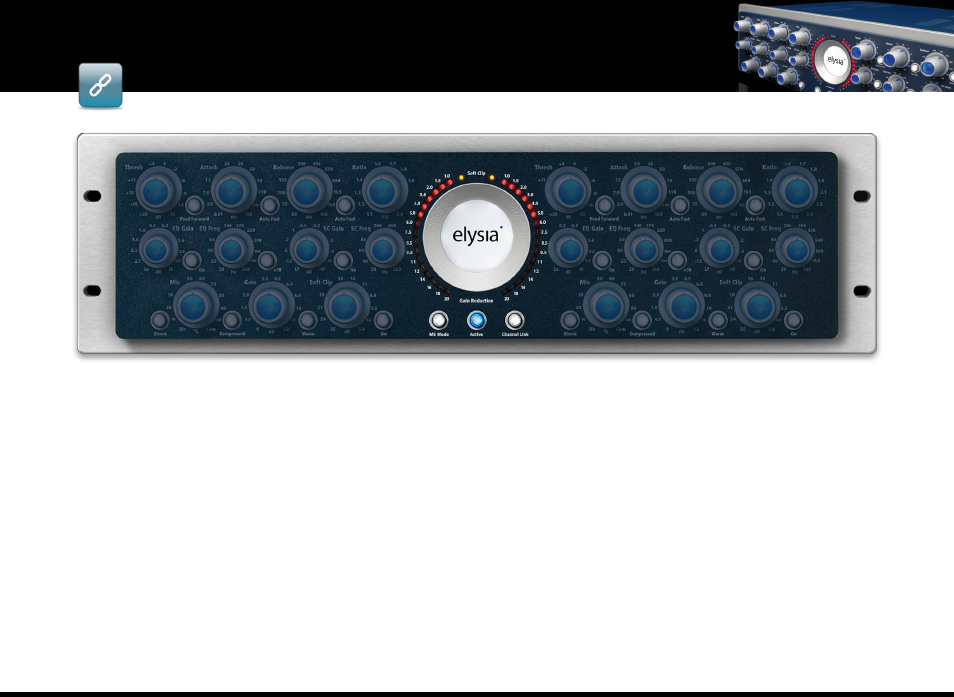
M/S
The alpha compressor works in M/S mode when
this button is pressed. The left side of the con-
trol panel then processes the mid signal and the
right side processes the side signal. When the
M/S button is not active, the plugin works as a
standard stereo compressor.
ACTIVE
There is no big secret behind this button: It
switches the alpha compressor into the signal
path (blue control light on) or bypasses the plu-
gin (light off).
By the way: On a hardware alpha compressor,
the gain reduction meter stays active even if
the unit is in bypass mode. The software version
does not do this because of technical reasons.
LINK
In link mode, the alpha compressor uses the in-
formation of both the left and the right channel
to generate one combined ‘virtual control volt-
age’ which is then applied to both channels. This
works both in stereo and in M/S mode.
Note:
The ‘alpha master’ version with the full-
fledged front panel will only appear on stereo
tracks, the ‘alpha mix’ version is available on
both mono and stereo tracks.
In
linked stereo mode
, all the parameters of the
left channel are transferred to the controllers of
the right channel (from right to left, too).
In
linked M/S mode
, however, the Niveau Filter,
mix stage and gain controller and the Warm
mode option remain unlinked. This gives you
the possibility to make changes to the stereo
image.
In
unlinked stereo mode
, imagine the compres-
sor plugin as a dual mono compressor with two
fully independent sets of controllers.
In
unlinked M/S mode
, the left side of the con-
trol panel processes the mid signal and the right
side processes the side signal. All controllers can
be set fully independent from each other.
controls - m/s | active | link
M/S | ACTIVE | LINK
controls