Slow repeat play, Basic functions b – Samsung DVD-P450 User Manual
Page 25
ENG-25
Basic Functions
B
A S I C
F
U N C T I O N S
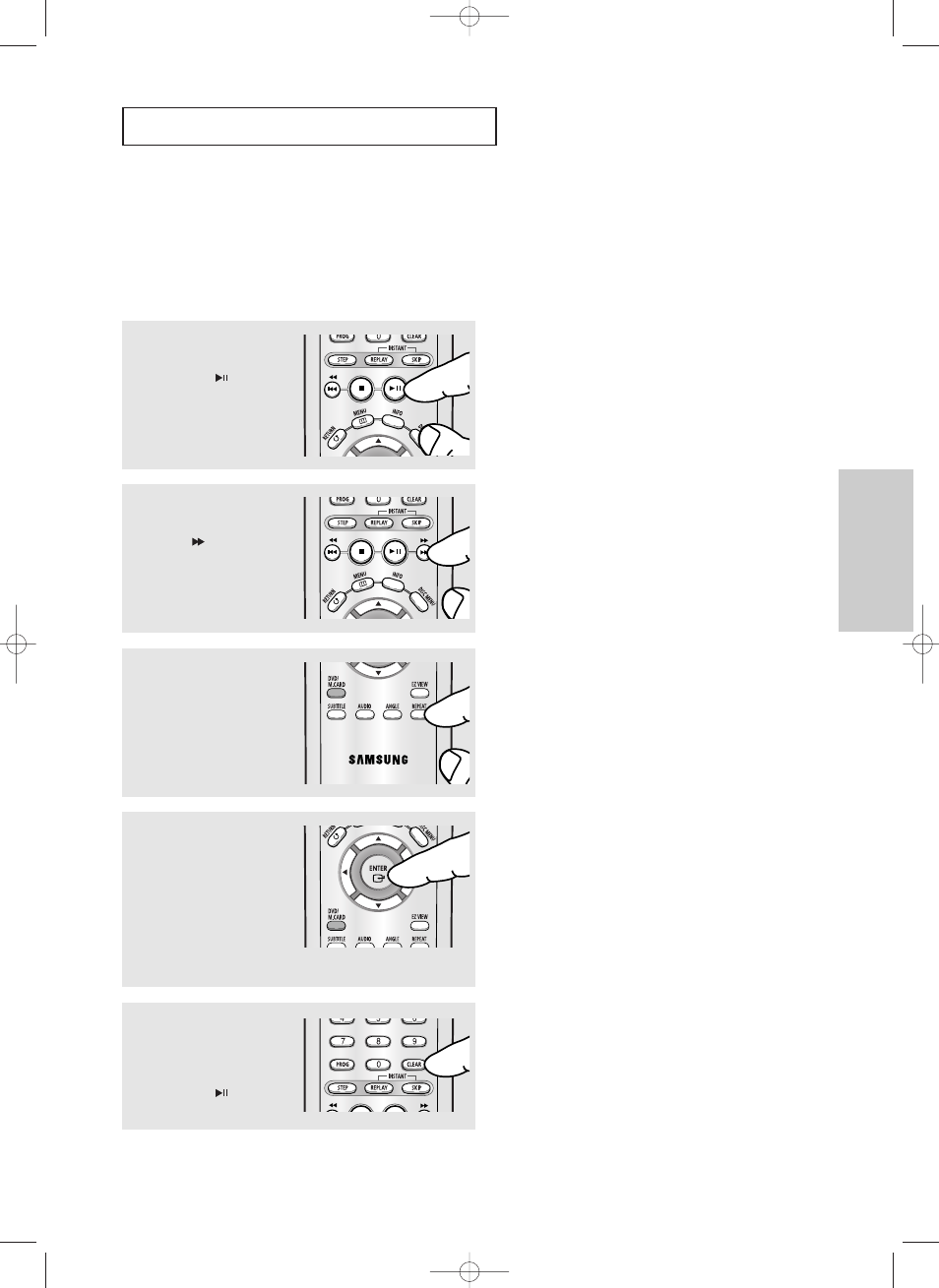
Slow Repeat Play
This feature allows you slowly to repeat scenes containing sports, dancing, musical instruments
being played etc., so you can study them more closely.
When playing a DVD/VCD
▼
The disc will play from A to B repeatedly at the
speed you chose.
Note
When playing VCD 2.0, this function works only
when the menu is off. Select Menu Off by pressing
the DISC MENU button.
▼
To set A-B REPEAT, set (A) first, then set (B)
after the following slow play time has elapsed:
1/8x: wait 40 seconds, then press B
1/4x: wait 20 seconds, then press B
1/2x: wait 10 seconds, then press B
1
During play, press the
PLAY/PAUSE (
)
button.
2
Press and hold the
SEARCH (
)
button to
choose the play speed
between 1/8, 1/4 and 1/2 of
normal during PAUSE or
STEP mode.
3
Press the
REPEAT
button
on the remote control.
Press the
œ
/
√
buttons to
select
A-B
.
4
Press the
ENTER
button at
the point where you want
repeat play to start (A).
B
is automatically
highlighted. Press the
ENTER
button at the point
where you want the repeat
play to stop (B).
5
To return to normal play,
press the
CLEAR
button
and then press the
PLAY/PAUSE (
)
button.
00708C_P450_XSS_eng_1 2/26/05 10:32 PM Page 25